English - 31
6.1.4 Using RTSP Player to View the Images
<Remark> For VC-A61PN, to support this function, please turn off NDI|HX (Please refer
to 6.2.5 Settings-Video)
In addition to the browser and VMS, other free softwares also can be used for RTSP
connection,such as VLC, Quick Time and PotPlayer
RTSP connection address formats are as follows:
RTSP Stream 1 => rtsp://camera IP:8554/hevc
RTSP Stream 2 => rtsp://camera IP:8557/h264
RTSP Stream 3 => rtsp://camera IP:8556/h264
For password authentication, the RTSP connection address is as follows:
rtsp://Username:Password@VC IP address:port/hevc
rtsp://Username:Password@VC IP address:port/h264
To enable password authentication, please refer to 6.2.9 Settings - Network
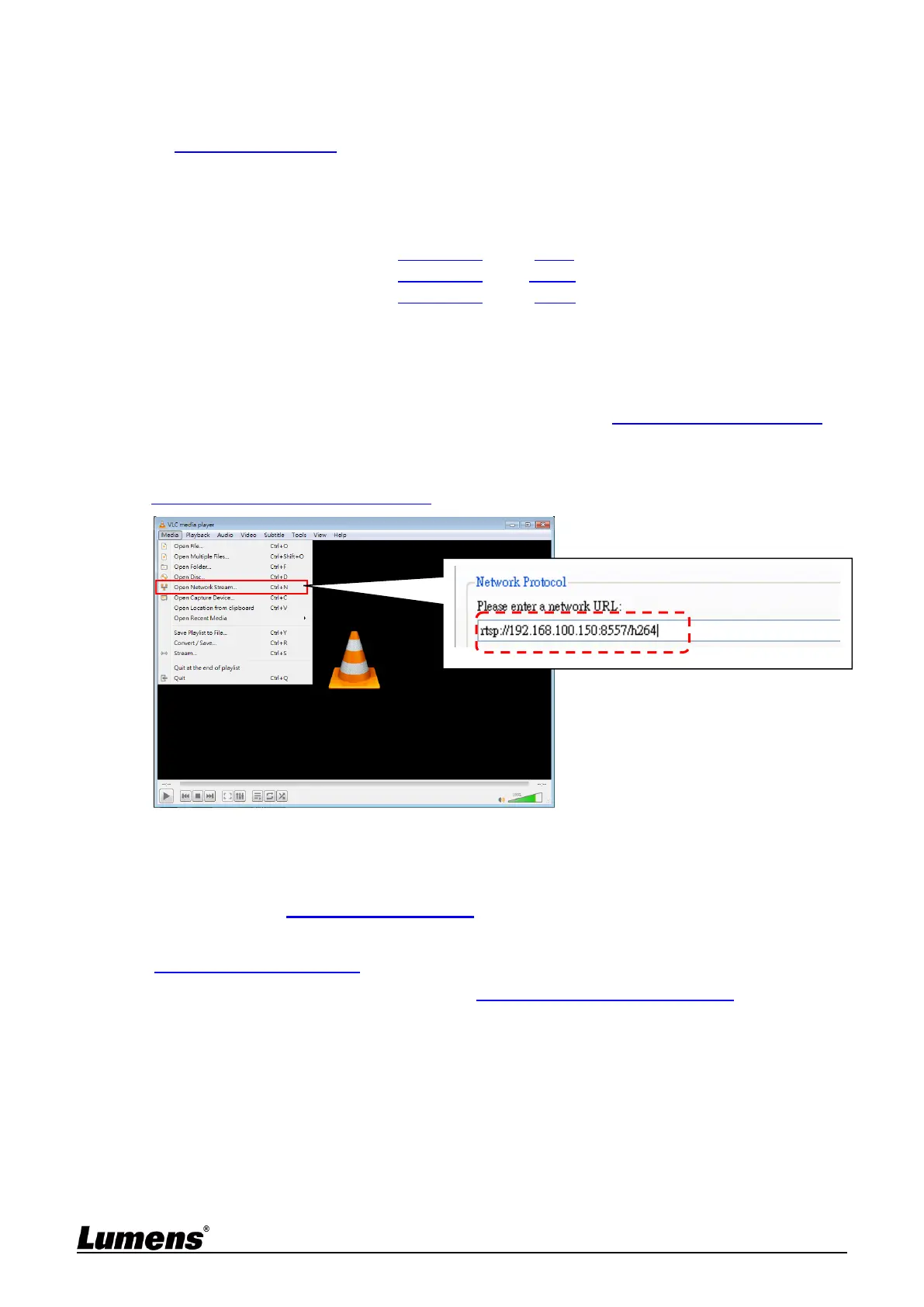
Example: Open VLC software, click [Open Network Streaming], and enter a URL:
rtsp://192.168.100.150:8557/h264
6.1.5 Using NDI Studio Monitor to View the Images
<Remark> This is only applicable to VC-A61PN. Support when NDI|HX is on
(Please refer to 6.2.5 Settings - Video)
For NewTek product operation or instructions, please visit the website:
https://www.newtek.com/.
To download NDI 4 Tool, click the link: http://new.tk/NDIHX-Driver-Win



 To Next Page
 Loading...












