When enabled, PTZ position information can be
fed back when the camera is moving
1. Serial port output: The protocol must be set to
VISCA, and the baud rate should be 38400
(For related settings, please refer to 6.2.14
Setting - Maintenance - System Service)
2. IP output: It can set IP address and
communication port
<Remark> The performance of the camera may
be affected when Tracking Data
Output is enabled
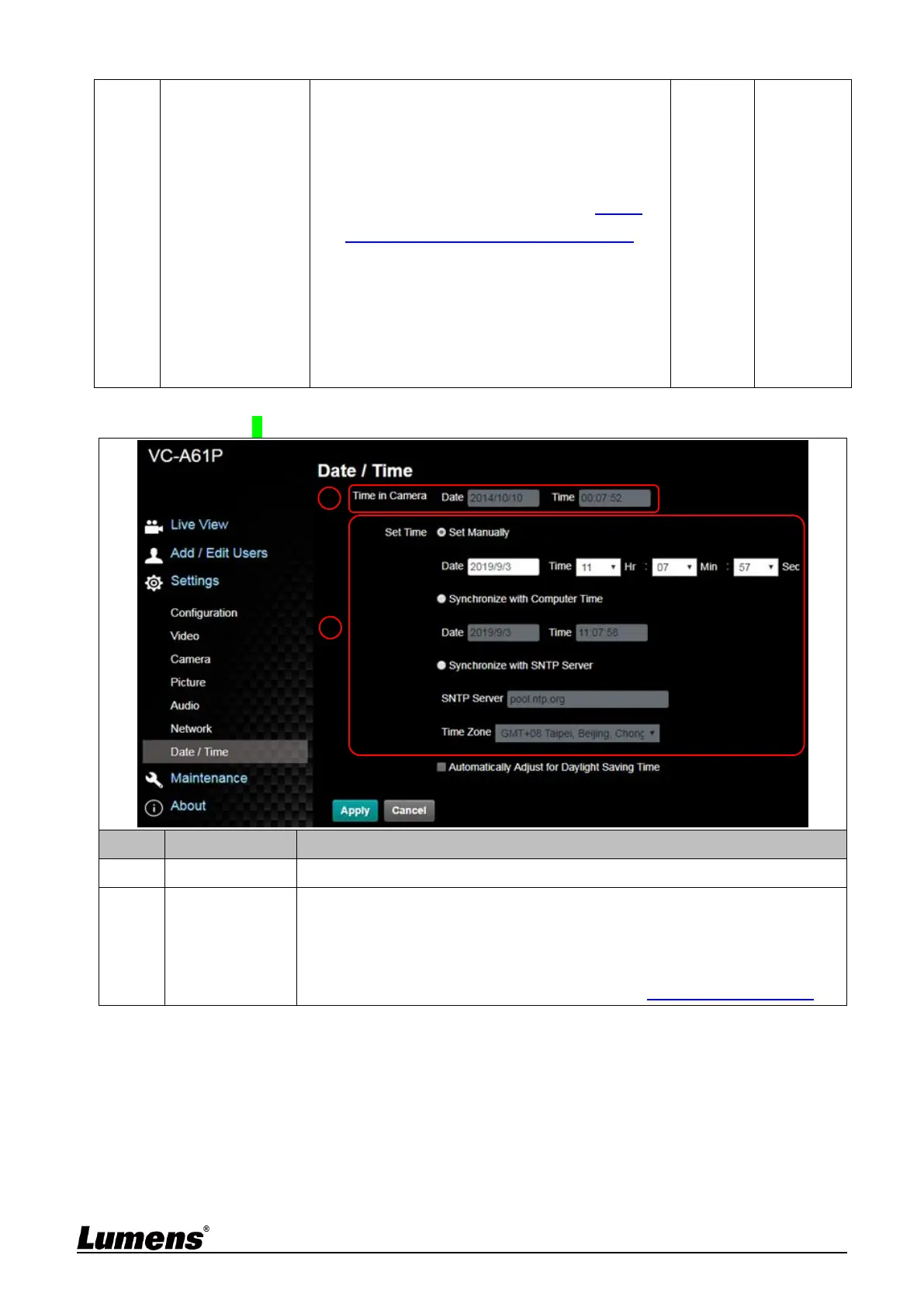
Manually: Set time manually
Synchronize with computer time: Set the camera time according to the
computer time
Synchronize with SNTP server: Set the camera time synchronously with
the SNTP server
<Remark> SNTP server address: Please refer to 6.2.9 Setting - Network



 To Next Page
 Loading...












