Luowice Wireless Security Camera User ManualLuowice Wireless Security Camera User Manual
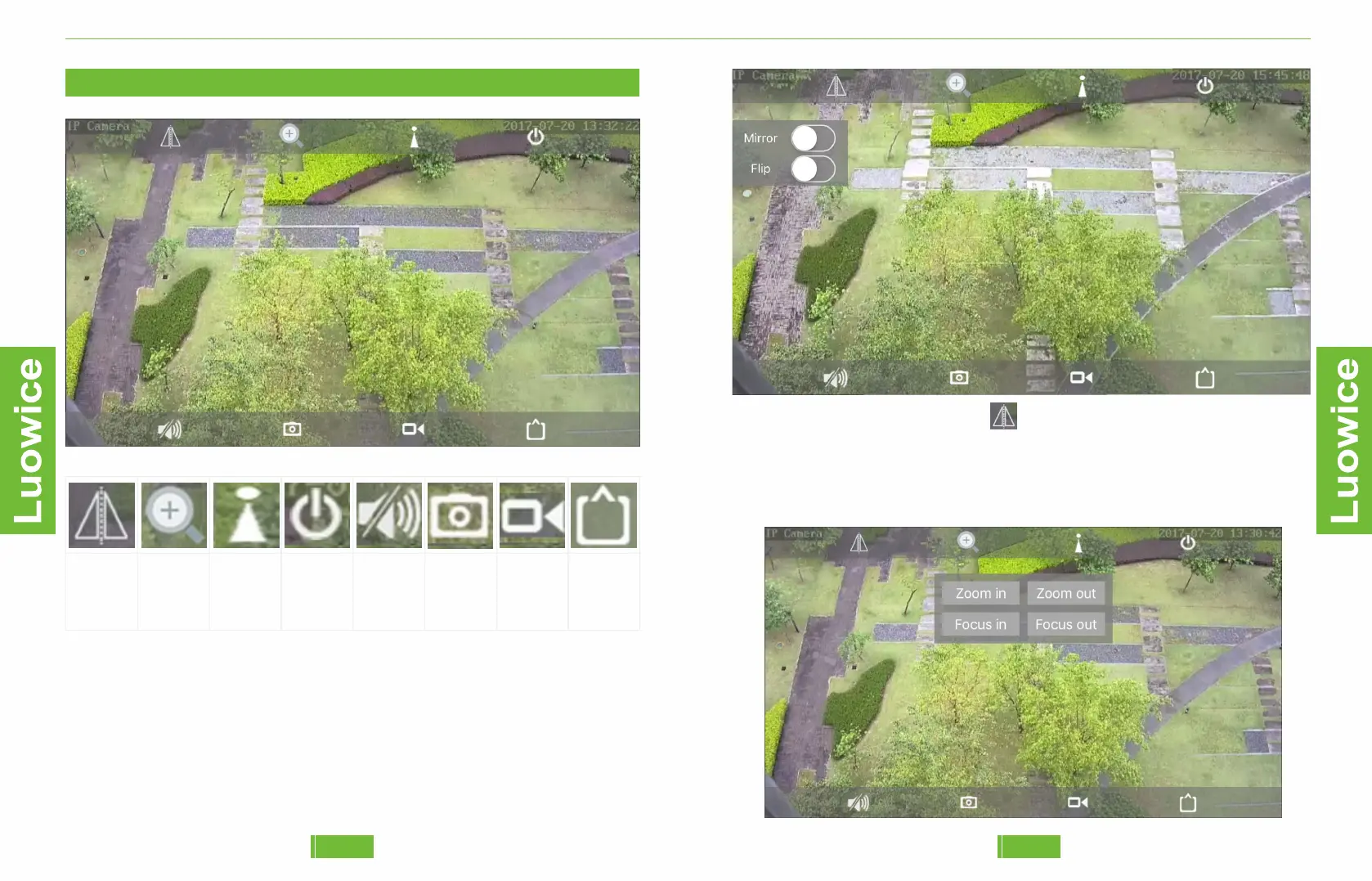
2.2 Live View Interface
Lens
Adjusting
Zoom/
Focus
Position
Preset
Exit
Audio
Adjusting
Snapshot
Local
Record
Resolution
Adjusting
●Lens Adjusting: Mirror/Flip. Mirror will make the view swap from
left to right and vice versa; Flip will make the view upside down and vice
versa. When you install the camera under a roof or on a wall where there
is restriction on space, you may need this function to get a right view.
Operation: Please click the icon , and the Mirror/Flip interface will
appear. And then click any of them based on your need.
●Zoom/Focus: Four times optical zoom allows you to get closer details
or farther view; Focus helps you to get clear view on specific spot.
1413


 To Next Page