
 Need help?
Do you have a question about the Luowice LWS and is the answer not in the manual?
Safety and environmental considerations for camera installation.
Required items and system prerequisites for camera setup.
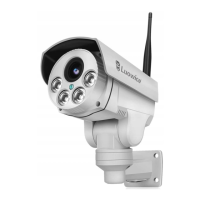
Identification of the camera's physical components and ports.
Instructions for correctly attaching and positioning the camera antenna.
Guide for physically mounting the camera using its bracket.
Connecting the camera to your local Wi-Fi network via LAN.
Overview of the main screen and navigation icons in the APP.
Features and controls for viewing the live camera feed.
Steps to access the main settings menu from the camera's live view.
Procedure for modifying the camera's login password.
Troubleshooting steps for password recovery or incorrect password errors.
Configuring motion detection and email notifications with snapshots.
Enabling and receiving push notifications from the APP for alerts.
Setting up scheduled recording times for the camera.
Adjusting microphone input and speaker output volume settings.
Configuring video parameters like bit rate, frame rate, and quality.
Connecting the camera to a local Wi-Fi network for remote access.
Managing the camera's SD card, including formatting and checking space.
Synchronizing or setting the camera's device time and time zone.
Configuring FTP server for uploading snapshots and videos.
Rebooting or resetting the camera to factory default settings.
Viewing the camera's hardware and network configuration details.
Accessing and playing recorded video footage stored on the SD card.
Transferring recorded videos from the SD card to a smartphone.
 General
| Brand | Luowice |
|---|---|
| Model | LWS |
| Category | Security Camera |
| Language | English |

 To Next Page
