Luowice Wireless Security Camera User ManualLuowice Wireless Security Camera User Manual
Solution: Avoid cameras facing to each other.
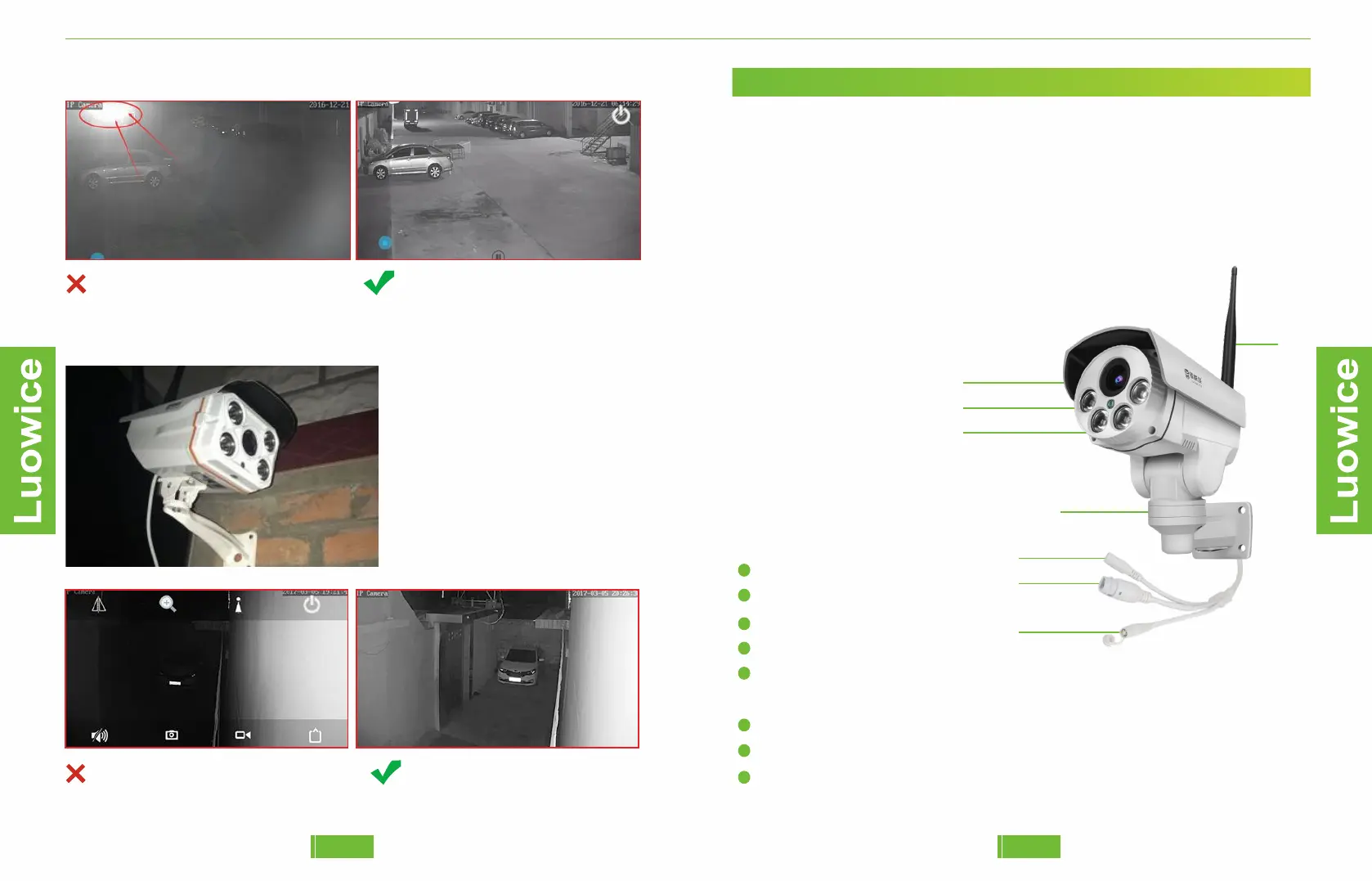
Before: Exposure of infared light. After: Clear black/white image.
3. Avoid installing the camera too close to the wall
If the camera is too close to the
wall, the infared light wil be
reflected back to the lensand
cause exposure.
Solution: Adjust the angle of
the camera to avoid infared
light reflection.
Before: Exposure makes things blurred. After: Clear black/white image.
0403
1.2 Preparation
Things you need to get the system works:
a)Internet Connection
The camera can work without Internet. But if you want to have remote view,
which means viewing the camera when you are not within the camera’s Wi-
Fi Hotspot range (49ft). Please configure the camera to your local Wi-Fi
network to get the camera online for remote access.1.3 Installation
1.3 Installation
1.3 Camera Panel
1
2
3
4
5
6
7
8
Lens
Led Light
Photosensitive Sensor
Antenna
PTZ Component (Please avoid adjusting the PTZ component manually
by hand. Adjusting it via phone APP or PC Client only.)
Power Interface
Network Cable Interface
Reboot Interface (Keep pressing the button for around 10 seconds and
the camera will reboot.)
1
2
3
4
5
6
7
8


 To Next Page