Luowice Wireless Security Camera User ManualLuowice Wireless Security Camera User ManualLuowice Wireless Security Camera User Manual
2.3.4 Action with Alarm
2.3.4 Action with Alarm
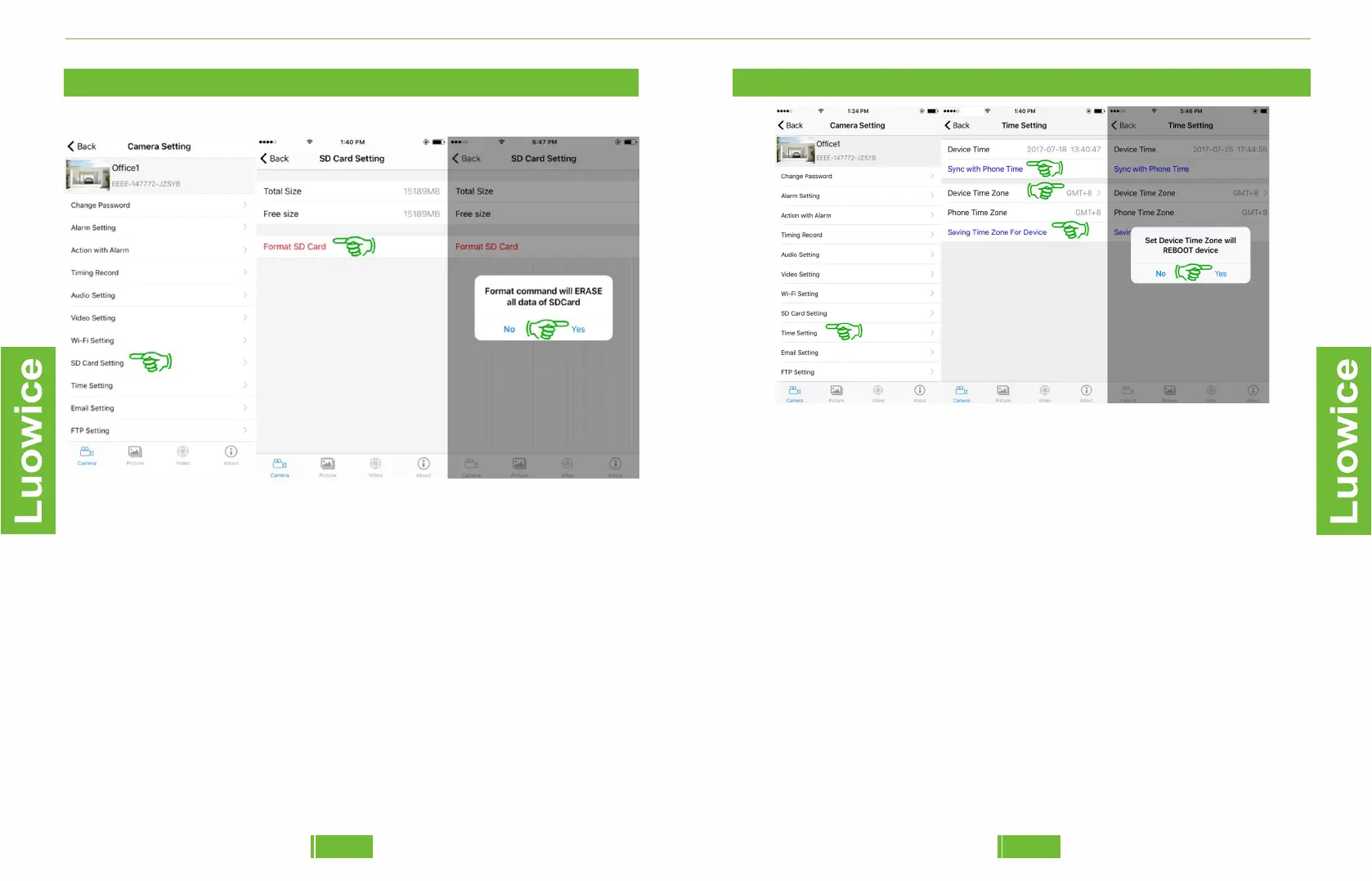
2.3.10 SD Card Setting
Operation: Please click 'SD Card Setting' on the main menu interface.
And then you can check the storage space information of the SD card. Or
Format the SD card. Please remember to back up the data before
formatting the SD card.
3837
2.3.4 Action with Alarm
2.3.11 Time Setting
Operation: Please click 'Time Setting' on the main menu interface. And
then you can click on 'Sync with Phone Time' to make the device time
zone the same as your phone's time setting. Or you can choose to set up
'Device Time Zone' and then click on 'Saving Time Zone for Device' and
click 'Yes' on the pop-out page. And then click 'Back' to save all the
settings.


 To Next Page