Luowice Wireless Security Camera User Manual
Luowice Wireless Security Camera User Manual
Note: Please keep the camera within your local Wi-Fi range.
1.6 Pair the Camera with Local Wi-Fi Network(LAN Mode)
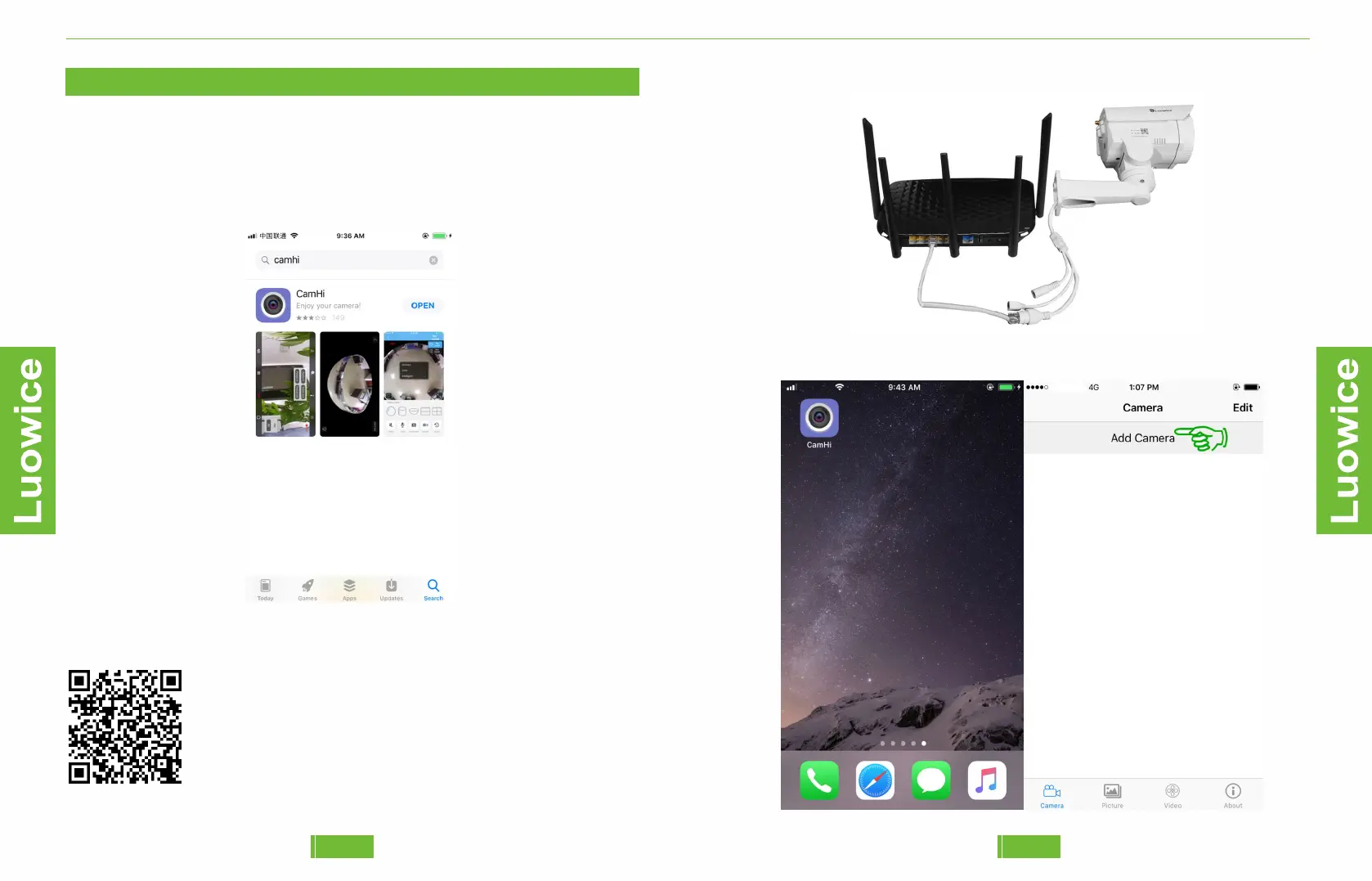
Connecting the camera to your local router via a network cable.
Please plug the camera in power. Download the APP (CamHi) and install
it to your smartphone. You can search CamHi in Apple Store or Google
Play Store.
Step 1: Please open the APP and click 'Add Camera'.
05 0807
Video instruction for configuration is available from:
www.youtube.com/watch?v=B3fV5-_i5l4


 To Next Page