EasyManua.ls Logo

M2M RControl-LA - User Manual

M2M RControl-LA
21 pages
Print Icon
To Next Page IconTo Next Page
Loading...
M2M Services Ltd, 1 Kukush Str, building M8, Sofia 1309, Bulgaria,
www.m2mservices.com
RControl-LA
Smart Hybrid Alarm System
Installation and Programming Guide
Doc. No. 04003 V1.0 10/2018
Question and Answer IconNeed help?

Do you have a question about the M2M RControl-LA and is the answer not in the manual?

Summary

About this document

Limited Liability

Disclaims responsibility for personal, property, or revenue loss and limits liability to the purchased system value.

Manufacturer Warranty

Details the non-transferable hardware limited warranty, exclusions, and conditions for voiding the warranty.

Safety Instructions for Service Personal

General Safety Precautions

Outlines essential safety guidelines for operating, maintaining, and handling the alarm system components.

Product Description

System Features

Lists the key features of the RControl-LA Alarm system, including partitions, zones, and communication capabilities.

Specifications

Zone Configuration and Outputs

Details flexible zone configuration options, audible alarm output, and programmable output specifications.

Power and Communication Specs

Covers power requirements, digital communicator specifications, and RF receiver frequency.

System Features and Environment

Includes system supervising features, physical dimensions, weight, and environmental operating conditions.

Installation

Mounting Instructions

Provides step-by-step guidance on how to securely mount the control panel on a wall.

Choose Location

Offers recommendations for selecting an optimal and secure location for the control panel.

Antenna Installation

Details the correct placement and connection of the antenna for optimal RF signal reception.

Keypad Mounting

Explains the procedure for mounting the keypad securely in an accessible and dry location.

Backup Battery Information

Describes the function and supervision of the backup battery for power loss conditions.

Wiring Instructions

Power Supply Module Wiring

Guides on connecting the power supply module to the mains power and the alarm panel.

Battery Connection

Details the correct polarity and connection of the backup battery to the control panel.

Siren Connection

Provides instructions for connecting the siren to the alarm panel's AUX and BELL outputs.

Wireless Keyfobs

Supported Functions

Outlines the functions available on the wireless keyfob, including arming and disarming modes.

Pairing a Wireless Keyfob

Step-by-step guide on how to enroll new wireless keyfobs with the RControl Alarm panel.

Assigning Keyfob to Partition

Explains how to assign a paired keyfob to control specific partitions within the alarm system.

Disabling a Wireless Keyfob

Instructions on how to disable a paired keyfob remotely via the RControl Admin Portal.

Deleting Wireless Keyfobs

Describes methods for deleting paired keyfobs, either individually or all at once.

Labelling Keyfobs

Information on how to label keyfobs for easier identification in the mobile application.

Configuring Keyfob Panic Button

Guidance on enabling and configuring the panic button functionality on the wireless keyfob.

Wireless Detectors

Pairing a Wireless Detector

Step-by-step guide on how to enroll new wireless detectors with the RControl Alarm panel.

Pairing ECOLING WST-702 PIR Motion Sensor

Specific instructions for pairing the ECOLING WST-702 PIR motion sensor.

Disabling a Wireless Detector

Instructions on how to disable a wireless detector via the RControl Admin portal.

Deleting a Wireless Detector

Guidance on permanently deleting a wireless detector from the system.

Deleting All Keyfobs and Detectors

Procedure for deleting all paired wireless keyfobs and detectors from the system memory.

Wired Detectors

SMARTEnroll Wired Detector

Details the automatic enrollment process for wired sensors using the SMARTEnroll feature.

Disabling a Wired Detector

Instructions on disabling a wired detector through the RControl Admin portal.

Programming

General settings of RControl Alarm

Configuration of account number, periodical test intervals, and power outage delay settings.

Configuring the partitions

Details on setting partition names, entry/exit times, alarm cycle duration, and siren indications.

Configuring the zones

Guidance on configuring zone names, enabling/disabling, and setting zone types for detectors.

Zone types

Explanation of different zone types like SMARTEnroll, Instant, Entry/Exit, and their behavior.

Detailed Zone Type Descriptions

In-depth descriptions of various zone types including Entry/Exit, Follow, Instant, STAY, and 24-hour zones.

Additional Zone Type Details

Further descriptions of 24-hour zone types (Gas, Freeze, Flood) and Keyswitch zone functionalities.

RControl Mobile Application

Remote Arming;Disarming via Application

Instructions to enable and use the mobile application for remote system arming and disarming.

Changing Default Keypad User Code

Guidance for end-users to change their keypad user code through the mobile application.

Troubleshooting

System Test Procedure

Steps to initiate and perform a system test to verify wiring and functionality.

Periodical Test

Information on configuring and sending periodical test messages to the monitoring station.

Battery Test and AC Loss

Details on battery testing, low voltage detection, and troubleshooting AC power loss.

Summary

About this document

Limited Liability

Disclaims responsibility for personal, property, or revenue loss and limits liability to the purchased system value.

Manufacturer Warranty

Details the non-transferable hardware limited warranty, exclusions, and conditions for voiding the warranty.

Safety Instructions for Service Personal

General Safety Precautions

Outlines essential safety guidelines for operating, maintaining, and handling the alarm system components.

Product Description

System Features

Lists the key features of the RControl-LA Alarm system, including partitions, zones, and communication capabilities.

Specifications

Zone Configuration and Outputs

Details flexible zone configuration options, audible alarm output, and programmable output specifications.

Power and Communication Specs

Covers power requirements, digital communicator specifications, and RF receiver frequency.

System Features and Environment

Includes system supervising features, physical dimensions, weight, and environmental operating conditions.

Installation

Mounting Instructions

Provides step-by-step guidance on how to securely mount the control panel on a wall.

Choose Location

Offers recommendations for selecting an optimal and secure location for the control panel.

Antenna Installation

Details the correct placement and connection of the antenna for optimal RF signal reception.

Keypad Mounting

Explains the procedure for mounting the keypad securely in an accessible and dry location.

Backup Battery Information

Describes the function and supervision of the backup battery for power loss conditions.

Wiring Instructions

Power Supply Module Wiring

Guides on connecting the power supply module to the mains power and the alarm panel.

Battery Connection

Details the correct polarity and connection of the backup battery to the control panel.

Siren Connection

Provides instructions for connecting the siren to the alarm panel's AUX and BELL outputs.

Wireless Keyfobs

Supported Functions

Outlines the functions available on the wireless keyfob, including arming and disarming modes.

Pairing a Wireless Keyfob

Step-by-step guide on how to enroll new wireless keyfobs with the RControl Alarm panel.

Assigning Keyfob to Partition

Explains how to assign a paired keyfob to control specific partitions within the alarm system.

Disabling a Wireless Keyfob

Instructions on how to disable a paired keyfob remotely via the RControl Admin Portal.

Deleting Wireless Keyfobs

Describes methods for deleting paired keyfobs, either individually or all at once.

Labelling Keyfobs

Information on how to label keyfobs for easier identification in the mobile application.

Configuring Keyfob Panic Button

Guidance on enabling and configuring the panic button functionality on the wireless keyfob.

Wireless Detectors

Pairing a Wireless Detector

Step-by-step guide on how to enroll new wireless detectors with the RControl Alarm panel.

Pairing ECOLING WST-702 PIR Motion Sensor

Specific instructions for pairing the ECOLING WST-702 PIR motion sensor.

Disabling a Wireless Detector

Instructions on how to disable a wireless detector via the RControl Admin portal.

Deleting a Wireless Detector

Guidance on permanently deleting a wireless detector from the system.

Deleting All Keyfobs and Detectors

Procedure for deleting all paired wireless keyfobs and detectors from the system memory.

Wired Detectors

SMARTEnroll Wired Detector

Details the automatic enrollment process for wired sensors using the SMARTEnroll feature.

Disabling a Wired Detector

Instructions on disabling a wired detector through the RControl Admin portal.

Programming

General settings of RControl Alarm

Configuration of account number, periodical test intervals, and power outage delay settings.

Configuring the partitions

Details on setting partition names, entry/exit times, alarm cycle duration, and siren indications.

Configuring the zones

Guidance on configuring zone names, enabling/disabling, and setting zone types for detectors.

Zone types

Explanation of different zone types like SMARTEnroll, Instant, Entry/Exit, and their behavior.

Detailed Zone Type Descriptions

In-depth descriptions of various zone types including Entry/Exit, Follow, Instant, STAY, and 24-hour zones.

Additional Zone Type Details

Further descriptions of 24-hour zone types (Gas, Freeze, Flood) and Keyswitch zone functionalities.

RControl Mobile Application

Remote Arming;Disarming via Application

Instructions to enable and use the mobile application for remote system arming and disarming.

Changing Default Keypad User Code

Guidance for end-users to change their keypad user code through the mobile application.

Troubleshooting

System Test Procedure

Steps to initiate and perform a system test to verify wiring and functionality.

Periodical Test

Information on configuring and sending periodical test messages to the monitoring station.

Battery Test and AC Loss

Details on battery testing, low voltage detection, and troubleshooting AC power loss.

Overview

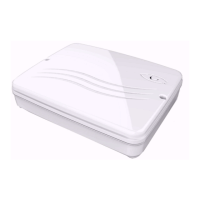
The RControl-LA is a Smart Hybrid Alarm System designed for security and remote monitoring. It functions as a 2-partition control panel with a comprehensive set of features for both wired and wireless security setups.

Function Description:

The RControl-LA system provides robust security through its ability to integrate both wired and wireless detectors, supporting up to 8 hardwired zones (expandable to 16 with zone doubling) and 32 wireless zones. It also supports up to 16 keyfobs for convenient arming and disarming. The system includes a built-in GPRS communicator, enabling remote control via a smartphone application (RControl Mobile Application) available for Android, iOS, and Windows Phones. This application allows users to monitor the alarm panel's status, view event logs for up to one year, and remotely arm/disarm the system.

The system supports two partitions, allowing for separate arming and disarming of different areas. It features a bell output and a programmable output (open collector 200mA) for connecting external sirens or other devices. Short circuit protection for the AUX output ensures system reliability.

Important Technical Specifications:

  • Zone Configuration:
    • 8 hardwired zones (up to 16 with zone doubling)
    • Up to 32 wireless zones
    • 19 zone types (e.g., Normally Closed, single EOL, double EOL zone wiring)
    • One master code: 0000
    • Zone doubling capability
  • Audible Alarm Output:
    • 200 mA Bell Output (current limited at 350 mA) 12 VDC
    • Steady or Pulse output
  • Programmable Outputs:
    • One programmable output 200 mA
  • Power Requirements:
    • Battery: 12 V 2.6 Ah minimum rechargeable sealed lead battery
    • Charging voltage: 13.5-13.8 V (battery replacement every 3 years recommended)
  • Digital Communicator Specification:
    • Built-in digital communicator
    • Dual band UMTS/HSPA 850/1900 MHz frequency
  • RF Receiver:
    • 345 MHz
  • System Supervising Features:
    • AC power failure detection
    • Fault by zone reporting
    • Failure to communicate alerts
    • AUX Power supply trouble indication
    • Low battery condition (panel and wireless zones)
  • Dimensions: 9.65"x7.68"x1.77"
  • Weight: 2.87 lb. with battery
  • Environmental:
    • Operating temperature: 0°C to 49°C (32°F to 120°F)
    • Humidity: 0 to 85% relative humidity, non-condensing
    • For Dry/Indoor use only.

Usage Features:

The RControl-LA offers flexible usage through its keyfobs, mobile application, and configurable zones.

  • Wireless Keyfobs: Supports up to 16 keyfobs with four buttons: Full Arm, Home Arm, Disarm, and Panic. By default, Full Arm and Disarm are active. Home Arm requires at least one STAY zone, and the Panic button can be enabled via the RControl Admin Portal. Keyfobs can be assigned to control specific partitions or both partitions (Partition=All).
  • Wireless Detectors: Supports up to 32 wireless detectors. Pairing is done by pressing the "PAIR" button on the RF receiver and activating the detector. The system reports "Module Added, RF Zone N" (Contact ID E-531) upon successful pairing.
  • Wired Detectors: Supports up to 16 wired detectors. The SMARTEnroll feature allows automatic registration of wired sensors as Instant zones. Manual configuration of zones is also possible.
  • Zone Types: Offers 19 zone types including Instant, Entry/Exit, Follow, Tamper, Panic, Fire, Medical, Sprinkler, Gas, Freeze, Flood, Keyswitch High/Low Level, and Keyswitch High/Low Impulse. These can be configured via the RControl Admin Portal.
  • RControl Mobile Application: Provides remote access and control. Users can monitor the system, view event logs, and arm/disarm remotely. Initial login credentials are provided with the alarm panel, and users are advised to change their username and password and provide an email for recovery. Remote arming/disarming requires enabling the feature in settings and entering a Remote PIN code, followed by an arm/disarm action from a keyfob or keypad within 2 minutes for pairing.
  • System Test: A system test can be initiated by holding the "0" button on the keypad and entering a valid code. The system will provide sound indications and report events to the monitoring station.
  • Periodical Test: The alarm panel can be configured to send periodical test messages to the monitoring station at specified intervals.

Maintenance Features:

  • Installation: The device should be installed by a qualified alarm installer in an indoor dry area, away from sources of RF interference or metal objects. Wiring should only be done when the panel is powered down.
  • Battery Management: The system is supplied with a backup battery that is supervised for connection and low voltage conditions. It performs a battery test every 120 seconds. The battery should be replaced every 3 years. The panel can be configured to automatically shut down if the battery voltage drops below a critical low threshold to prevent permanent damage.
  • Troubleshooting: The manual provides guidance for common issues such as zone problems (wiring, configuration, faulty detectors), siren not working (check wiring, programming, AUX overcurrent), and AC loss (power LED off).
  • Disabling/Deleting Devices:
    • Wireless keyfobs can be disabled from the RControl Admin Portal. All paired keyfobs can be deleted by holding the "PAIR" button of the RF receiver until the LED indicator goes off.
    • Wireless detectors can be disabled or permanently deleted from the RControl Admin Portal.
    • Wired detectors can be disabled from the RControl Admin Portal.
  • Labelling: Keyfobs are automatically assigned labels (e.g., "Keyfob 101") upon pairing, which can be changed via the RControl Admin Portal or the mobile application (for Master Users).
  • Firmware Updates: M2M Services reserves the right to modify and revise the manual without notice, implying potential updates or changes to the system.
  • Warranty: The device carries a non-transferable hardware limited warranty. The warranty is voided by improper maintenance, SIM card removal, accident, unreasonable use, negligence, acts of God, or damage due to improper installation or service.

M2M RControl-LA Specifications

General IconGeneral
BrandM2M
ModelRControl-LA
CategorySecurity System
LanguageEnglish