MA Lighting Technology GmbH
.
Dachdeckerstr. 16
.
D-97297 Waldbüttelbrunn
1212
1212
12
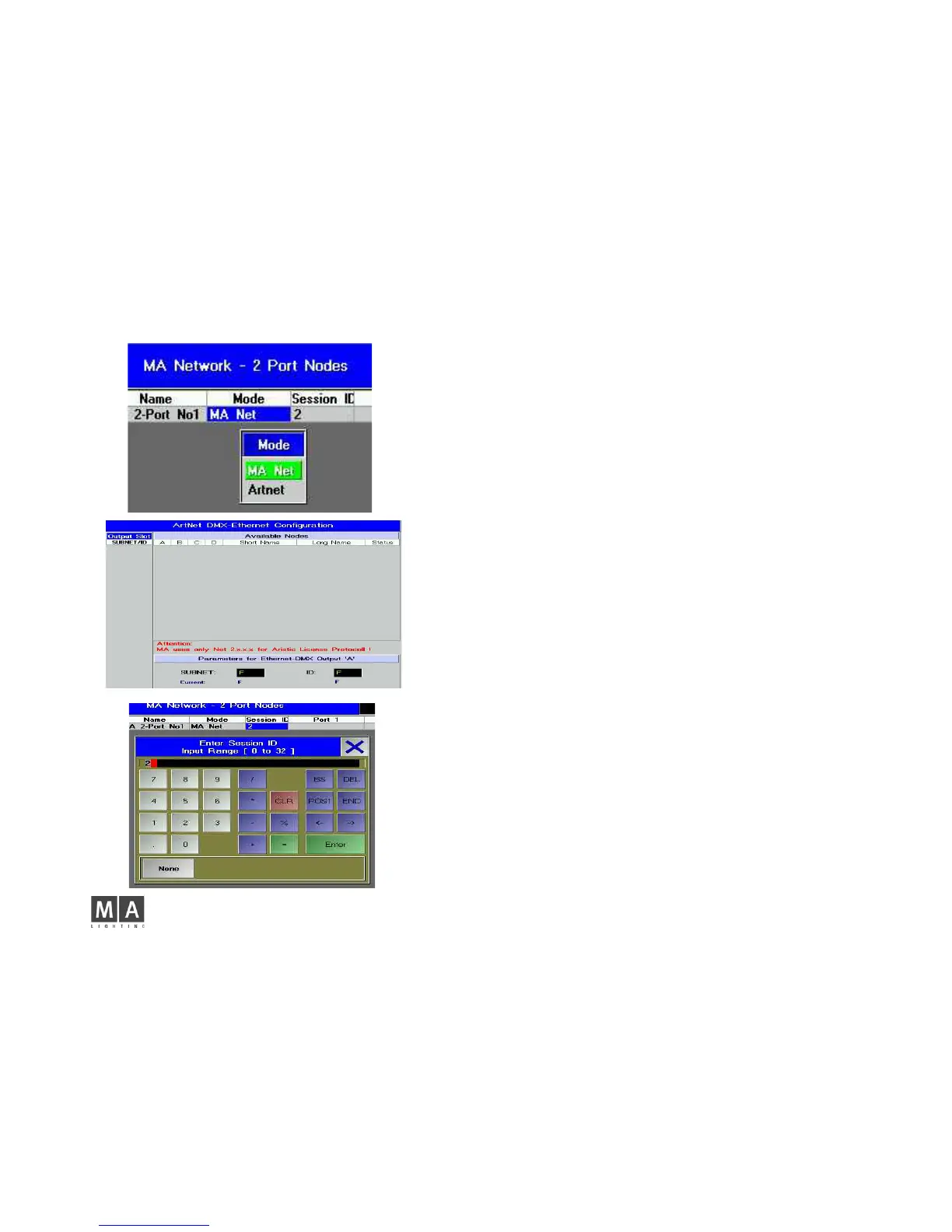
Mode
Here, you can set the protocol to be used between the devices.
MA NET
If you only have MA LIGHTING devices (consoles of the grandMA series and the
„onPC“ software) in the network, you can select MA Net as protocol.
In the MA NET –ode, you can set no other parameters.
ARTNET
In order to cooperate with other lighting consoles, the 2-Port Node can be run as
ARTNET Node. If you chose ARTNET, the Session ID cell will be greyed out (no
longer active). The ports will be OFF or Disabled, as long as no subnet and channel
is set.
In the TOOLS menu, press the DMX CONFIGURATION buttan and select the
DMX-OUTPUT via Ethernet menu.
Select the ARTNET protocol for the required Universe, and confirm with SAVE.
Back in the 2-Port Configuration menu, set the ports.
Click on the port of the desired 2-Port, which will open the Port Confiuguration
menu.
Select OFF, DMX IN or DMX OUT.
Click on the UNIVERSE cell and enter the subnet and port:
Syntax: SubnetPort e.g. 07 for subnet 0 and port 7 (see graphics)
For DMX OUT set the Merge mode
Don’t get confused: ARTNET assigns individual IP numbers for the Nodes that are
not identical with the set IPs. This ARTNET IP will be assigned automatically and
cannot be changed. The ARTNET IP is of no importance when configuring the 2-
Port Node from a grandma console or the grandma onPC.
Session ID:
Here, you can set the Session ID to start the session between the 2-Port Node and
the console or the onPC. For all devices involved in the session, you must set the
same Session ID.
If ARTNET is activated this cell is inactive.
.



 To Next Page