Technical Service: tech.support@malighting.com; +49.5251.688865-30 Emergency Line: +49.5251.688865-99 2-Port Node Version 1.1
1717
1717
17
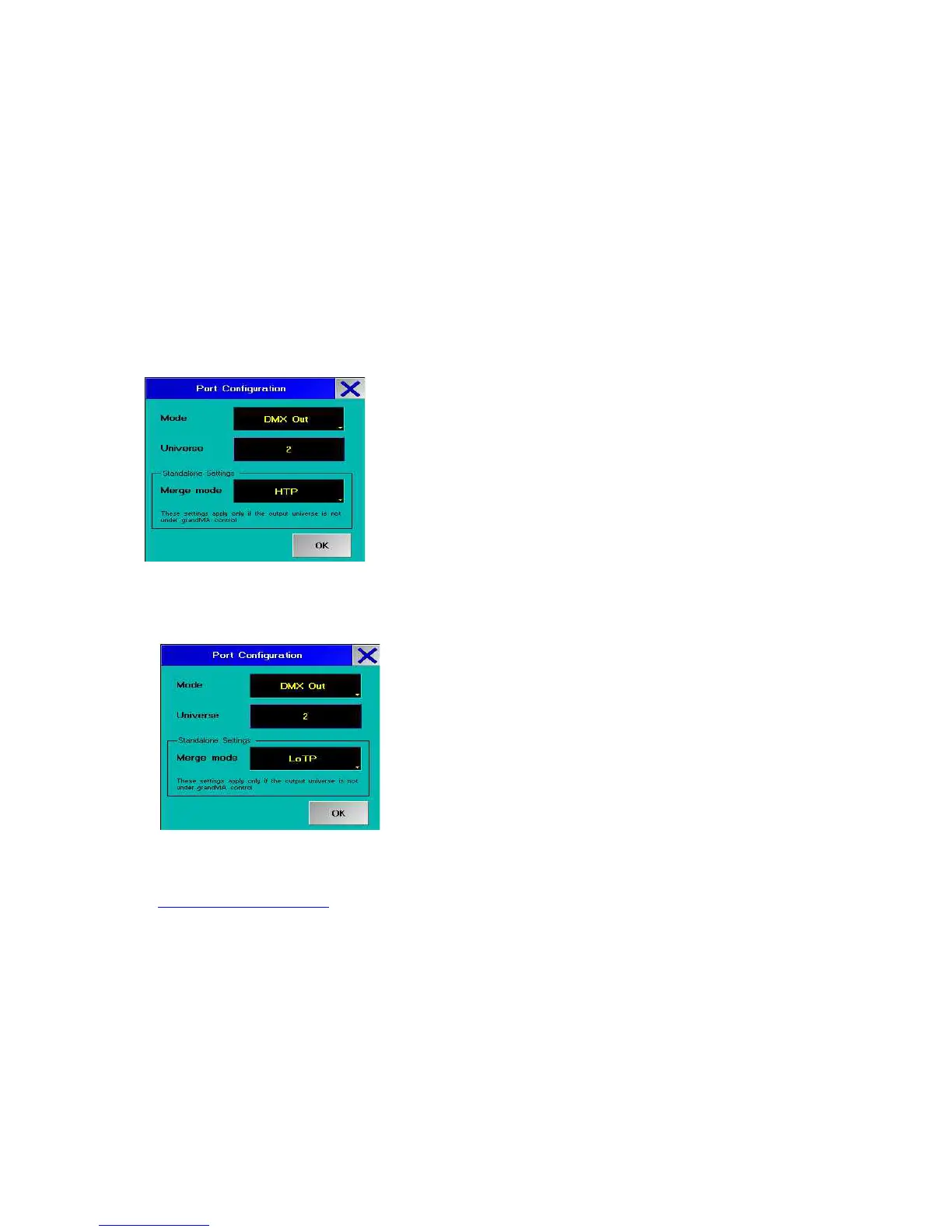
universe number - and must be in a merge mode. If DMX OUT is in merge mode
"NONE" , the DMX signal will be inaccurate.
NONE
The Merge mode is switched off.
LTP
Latest Takes Precedence = the value entered as last one will be executed, i.e. the
next value will overwrite the preceding one.
HTP
Highest Takes Precedence = the highest value entered will be executed, i.e. if an
output value is followed by a smaller value, the higher one will be kept.
LoTP
Lowest Takes Precedence = the lowest value entered will be executed, i.e. if an
output value is followed by a higher value, the smaller one will be kept.
LTP, HTP, and LoTP are, of course, only useful for dimmer values.
Port Disabled:
If a port is set to „Disabled“, it is not available. Reason for this can be the features
on the port or the combination with hardware components.
Light Mode:
Here, you can set the lighting mode of the displays. So you can switch off interfering
LEDs or display lights if needed.



 To Next Page