214923 9 Revision A
2.3 Installing Driveline Guard
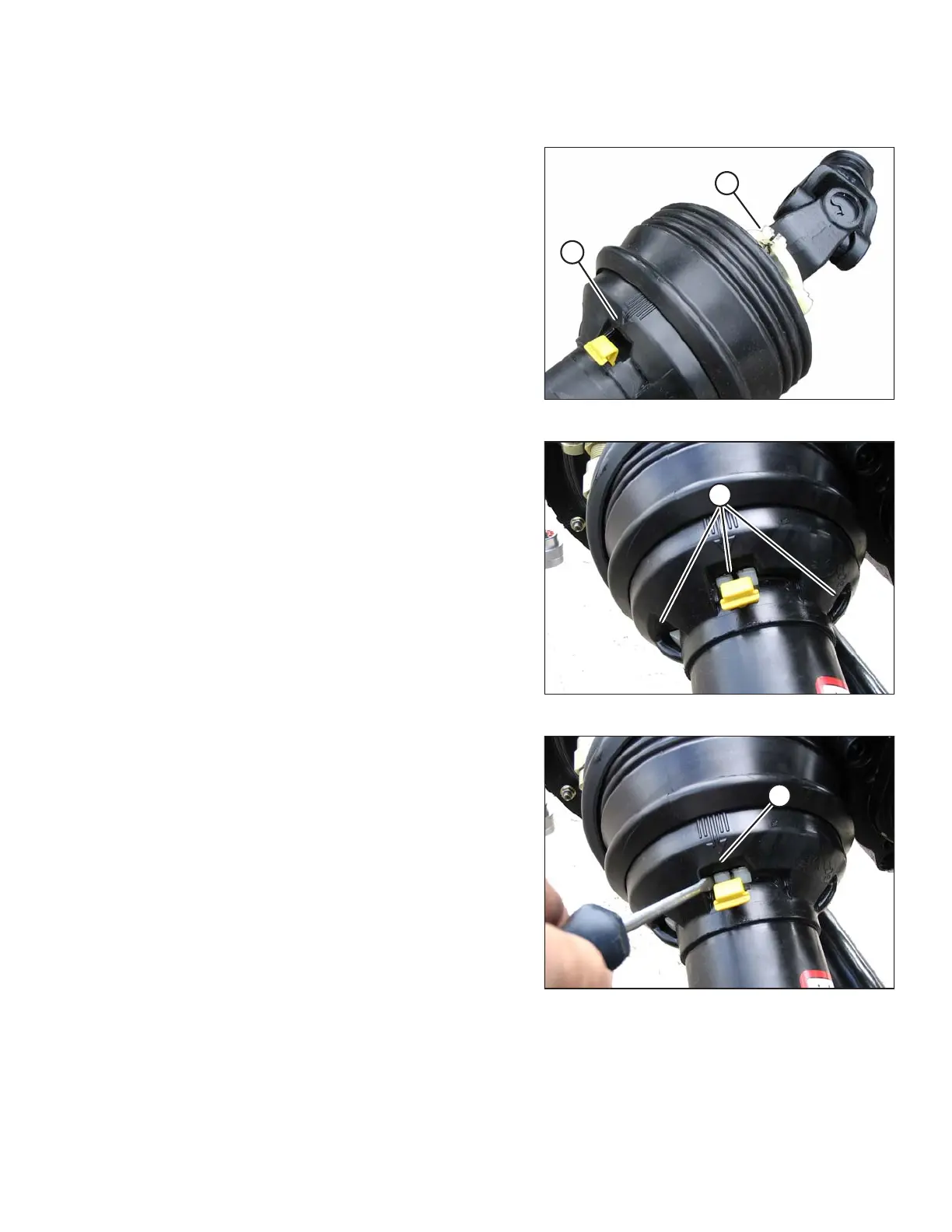
Figure 2.8: Driveline Guard
1. Slide the guard onto the replacement driveline, and line up
the slotted lug on the locking ring (A) with the arrow (B) on
the guard.
Figure 2.9: Driveline Guard
2. Push the guard onto the ring until the locking ring is visible
in the slots (A).
Figure 2.10: Driveline Guard
3. Use a slotted screwdriver to rotate ring (A) clockwise and
lock ring in guard.
INSTALLATION INSTRUCTIONS


 To Next Page