UNLOADING AND ASSEMBLY
169558 38 Revision D
L1 Cxxx
CT I
TE FUNCT I ONS?
L2 Mxxx
N O /
ES E
IT DI
GNOST I C?
L1 C x x x
||
CT I
TE FUNCT I ONS?
L2 M x x x
||
HE
DER DOWN / UP
L1 C x x x
||
CT I
TE FUNCT I ONS?
L2 M x x x
||
REEL DOWN / UP
L1 C x x x
CT I
TE FUNCT I ONS?
L2 M x x x
||
HDR T I LT I N / OUT
L1 C x x x
CT I
TE FUNCT I ONS?
L2 M x x x
KN I FE DR I
EON
L1 C x x x
||
CT I
TE FUNCT I ONS?
L2 M x x x
DR
PER /
UGER ON
L1 C x x x
CT I
TE FUNCT I ONS?
L2 M x x x
REEL DR I
EON
L1 C x x x
||
CT I
TE FUNCT I ONS?
L2 M x x x
||
REEL
FT / FORE
L1 C x x x
CT I
TE H
D PURGE?
L2 M x x x
||
NO/
ES E
IT FUNCTION MENU?
L1 C x x x
TO
CT I
TE PURGE
L2 M x x x
PRESS
ND HOLD
L1 C x x x
||
PURGE C
CLE ST
RTED
L2 M x x x
PRESS
ND HOLD
L1 C x x x
||
PURGE C
CLE ENDED
L2 M x x x
||
L1 C x x x
||
PURGE C
CLE ENDED
L2 M x x x
NO E
IT
ES TO
CT I
TE PURGE
L1 C x x x
EX I T FUNCT I ON MENU?
L2 M x x x
||
NO/
ES HE
D E R D O W N / U P
L1 C x x x
EX I T D I
GNOST I C?
L2 M x x x
NO/
ES
I EW ERROR CODES ?
L1 Cxxx
||
EX I T SETUP?
L2 Mxxx
||
N O /
ES WINDROWER SETUP?
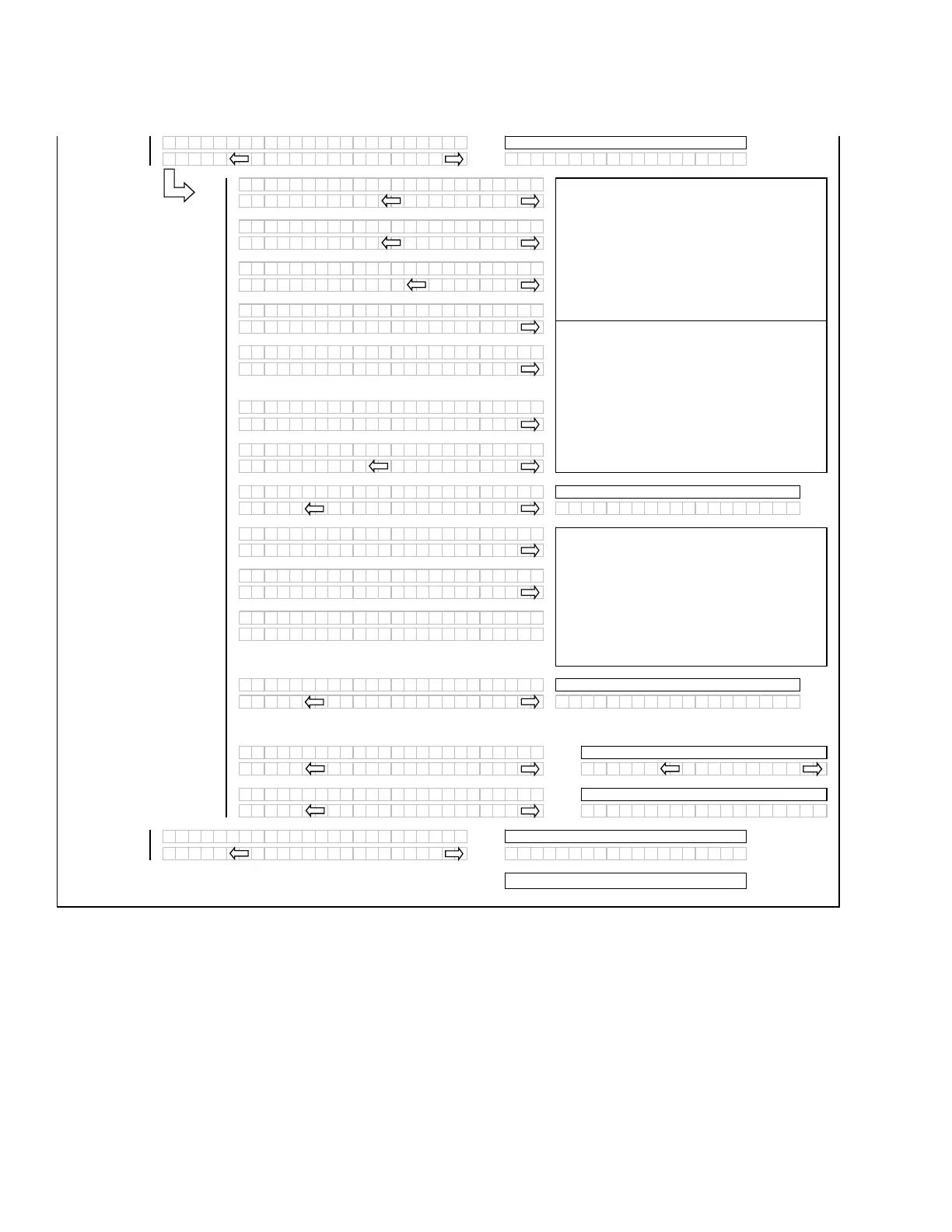
If the HEADER TILT cylinder or the REEL FORE /
AFT valve is not installed under the WINDROWER
SETUP menu then the ACTIVATE FUNCTIONS
menu selection for these items should be
suppressed.
For DRAPER / AUGER ON and REEL DRIVE ON
(A40 and Draper Headers Only). REEL DRIVE ON
and DRAPER / AUGER ON are suppressed for A30
Only.
If “NO” then jump to:
If “NO” then jump to:
If “NO” then
um
to:
For diagnostic purposes each header function can
be activated by using the “arrow” keys on the CDM.
When “SELECT” is pressed the program will go to
the next function that can be activated.
If “NO” then
um
to:
Pressing and holding the right hand “arrow” button
activates a predetermined timed purge cycle.
Releasing pressure on the switch or a completed
cycle (timed out) will jump to the PURGE CYCLE
ENDED menu selection.
If “NO” then
um
to:
If “YES”, exit to RUN screens
ACTIVATE HYD PURGE - This is to allow the
operator to purge the air from a new or changed
pump system.
If “NO” then
um
to:



 To Next Page