MAINTENANCE AND SERVICING
Form 169017 / 169087 / 169095 176 Revision C
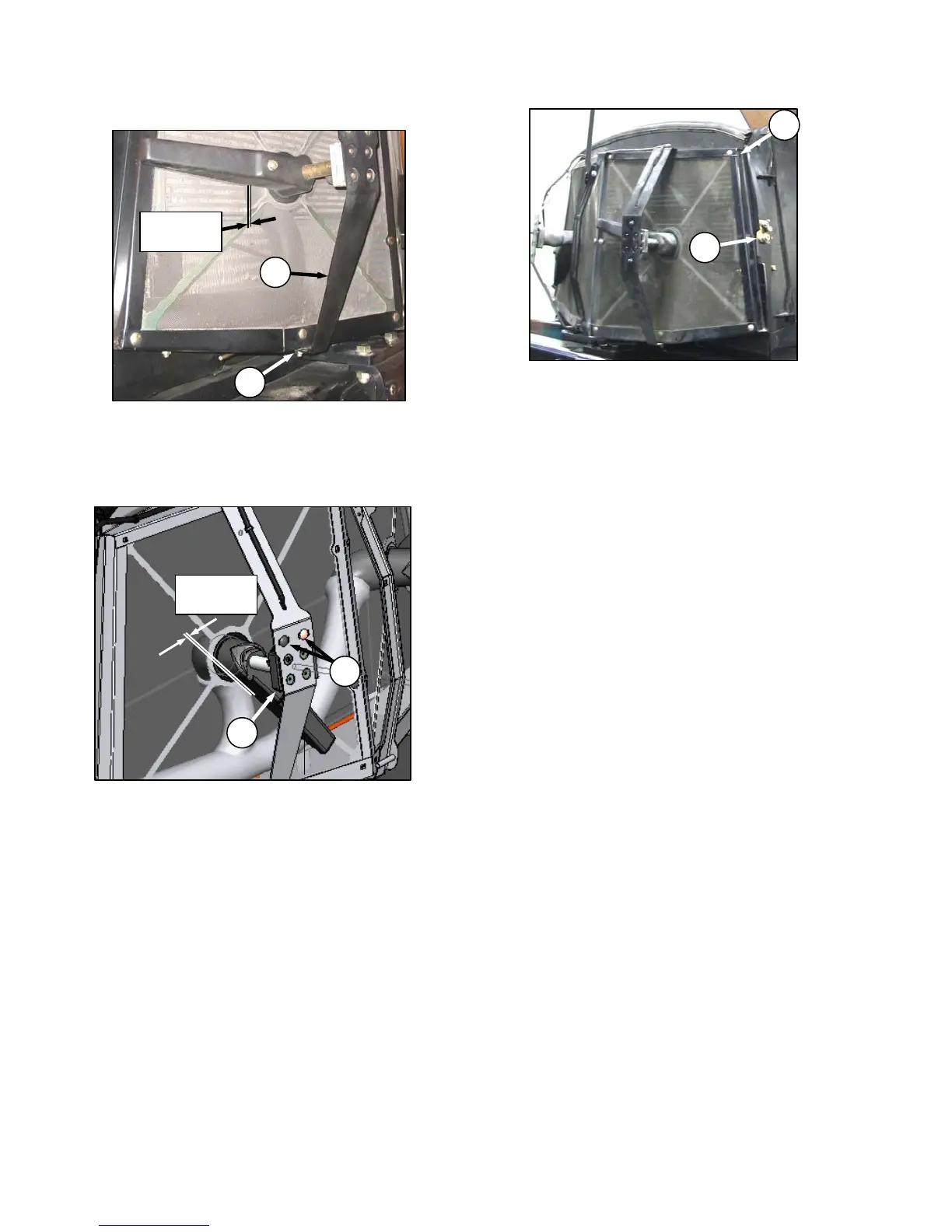
i. If necessary, adjust clearance as follows:
1. Loosen nut (B) on motor support (C).
2. Move support in or out until rotor is 0.08 - 0.24
in. (2 - 6 mm) from screen near the center.
3. Re-tighten nut (B).
4. Loosen the two motor mount bolts (H).
5. Move motor / rotor assembly (J) to obtain 0.04
- 0.32 in. (1 - 8 mm) gap between rotor to
screen at full rotation of the rotor.
6. Re-tighten bolts (H) on motor mount.
j. Close screen access door (E) and engage latch
(D).
k. Lower engine compartment hood.
B
C
0.08 - 0.24 in.
2 - 6 mm
H
J
0.04 - 0.32 in.
1 - 8 mm
D
E



 To Next Page