HEADER - GENERAL
Form 169017 / 169087 / 169095 80 Revision C
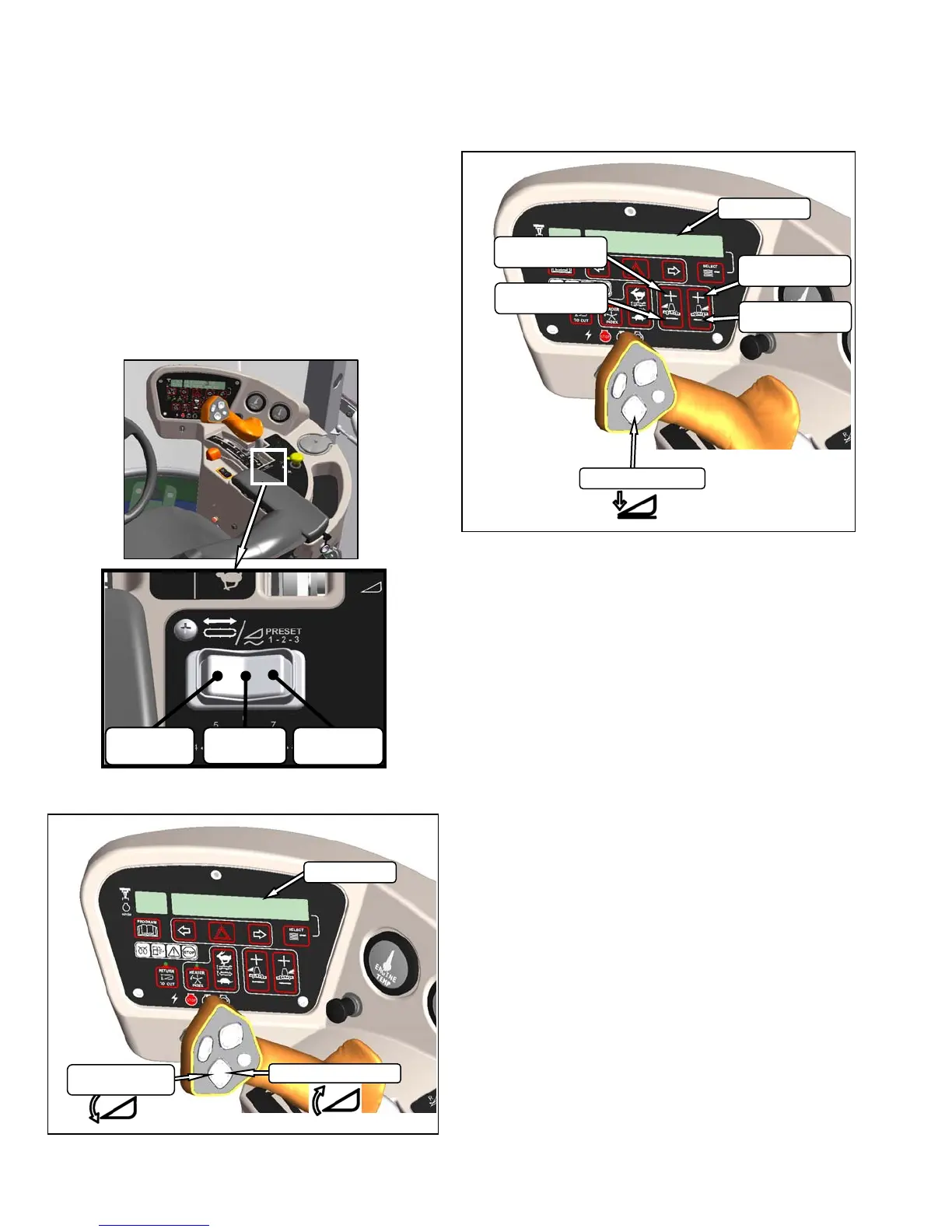
6.4.2.3 Float Options
For draper headers without the deck shift option,
auger headers, and rotary headers, the float can
be pre-programmed for three types of windrowing
conditions. For example:
• Position 1 - Border
• Position 2 - Normal
• Position 3 - Rocky
Set float pre-sets as follows:
a. Engage header.
b. Push float preset switch to position 1.
c. Using HEADER TILT SWITCHES, set center-link
to mid-range position (05.0 on DISPLAY).
d. Using HEADER DOWN switch, lower header fully
with lift cylinders fully retracted.
e. Using left float switch, push
+ to increase float, or
– to decrease float on left side of header.
DISPLAY will indicate selected float for left side,
for example (8.0 L FLOAT R XX.X).
f. Repeat for right side float with right switch.
DISPLAY will indicate float for both sides, for
example (8.0 L FLOAT R 3.0).
g. Select a second preset with the float preset
switch.
h. Repeat steps e. and f. to set the float.
i. Select a third preset with the float preset switch.
j. Repeat steps e. and f. to set the float.
k. Operate windrower.
DISPLAY
INCREASE
FLOAT RIGHT
DECREASE
FLOAT RIGHT
INCREASE
FLOAT LEFT
DECREASE
FLOAT LEFT
HEADER DOWN
DISPLAY
HEADER TILT UP
HEADER
TILT DOWN
FLOAT
PRESET 2
FLOAT
PRESET 3
FLOAT
PRESET 1



 To Next Page