OPERATION
OPERATING PANEL FOR AUTOMATIC TRANSMISSION
Operating Manual MT 25 / 30 YT 69
Selecting higher or lower driving range
For unusual driving situations such as steep slopes, a lower
driving range can be selected in order to prevent an unwanted
shifting up of the transmission
On inclines on the other hand, shifting is possible again into a
higher driving range from a previously lower selected driving
range. Alternatively, shifting can be back to driving gear D.
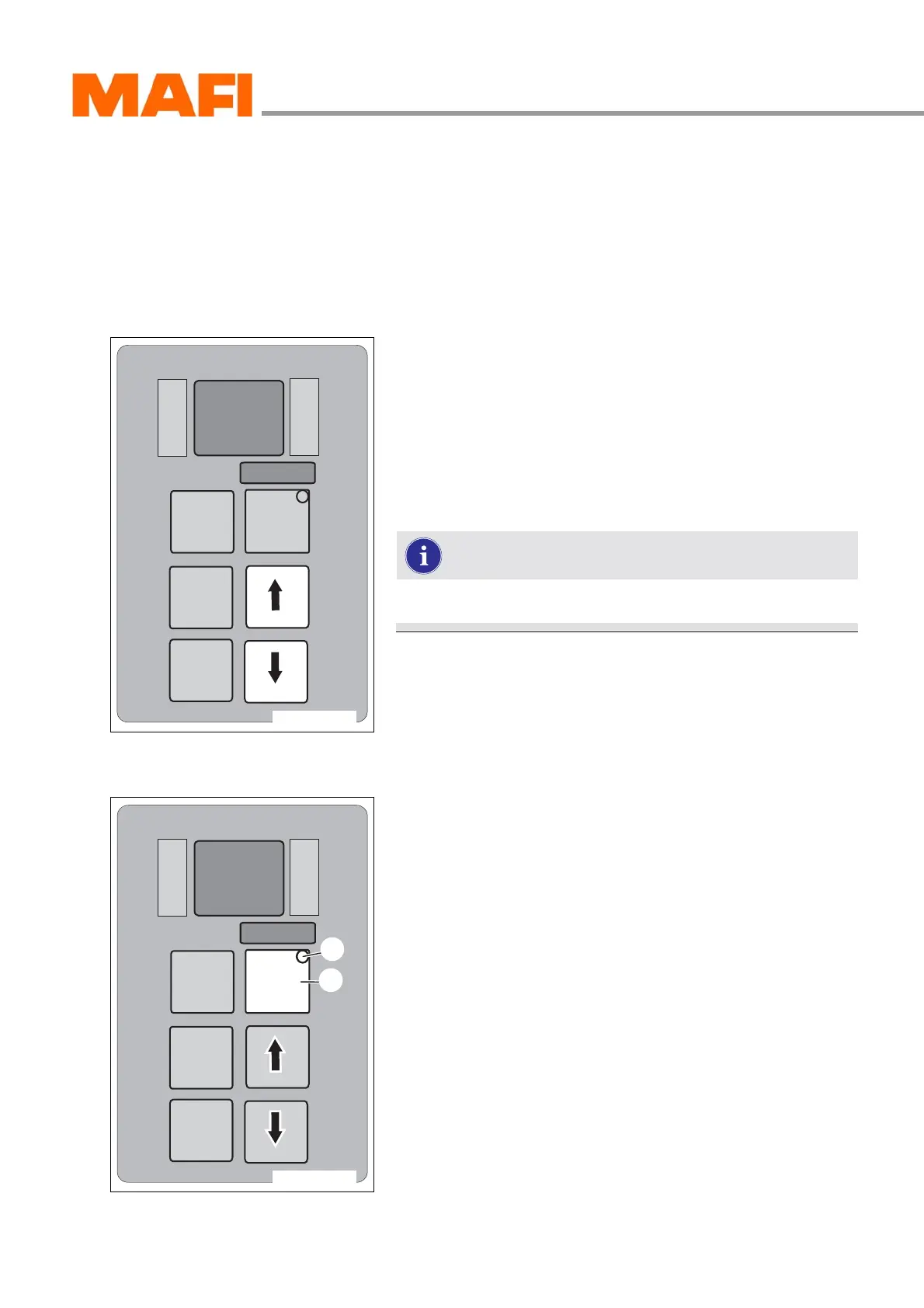
Fig. 59: Driving ranges
X
Select the desired driving range by pressing the arrow keys.
Up arrow - higher driving program
Down arrow - lower driving program
The current driving range is displayed by the display on the
right side MONITOR.
The selected driving range is displayed by the display on the
left side SELECT.
The arrow keys can be activated during driving.
MODE key
Fig. 60: Additional function
1 MODE key
2 MODE-ON LED indicator
The MODE key features an additional function. Within the
MODE key is the MODE-ON LED indicator. It lights up when
the MODE key is pressed.
X Press the MODE key 1.
MODE-ON LED indicator 2 is lit.
3 Additional function is switched on.
X Press the MODE key again.
MODE-ON LED indicator goes out.
3 Additional function is switched off.
M
O
N
I
T
O
R
R
N
D
S
E
L
E
C
T
MODE
11-C25-067-084A-6
M
O
N
I
T
O
R
R
N
D
S
E
L
E
C
T
MODE
11-C25-067-084A-7
1
2



 To Next Page