11
www.rbcbioscience.com
Open the Front Door
For Restricted Personnel Use
Installation
A
B
C D
Accessory Box
Cushioning Material
Remove cushioning material
and take out accessory box.
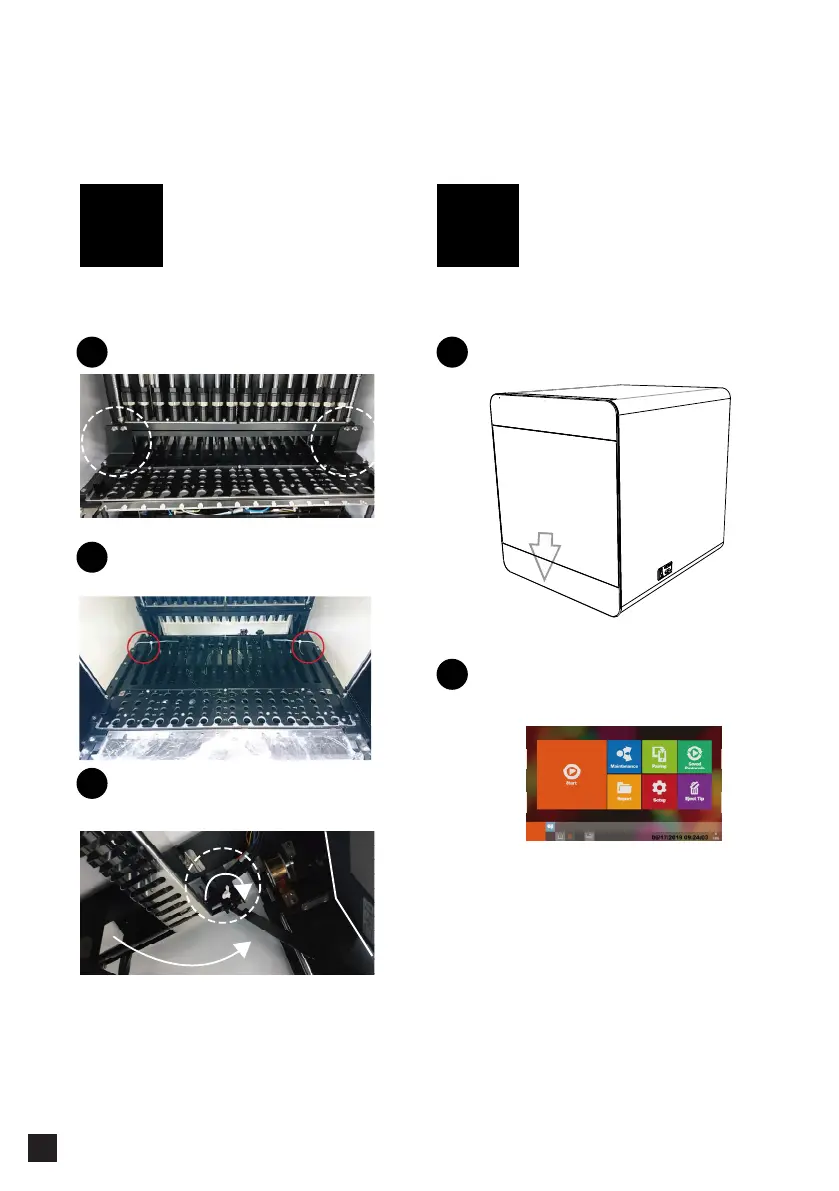
Remove the brackets and cable ties then
pull out the touch panel.
Remove the two brackets
1
Close the front door.
1
Switch on the power, the machine will initialize automatically.
2
Move the rack module outward manually,
then cut off and remove the two cable ties
2
2
Accessory Box
Romove cushioning material
Take out accessory box
Pull out the touch panel and tighten screw
after touch panel is erected.
3



 To Next Page