23
www.rbcbioscience.com
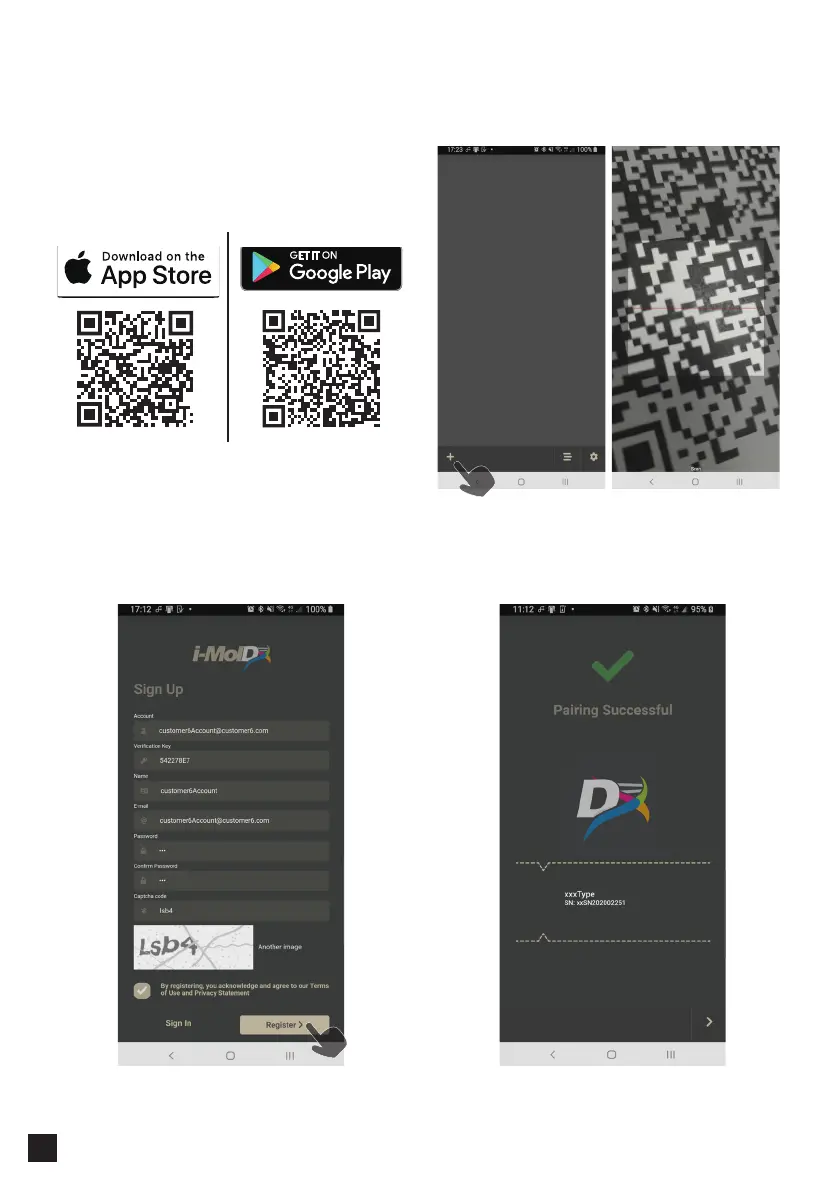
1. Download the APP
The APP supports both iOS and Android systems.
You can scan the QR Code below or search i-moldx
in the store to download and install.
━ Remote monitoring APP
2. Registration
To register the APP, please contact your distributor
to obtain customer verification QR code,
verification key, and instrument QR code, then
follow the below steps to complete registration
and pairing the instrument.
3. Log in the APP and Pair the Instrument
Click "+", then scan the instrument QR code to pair.
After a successful pairing, this screen will be available
to check if the customer information is correct.



 To Next Page