21
www.rbcbioscience.com
B.Connection fail
1. Please confirm the software version with your
distributor.
2. If the software version is correct, please refer to
the following content and contact your IT staff.
<For IT staff>
1. remote monitoring APP
To set the remote monitoring app, ensure your
network environment has DHCP service and can
connect to the Internet and open the firewall 8083
(out), 1883 (out), 8883 (out), 80 (out) , 443 (out)
port.
2. LIMS data transmission
When using LIMS data transfer, you need to first
establish a 21 (in) connection with the IT
staff to determine the firewall of your PC. When
transmitting as a LIMS data, we operate on the
internal network.
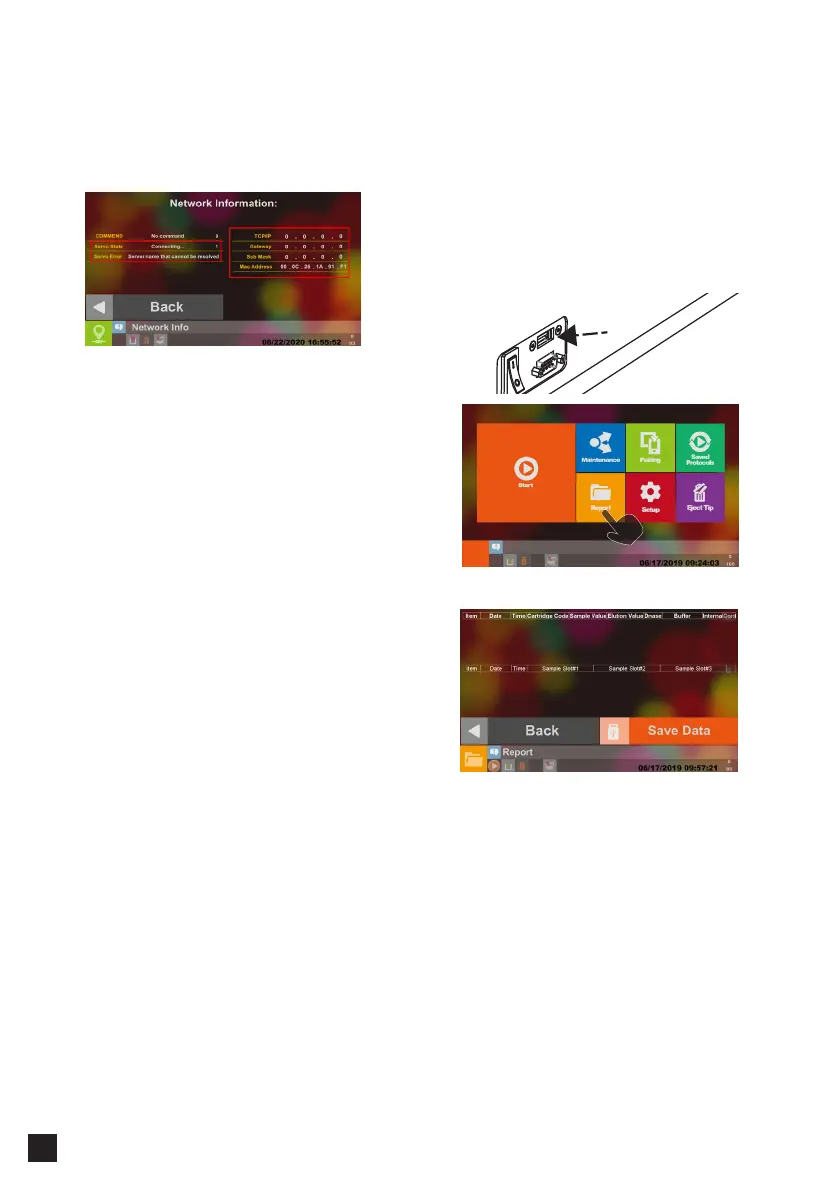
Please confirm the displayed TCP/IP location and
DHCP server. The same network segment is sent
to complete the network settings.
There are two ways to get the data :
1. Get it via USB Flash Drive
2. Access to information by Network Connection.
1. Get Data from USB Flash Drive
Plug the USB Flash Drive into the instrument USB
Port.
Select Report
Select Save Data to save the data to the USB Flash
Drive. (Not provided)
*Format USB Flash Drive to FAT32
* USB Flash Drive available capacities <= 32GB.
━ LIMS Data Collection
USB Port



 To Next Page