19
www.rbcbioscience.com
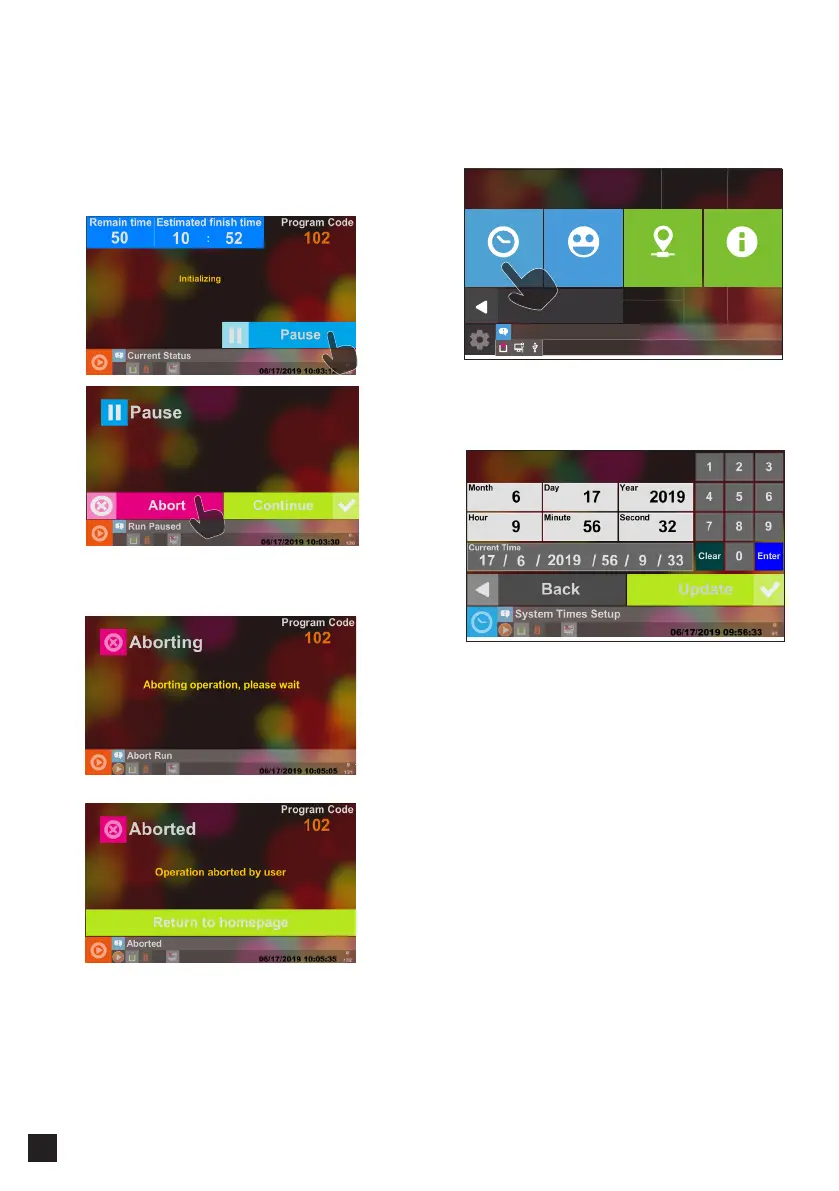
Select System Time Setup to set up the system
time of the machine.
Please input the local date and time and then press
the Update button to save the system time. You
can see the time that you changed in “Current
Time” after the change is finished.
━ Pause and Abort
You can pause or abort the current extraction
while the program is in progress. Press the Pause
button to pause at any time, and the machine will
immediately suspend operation. This button is
used as an emergency stop button.
After the Pause screen appears, you can press
Continue to continue with the extraction or press
Abort to cancel all.
Aborting Operation in Progress
Abortion Completed
━ Set Up the System Time
Setup
Back
01/31/2019 13:15:47
System Time Network InfoUnit nickname System Status



 To Next Page