22
MagCore® Plus II
2. Access to information by
Network Connection
Please plug the USB Flash Drive into the
instrument USB port, select "Report" and click
"Save Data".
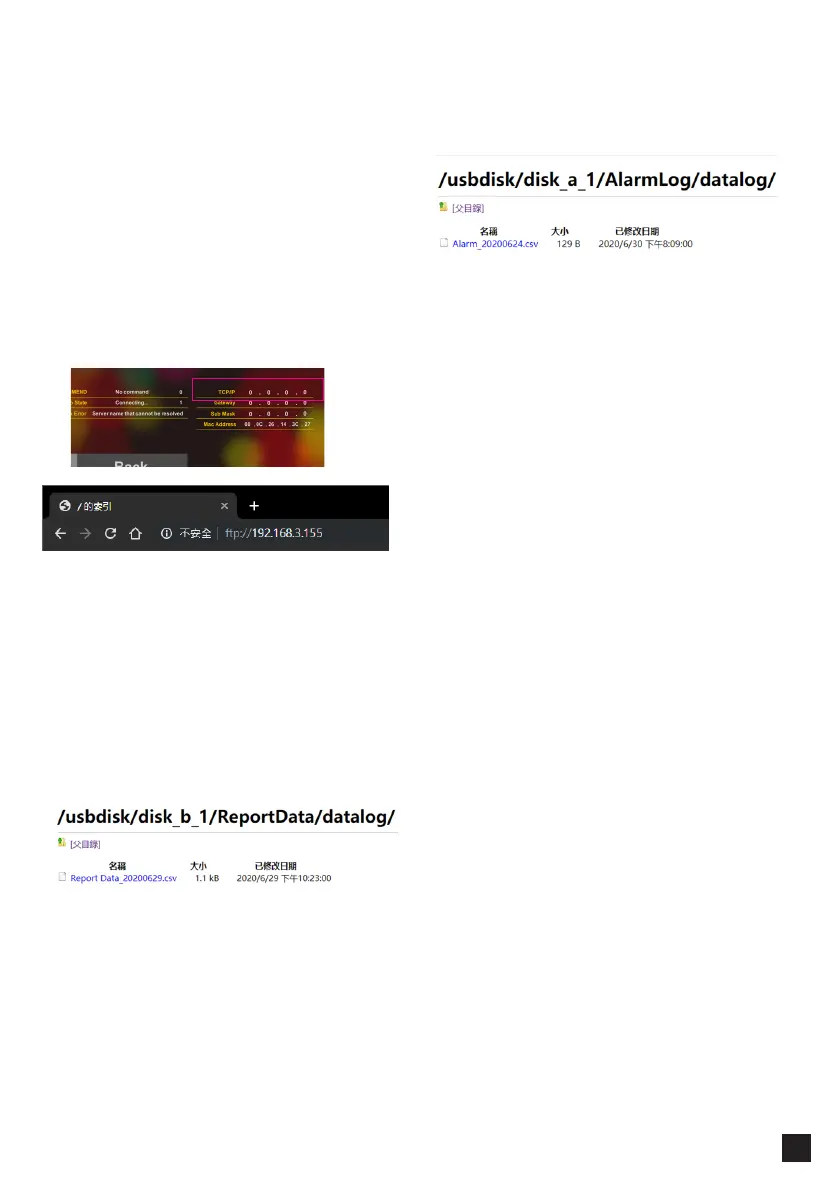
Obtaining data via internet connection. We
provide FTP protocol as a means of data
transmission. You can use any FTP client software.
Get the information FTP location information is as
follows:
Ftp:// instrument IP location (eg 192.168.3.155)
Open the Internet browser and enter the FTP
location and login with the following account.
Username: uploadhis
Password: 111111
Please follow the path below to get the Report
Data / Alarm history:
A.Report Data:
usbdisk / disk_b_1 / ReportData / datalog
B.Alarm history:
usbdisk / disk_b_1 / AlarmLog / datalog



 To Next Page