42
1. Option Approaching Method
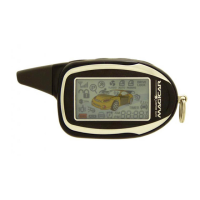
The word “O p t i o n”will be scrolled on remote screen and the remote will beep, if
buttons
I + II
are pressed for more than 2 sec. at the same time.
The parking lights will flash and the siren will chirp once if you have successfully
entered the programming menu.
2. Option Move Method
To move through the option list, use button
III
to move up the list, and use button
IV
to move down the list. The option number and its corresponding icon will be
displayed on the remote.
3. Option Set-up Change
Use button
I
to change the setting of the current option. The current setting will be
displayed on the screen.
4. Applying Options to the Main Controller
After setting all of the options desired, press button
I V
for more than 2 sec. to
apply the changes to the main controller. At this time, communication with the
main controller is required. If the process is successful, the word “g o o d”will be
displayed on the screen.
5. Canceling the Option Programming Mode
Pressing buttons
I + II
before applying the changes to the main controller will
cause the remote to exit the option programming mode without saving any
c h a n g e s .
6. Option Set-up Failure
If you are not in range of the vehicle when you try to transmit the option changes
to the main controller, the word “F A I L ”will be displayed on the screen and the
remote will exit the option programming mode.
M
e
nu
O
p
t
i
o
n
s
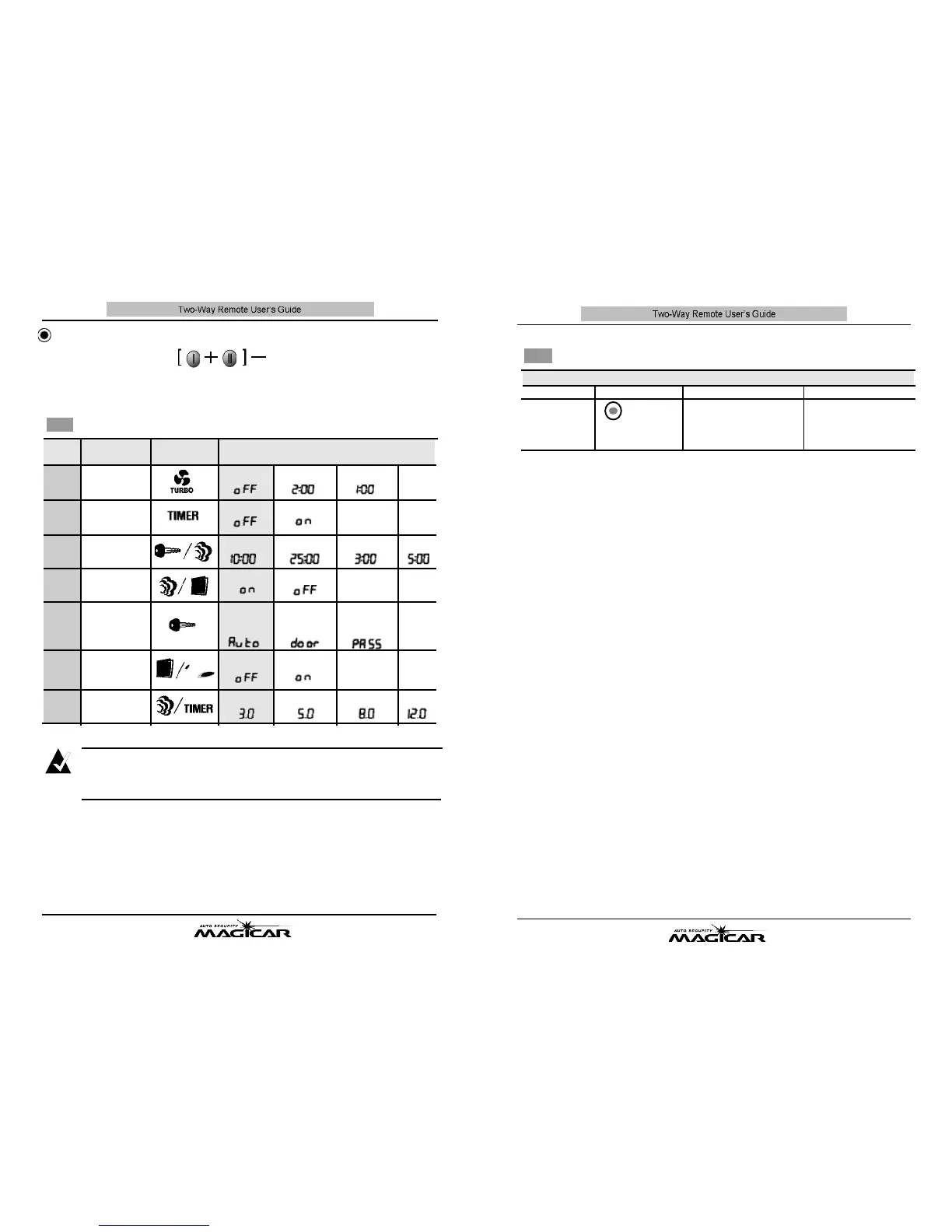
Set-up of Main Option
41
You can access Option Table 1 by pressing buttons I + I Ifor more than 2 sec. at the
same time.
M
a
i
n
Op
t
i
o
n
Ta
b
l e
Option Name Option Settings
O p t i o n
1-01
1-02
1-03
1-04
1-05
1-06
1-07
Icon that flashes while
setting the option.
Not Used
Not Used
10 min
Unlock
Automati
c
( P a s s i v e )
R e s e r v a t i o n
Not operati
n
g
3 sec
Run
n
ing for 2 min
U s e d
25 min
Rem
a
in Lock
Re
s
ervation is not
available w
h
en t
h
e
do
o
r is o
p
en
O p e r a t i n g
5 sec
Ru
n
nin
g
f
o
r
1
min
3 min
Active
R e s e r v a t i o n
8 sec
5 min
12 sec
▶
The red colors are the factory defaults .
▶
When you reach an option number, the option will be displayed on the remote screen.
No
t
e
B
u
tt
o
n
F
un
c
t
i
o
n
s
O
n
ce Yo
u
a
r
e
i
n
t
h
e P
r
og
r
a
mm
i
n
g
M
en
u
I I V I I I I V
Button
For 0.5 sec
[change the
option setting]
for 2.5 sec
[apply the changed
options to the main]
▲
for 0.5 sec
[move to the previous option]
▼
for 0.5 sec.
[move to the next option]
Turbo Mode
Turbo Mode
Remote Start
Run Time
Ign
i
tion con
t
rol
door Unlock
R e s e r v a t i o n
M e t h o d
Parking lights
f
l
ash if door is
open when arm
D i e s e l
Prehe
a
t
ing Time


 To Next Page