360 NEO Card Printer – User Guide
27
Installing Upgrades
Duo Operation
You can upgrade your single sided printer to print double sided cards.
To upgrade, the user must first create an
account and register the printer. This can be done via the Magicard Support website (www.magicard.com) as
follows:
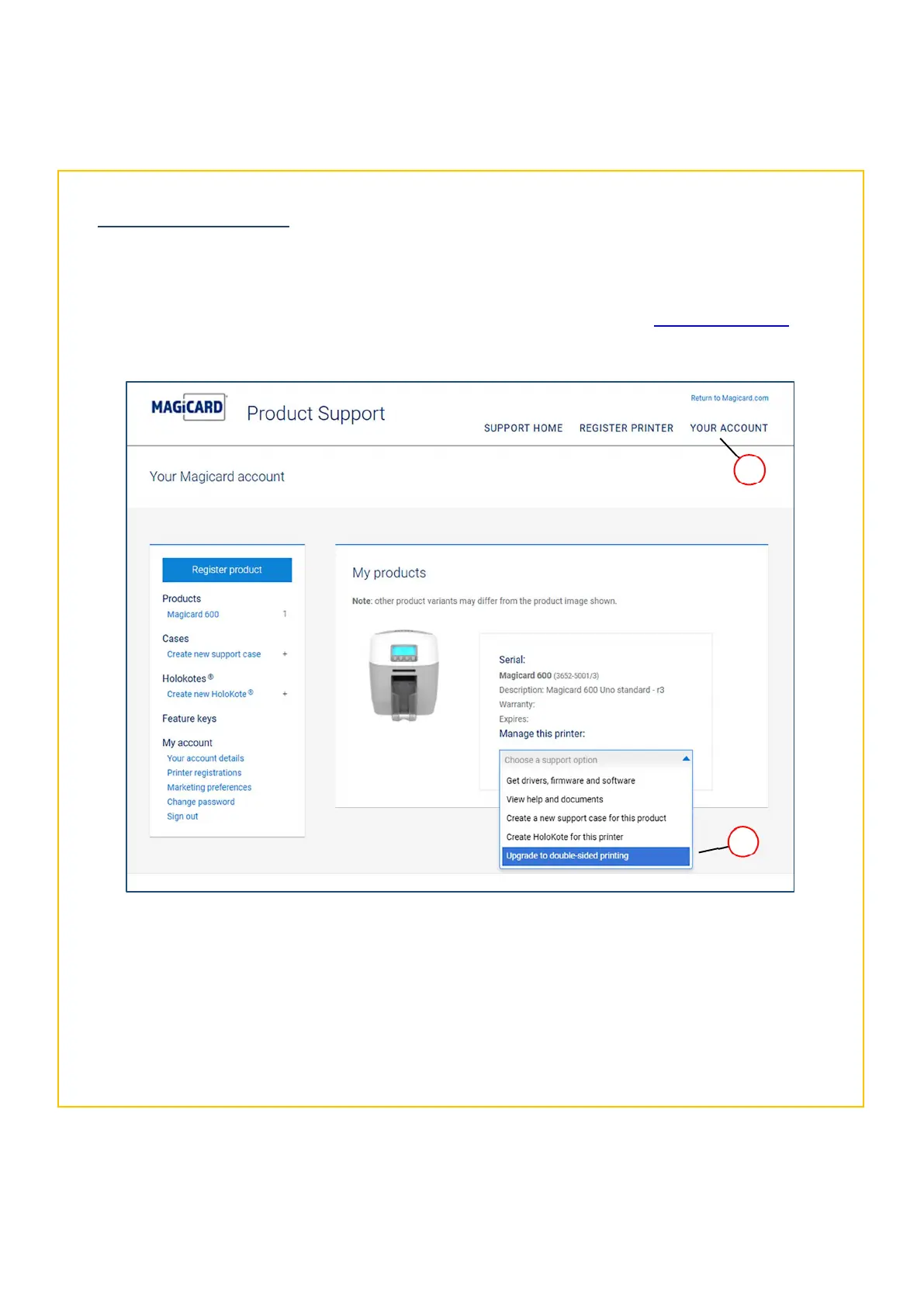
1. At the Support page, select the Your Account option. You will then be given the option to log in to your
account or Register to create a new account (you will be required to enter your own details and register the
printer details – please follow the on-screen instructions).
2. Once the printer has been registered, select the Choose a Support option followed by Upgrade to double-
sided option. (Please see the following page for further details).
1
Upgrading to double sided printing from the Support website
< Printer Serial here >















 To Next Page