Ultra Electronics Card Systems
Magicard Prima Driver Manual
21
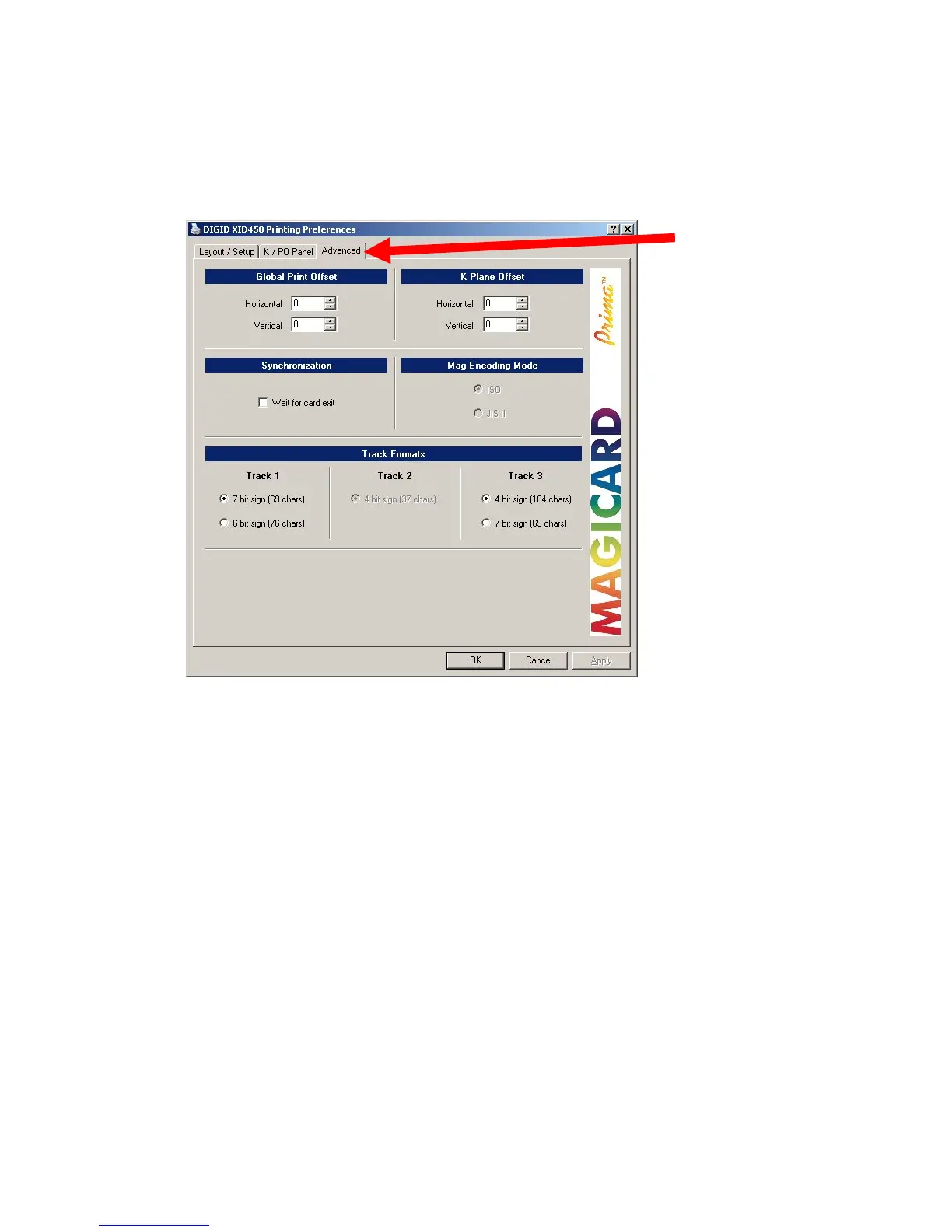
3.3 ADVANCED MENU
3.3.1 OFFSETS AND SYNCHRONISATION
Default Settings
Global Print Offset:
Here you can set-up the offset of the layout in horizontal and vertical direction by
changing the values; this influences the complete layout.
K Plane Offset:
The changing of the values for K plane only influences the offset of the K plane.
Synchronization:
If enabled, the printer waits until the card exits the printer. It then downloads the next
print job, this is useful to prevent loosing print jobs but it also decreases the print
speed.















 To Next Page