Ultra Electronics Card Systems
Magicard Prima Driver Manual
6
2.3 PRINTER DRIVER INSTALLATION UNDER WIN 2000 AND XP.
1. Log onto Windows as an administrator.
2. Open the Windows SCSI Adapters control panel, and install the SCSI adapter
driver by following the instructions on your screen.
3. Make sure your printer is properly connected and powered on, then reboot
your computer.
4. Open the Windows SCSI Adapters control panel again, and expand the
device list. Make sure your SCSI printer appears.
5. Run ASPICHECK program. If the check fails, follow the steps "Preparation of
PC" (see above).
6. Browse the CD ROM supplied with the printer, it will not auto start.
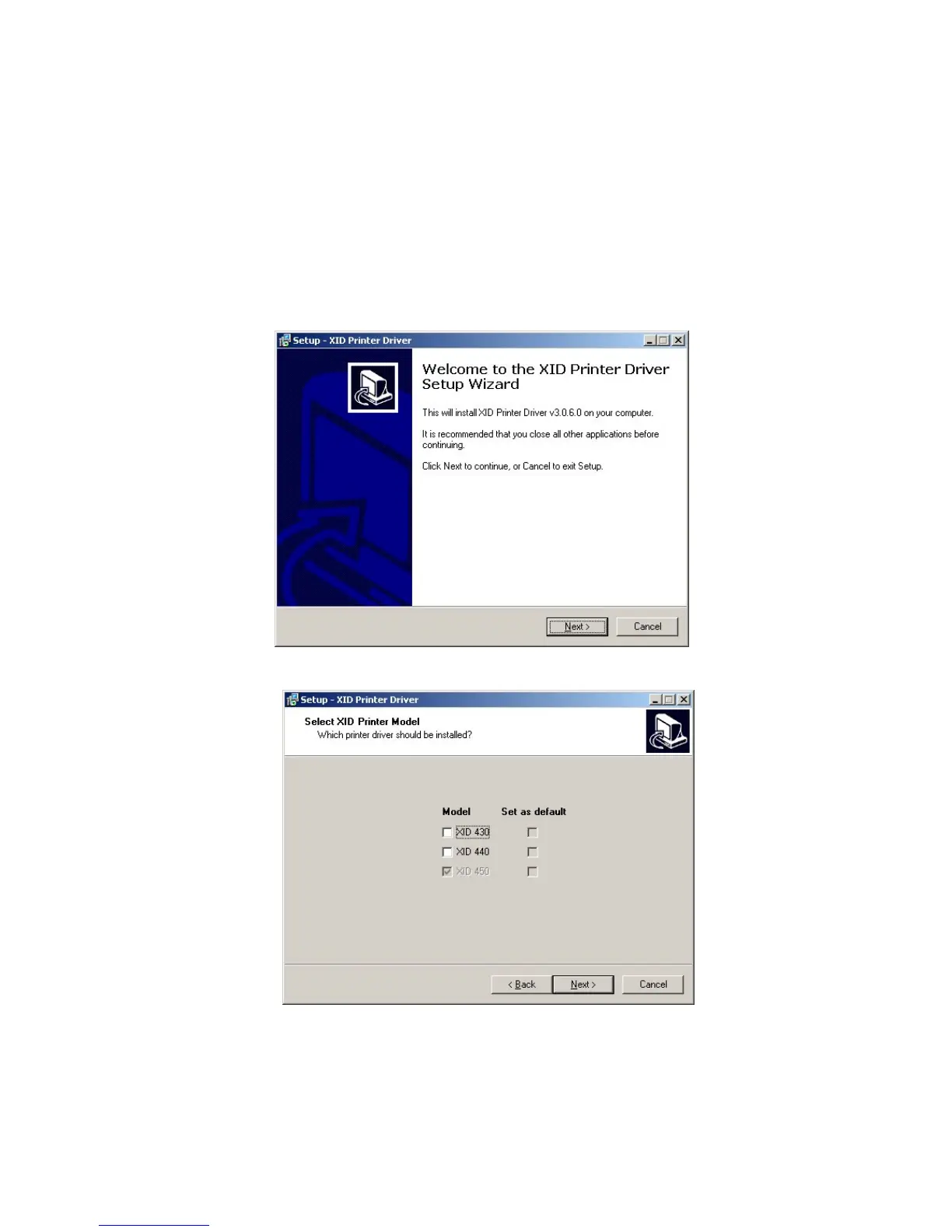
7. Run the “Set-Up.exe” file in the root directory of the CD.
8. Select “Next” on the menu.
9. Choose your printer model. Ignore the XID 430 as it is not sold by Magicard.
Normally the XID 440 is the printer to choose, however if you have the daisy-
chain functionality it will be a XID 450.















 To Next Page