Pronto 100 ID Card Printer – User Guide
27
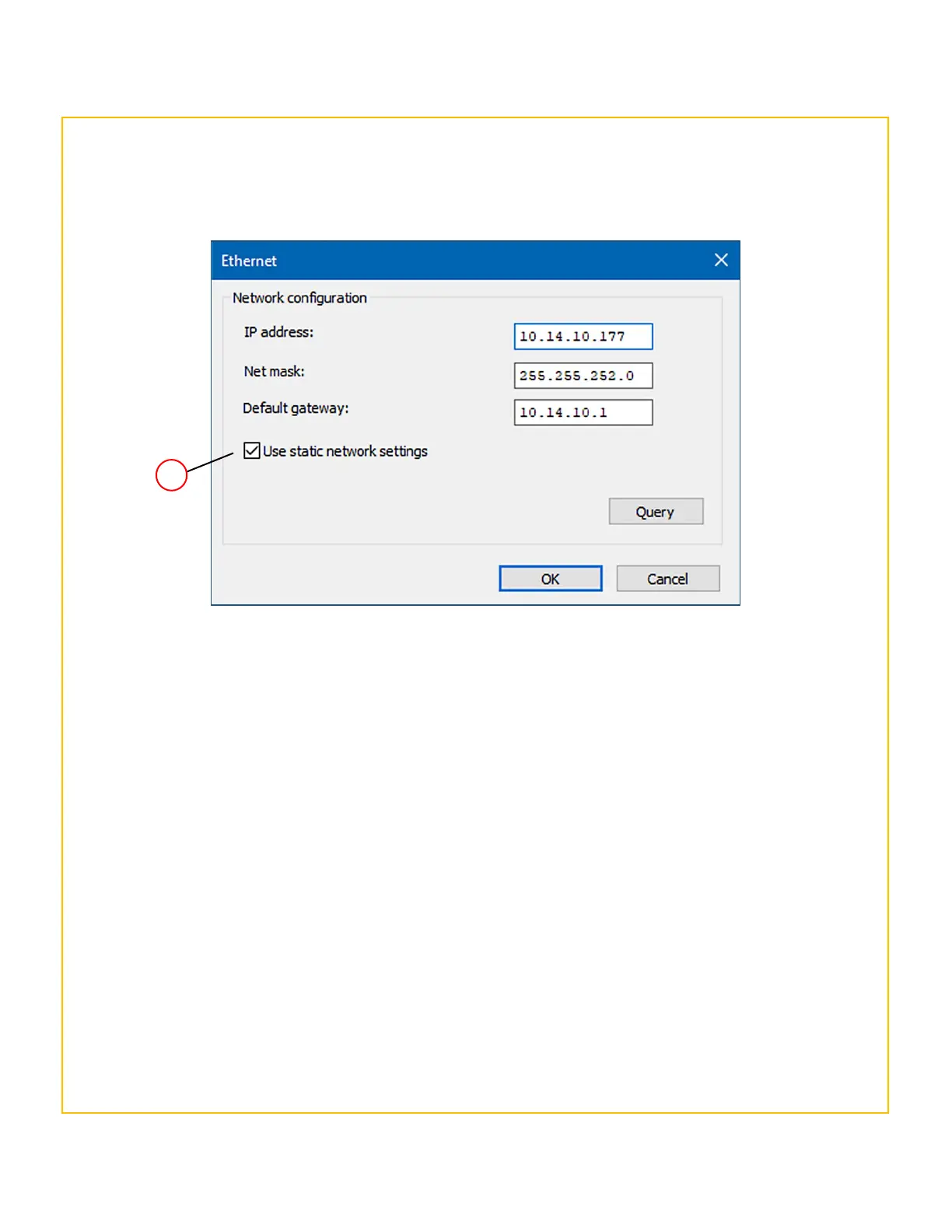
The Network Configuration window allows the user to set (and store) an IP address in the printer. The user also
has the option to choose a static or dynamic IP address. (Static IP settings are generally more commonly used
with networked printers).
6. Select the Use Static Network settings option (4) (together with the other network settings applicable
to the user’s network).
7. Click the OK button. This will exit the setup windows and save the user’s settings.
Finally, connect the network (LAN) cable to the Ethernet port of the rear of the printer and then power-cycle
the printer (remove the power supply connector and then refit. Allow the printer fully initialise.
Setting the Printer Network configuration



 To Next Page