VIP User Manual 29
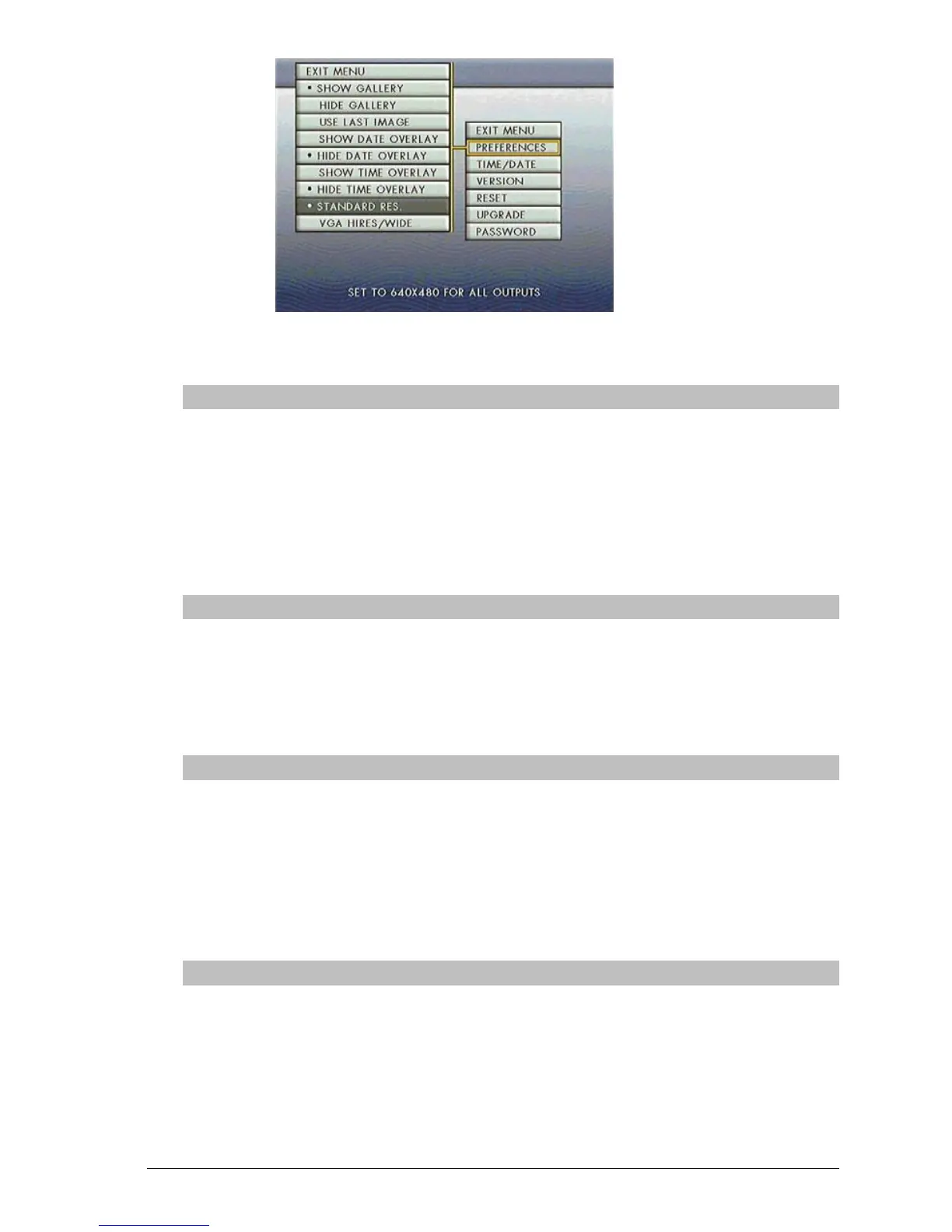
Show Gallery/ Hide Gallery
Normally, whenever a new disk is inserted or a project is published,
the unit switches to the Gallery screen while the pages are loaded
from the disk. If you do not wish for the gallery screen to appear
while pages load, select “Hide Gallery” instead. This will cause a
black screen to appear during loading, with only the progress bar
showing at the bottom.
Use Last Image
Selecting “Use Last Image” will only show the last image of a project
when publishing to the unit. If there is no project loaded, the unit’s
splash screen will be shown instead of the Gallery page. This feature
is used to conceal page loading during publishing from viewers.
Show/Hide Date Overlay
Selecting “Show Date Overlay” will display the current date in the
lower right hand corner of the screen. By selecting “Hide Date
Overlay”, the date will not be displayed.
**Dwell times for pages to display the date must have a minimum of
4 seconds**
Show/Hide Time Overlay
Selecting “Show Time Overlay” will display the current time in the
lower right hand corner of the screen. By selecting “Hide Time
Overlay”, the time will not be displayed.
**Dwell times for pages to display the time must have a minimum of
4 seconds**



 To Next Page