VIP User Manual 39
V
V
I
I
P
P
C
C
o
o
m
m
p
p
o
o
s
s
e
e
r
r
I
I
n
n
s
s
t
t
a
a
l
l
l
l
a
a
t
t
i
i
o
o
n
n
Requirements
To install the VIP Composer software, your computer must meet the
following requirements:
• 100MHz 486 or better
(Pentium-class recommended)
• 32MB RAM
• 50MB Hard Drive Space (10MB for “Compact” Install)
• CD-ROM Drive
• Super VGA card with True Color modes
(800x600 or higher resolution recommended)
• Color Monitor
• Windows 95, 98, NT, 2000, & XP.
Starting Setup…
Insert the “VIP Composer” CD into your CD-ROM drive. On Windows
95 through XP machines, the CD should automatically launch the
installer. If Auto-Run is disabled on your machine, perform the
following:
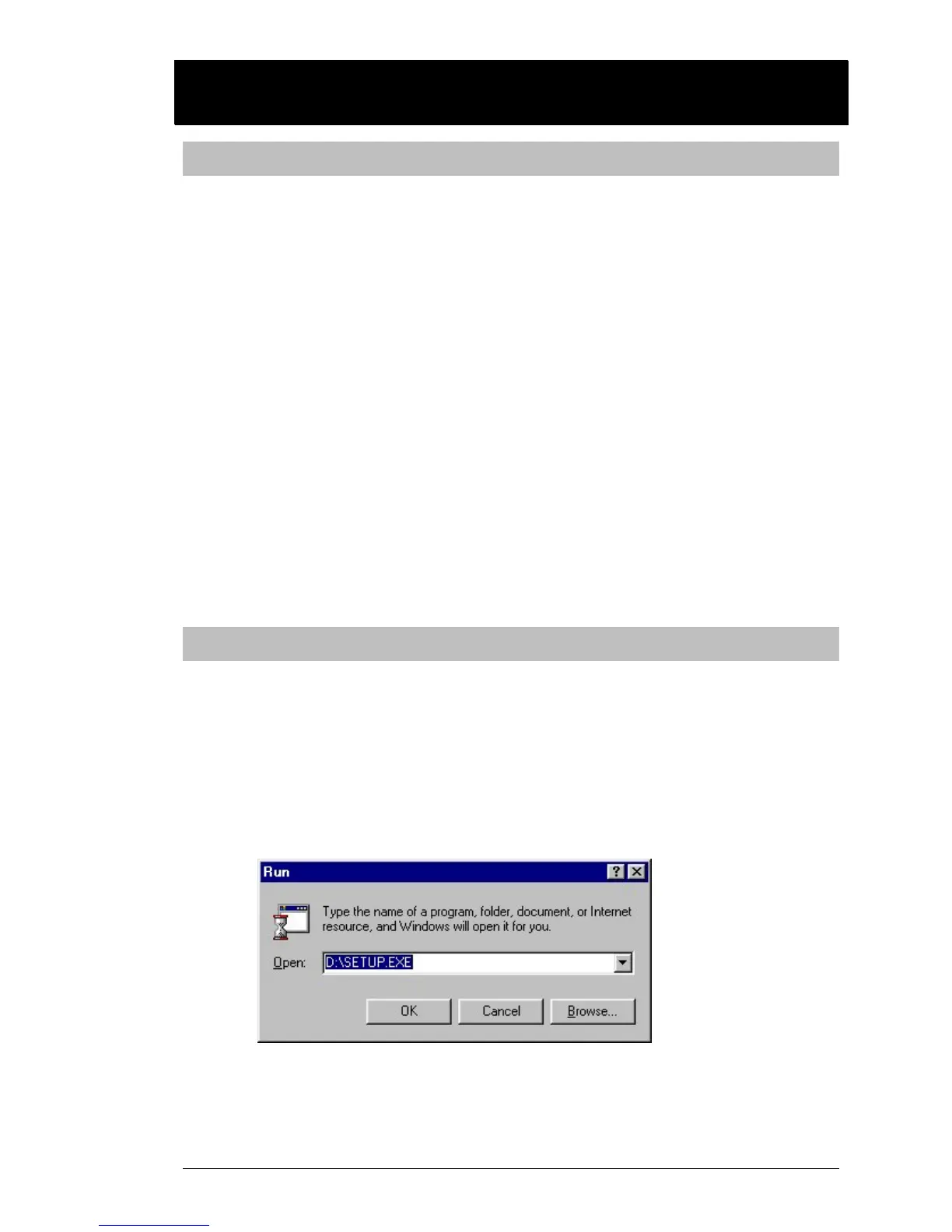
Click on the “Start” button on the Windows Taskbar. Click on
“Run…” The following window will appear:
Type in the letter of your CD-ROM drive (such as D:\ or E:\ ),
and “SETUP.EXE”. For example, if your CD-ROM drive is Drive
E, you would type:



 To Next Page