VIP User Manual 79
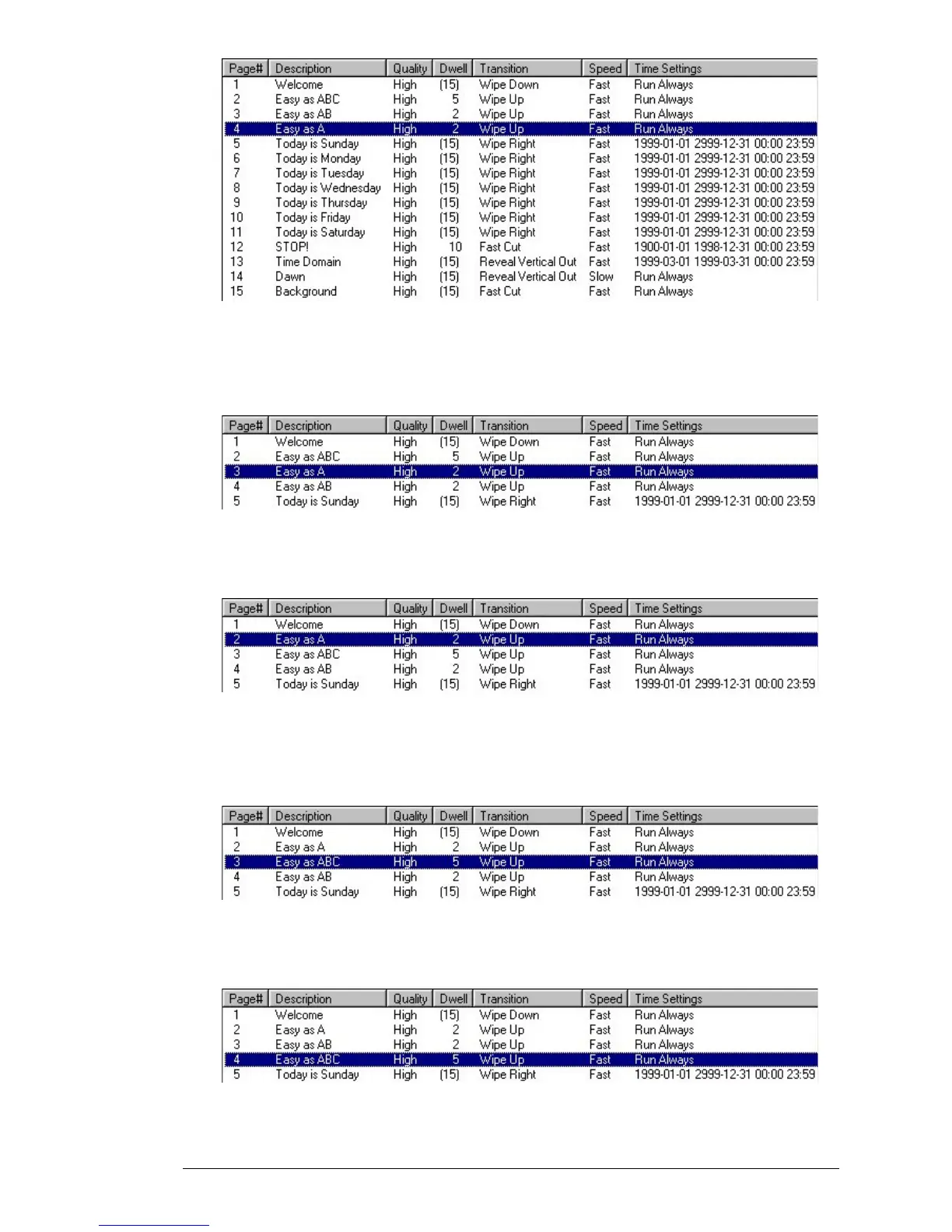
Next, click the “Up” button once. The page will move up one in the list
to become Page 3 – bumping the old Page 3 down to Page 4. Your list
should now appear like this:
Now click “Up” one more time, and your page will move to Page 2. The
phrase “Easy as A.” is now the first in the sequence:
Things still aren’t quite right, though. The order is now “Easy as A”,
“Easy as ABC”, and “Easy as AB”. Click on Page 3 – currently “Easy as
ABC”:
Now click the “Down” button once, and the page will move down to
Page 4:



 To Next Page