— User and Installation Manual
3.4 CONNECT POWER AND SETUP DMX
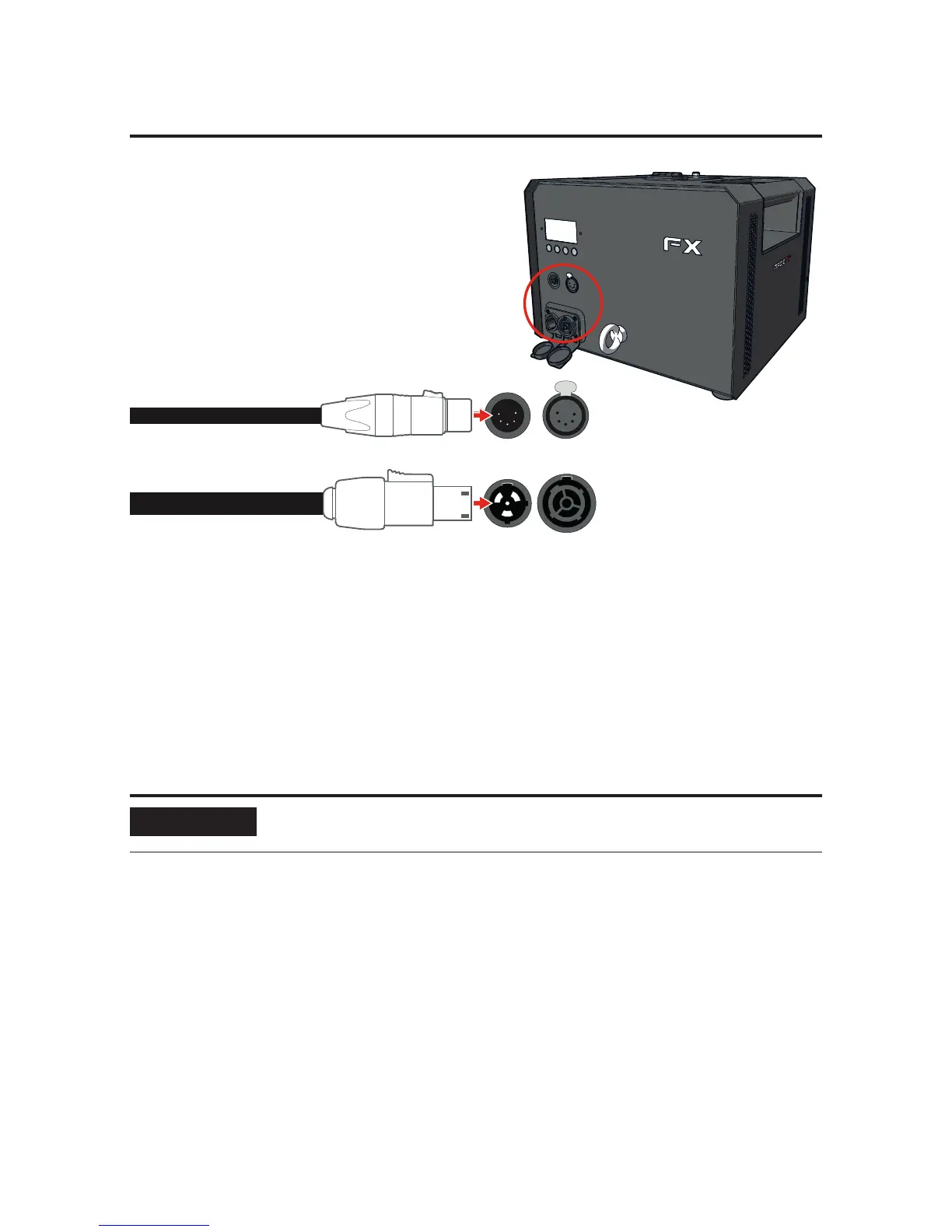
PowerCon TRUE1 female
POWER
5-pole female
DMX
POWER IN POWER OUT
DMX IN DMX OUT
1. Connect a power cable with a PowerCon TRUE1 female connector to the power
input.
2. Connect the other end of the power cable to a 220-250Vac (50-60Hz) power
source. The machine starts heating and the fan starts blowing.
3. Connect the female connector of a 5-pole DMX cable in the DMX input.
4. Connect the other end of the DMX cable to your DMX controller.
5. Use the display and buttons or a RDM controller to assign DMX addresses, see
Chapter 1.
6. Optionally see Section 3.5 for adding more machines to the same sequence.
NOTICE
Always plug in a DMX Terminator into the DMX output. Using a
DMX Terminator improves signal reliability.


 To Next Page