22 MAGICFX® SPARXTAR — User and Installation Manual
3.6 LET’S SPARK!
NOTICE
The machine starts heating automatically when connected to a
power source. The heating cycle takes approximately 25 minutes.
The heating process is visualised on the display with a progress
bar.
NOTICE
Wind can inuence the eect and cause sparks to blow away.
1. Power the machine.
NOTICE
Directly aer powering the machine the device will check
automatically if the output and air inlet are blocked.
2. Change the Output height (200-450 cm) in the
conguration menu if desired, see Section 1.7. The
eect will not exceed the set height.
3. Wait until the device is heated up and ready.
4. Set the DMX value for to the desired
initial height of the output, see Section 1.6.
5. Make sure that the prescribed safety zone is clear.
6. Activate the DMX safety address. Directly aer
activating the device will check automatically in
a few seconds if the output and air inlet are
blocked. The FX LED indicator on the machine
lights up.
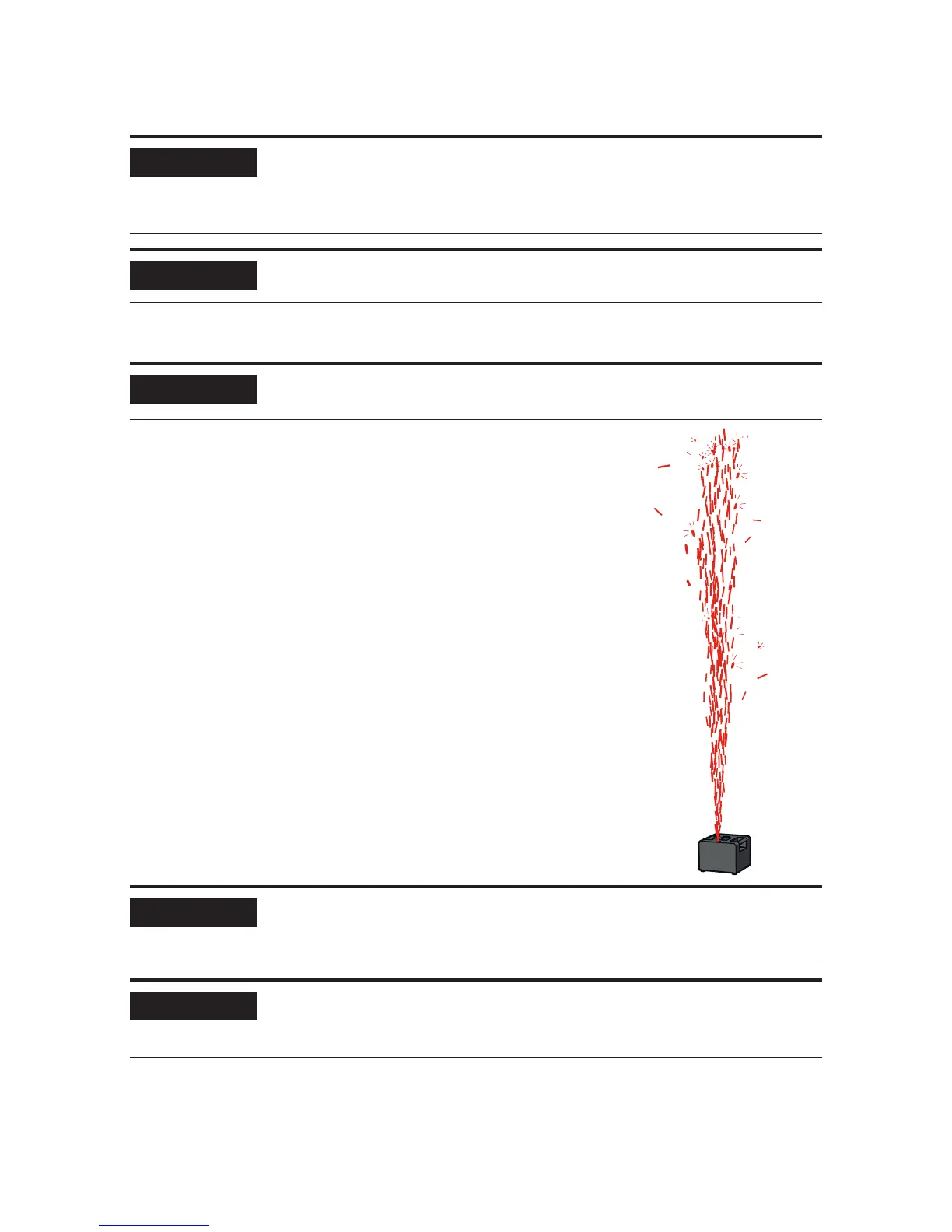
When it’s time to spark, set the DMX value for
between 128 and 255.
Vary the eect height during the eect duration, if
desired.
9. Enjoy the view!
Set the DMX value for between 0
and 63 if you want to stop sparking.
NOTICE
During a short interval aer the eect has stopped, you can
create a ash eect by quickly activating and deactivating the
.
NOTICE
The maximum continuous duration of the eect is 40 seconds.
Aer this period the eect will stop automatically. To start the
eect again you must disable and re-enable the .


 To Next Page