— User and Installation Manual
DMX Address Result
Safety address 0 99 Device disabled
100 154 Device enabled
155 255 Device disabled
Start address
(Eect height)
0 255 Eect height (2 to 4.5 m)
Start address + 1
(Eect trigger)
0 63 No output
64 127 Empty heater (only when previously
set to ‘no output’ and aer a delay of
10 seconds)
128 255 Output eect at set height
Operation of the DMX addresses
NOTICE
The maximum continuous duration of the eect is 40 seconds.
Aer this period the eect will stop automatically. To start the
eect again you must disable and re-enable the Eect trigger.
NOTICE
Always plug in a DMX Terminator into the DMX output of the nal
unit in the control sequence. Using a DMX Terminator improves
signal reliability.
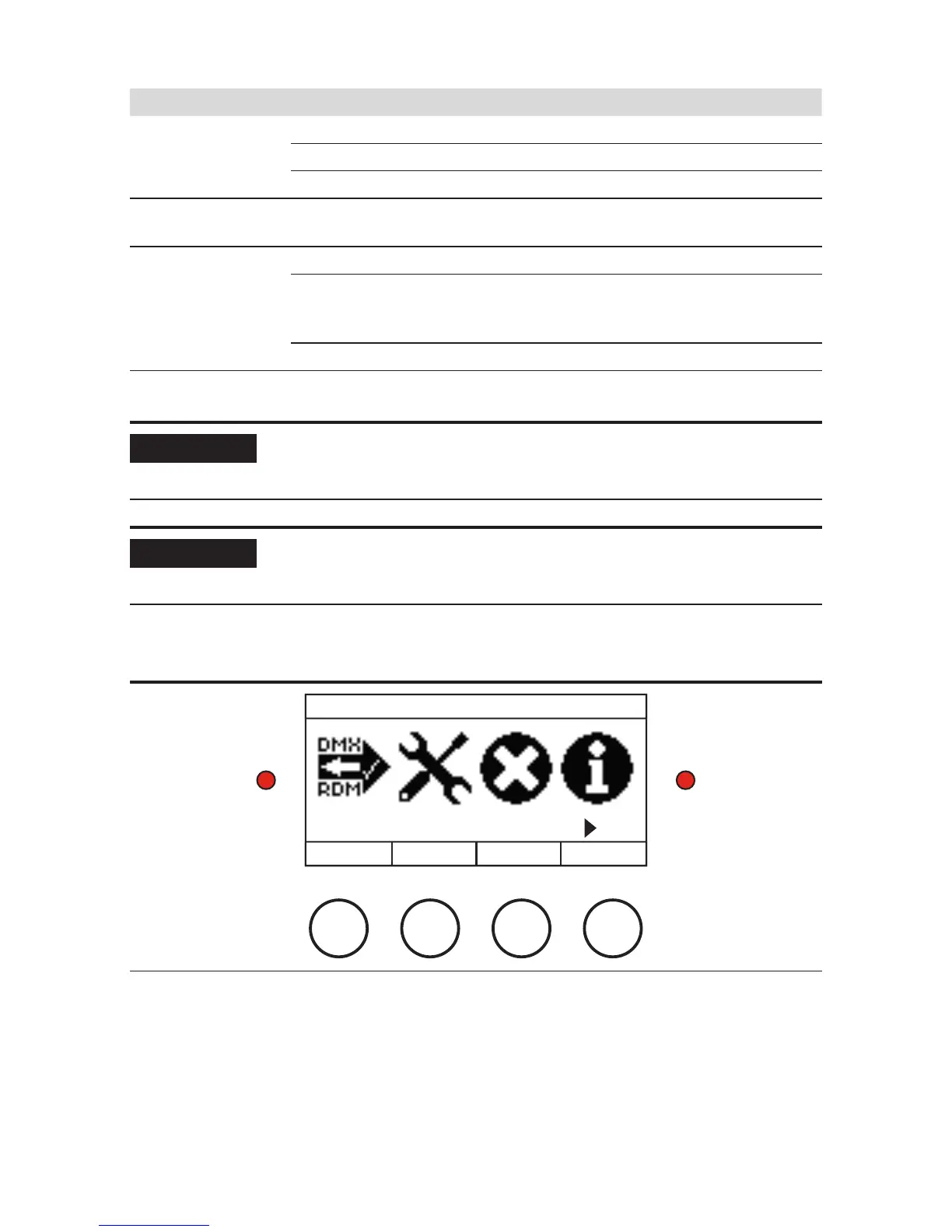
DISPLAY PANEL
MAIN MENU
DMX/RDM SETTINGS
BACK PREV NEXT
SELECT
Display panel
The display panel is located on the backside of the MAGICFX
®
SPARXTAR. Check the
following menu structure for all options in the menu. Use the buttons for navigation
and selection. The le-hand LED blinks red when DMX is active. The right-hand LED
continuously lights red when an error is present.


 To Next Page