8 The Replicator™
Setup Guide
STEP 7.
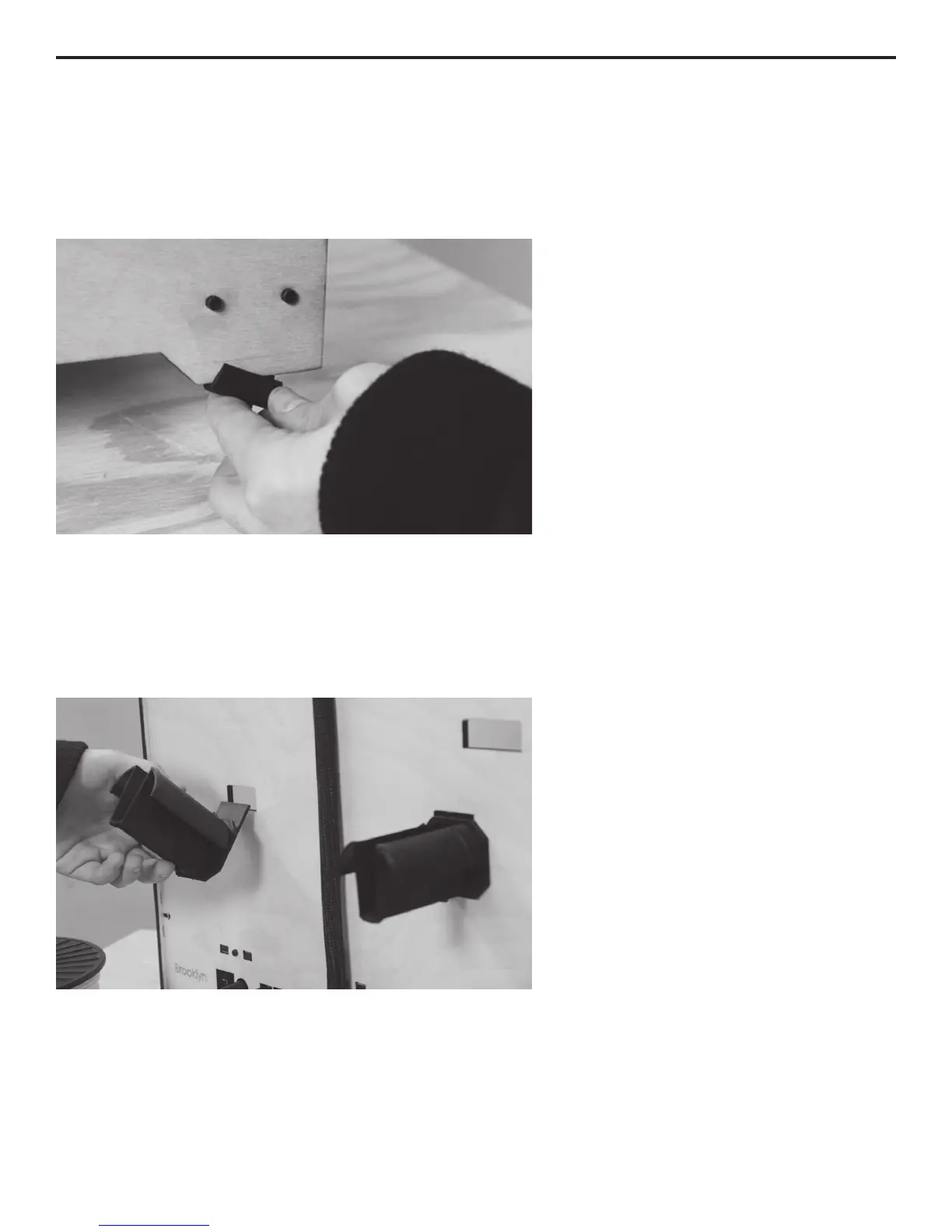
INSTALL FEET ONTO THE BOTTOM OF THE REPLICATOR™
While you still have the Feet and
Bolts Kit at hand, remove the four
The Replicator. They work best on the
side panels.
STEP 8.
SLIDE THE SPOOL HOLDER(S) INTO PLACE
Now, grab the Spool Holder(s). If you
have two spool holders, put one on
each side. If you have one, put it on
the left side as you face the rear.
through the rectangular opening and
then slide it down into place.
Step 7. Slide the feet onto The Replicator's side panels.
Step 8. Spool holders t into the slots as shown.
INITIAL HARDWARE SETUP



 To Next Page