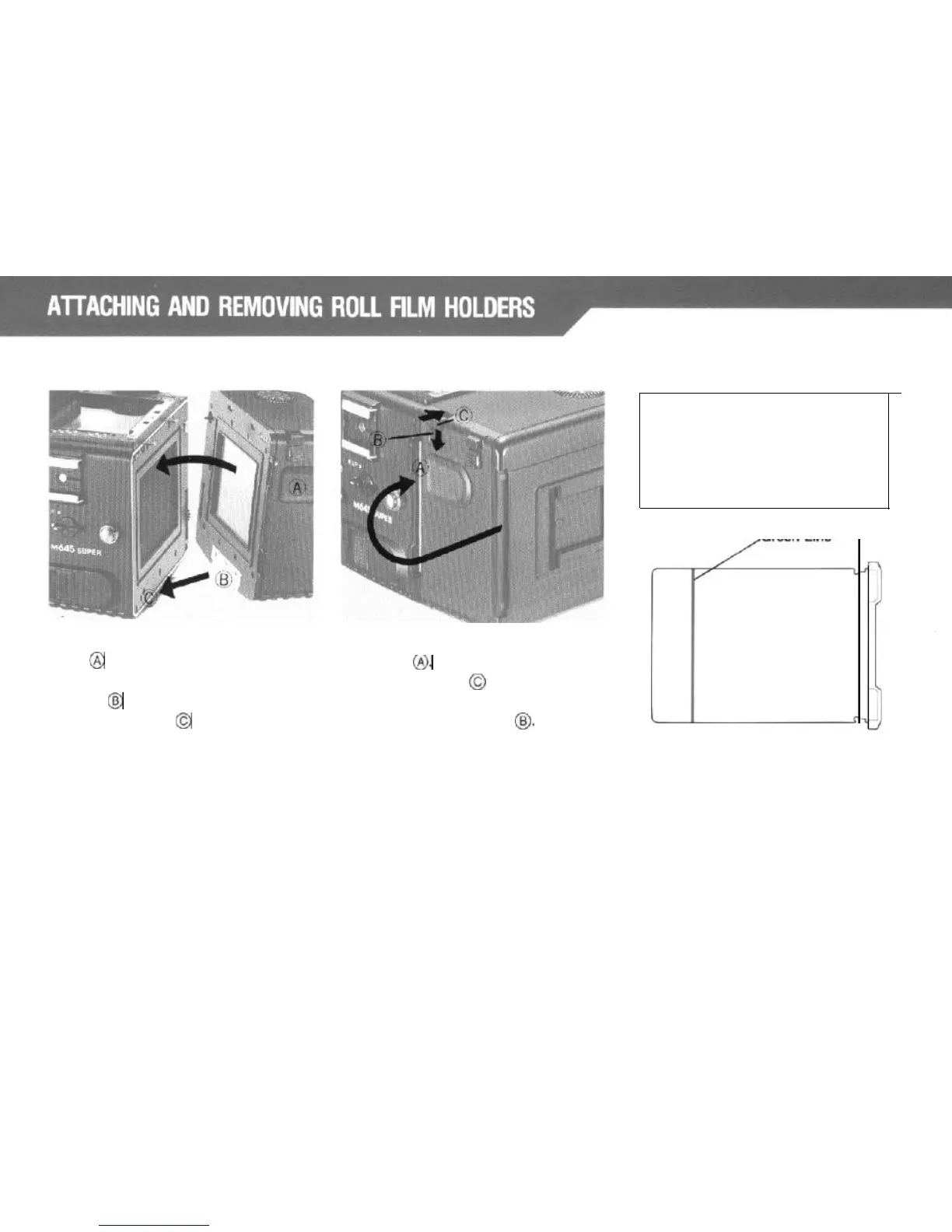
Attaching
the Roll Film Holder:
Removing the Roll Film Holder:
While holding the Rubberized
Finger
Insert the Dark Slide between both
Rest
@
on both sides of the holder,
white
lines
I&
To remove the holder,
position the Bottom Coupler of the
push the Button
@I
away from the
holder
@
properly to the Holder camera body while pressing down on
Mounting Bracket
@
of the body.
the
Lock
Release Button
@
Press the upper part of the holder
together with the body until clicks.
The green line on the Dark Slide
indicates the position to which the
Dark Slide can be inserted into
the Roll Film Holder without
blocking the image.
Green Line
FIYZ
9



 To Next Page