The M645 Super
uses
one
6V
silver-
oxide battery
(4SR44)
or 6V alkaline-
manganese battery
(4LR44).
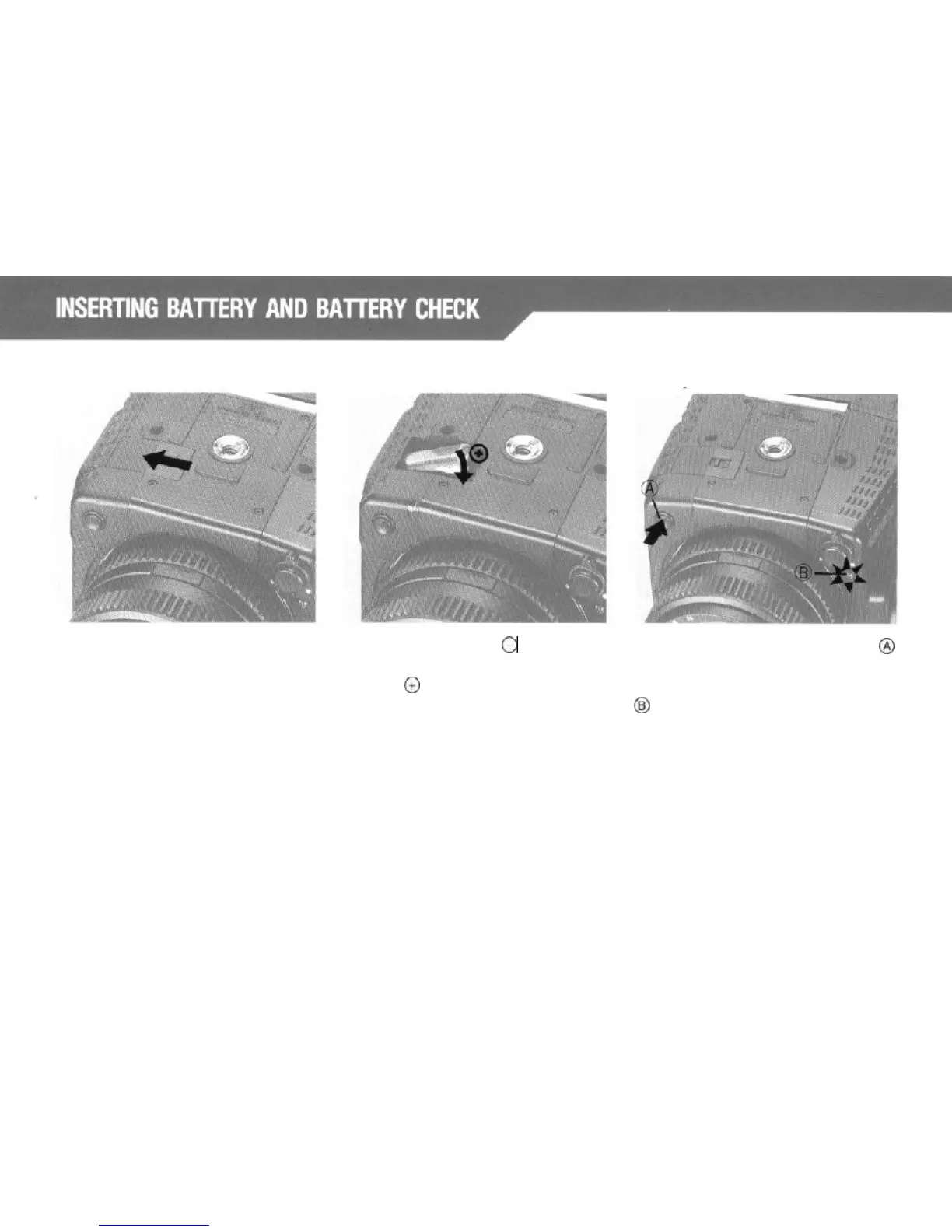
Pull the
Battery Chamber Cover Latch (at the
bottom of the camera body) in the di-
rection of the arrow, and the Chamber
Cover can be removed.
Battery Check
First, insert the battery
0
terminal into
the Battery Chamber and press the
battery’s
@
terminal in while confirming
battery polarity. Then close the cover.
*Before inserting the battery, arrange
the battery removal ribbon correctly
passing it under, then over, the bat-
tery. Consequently the battery can
be removed easily by pulling the end
of the ribbon.
When the
Battery
Check Button
@
(located on the front of the camera) is
depressed, the
Battery
Check Lamp
@
lights up. The lamp will not light if
the battery capacity is insufficient or if
the battery is inserted incorrectly.
12



 To Next Page