i
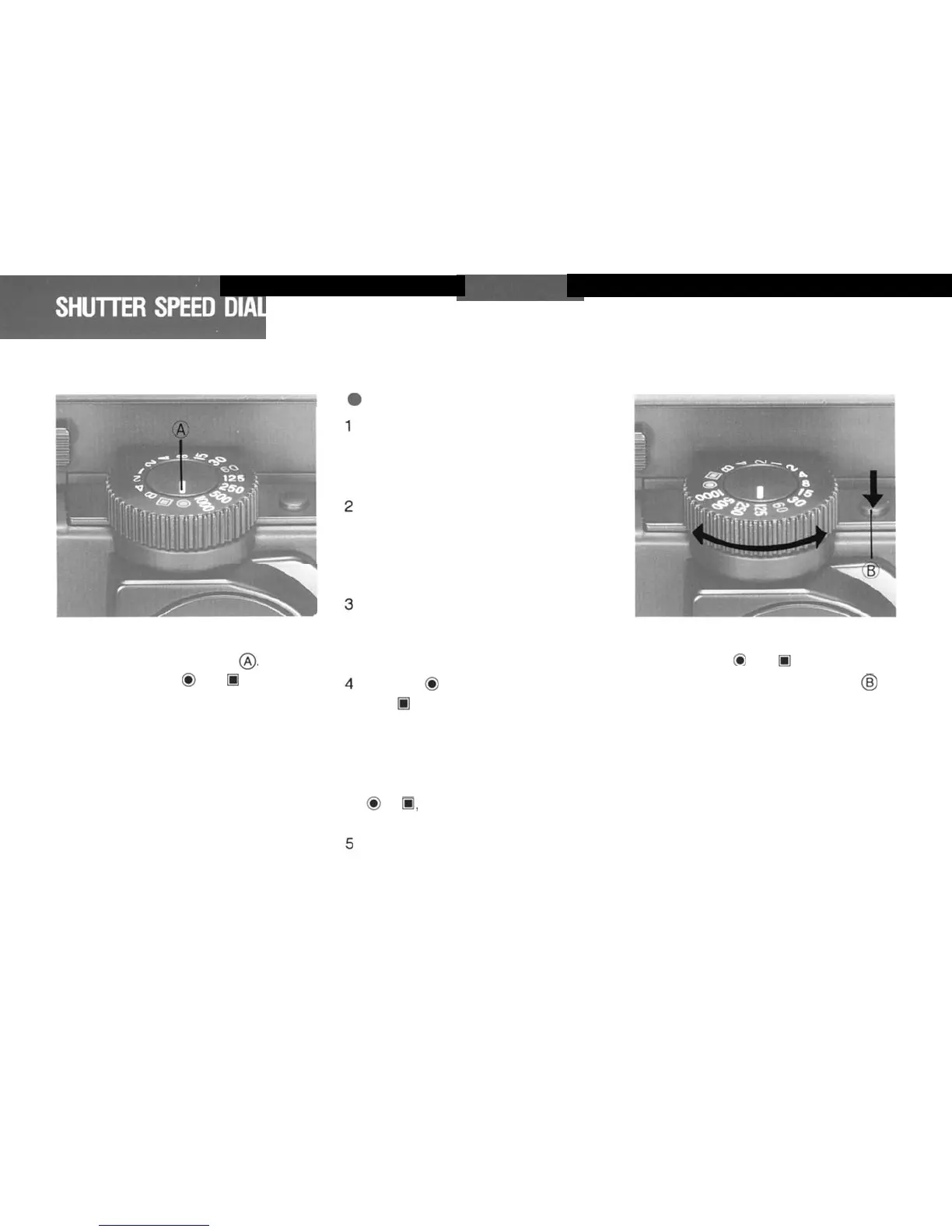
Align
your
desired
shutter
speed
with
the white
alignment
index
8.
*In
other
than
the
0
and
0
marks, the
dial
will
rotate freely, and each shut-
ter speed display will stop at the click
point.
18
.
Color
Coding
The yellow 4 and 2 represent full
seconds. and all other figures rep
resent the denominator of a frac-
tion.
(Thus.
30
equals
1/30
sec.)
The yellow
B
represents
BULB.
When the Shutter Speed Dial is set
to
B, the
Shutter remains open as
long as the Shutter Release Sutton
is depressed.
The
red
60
(1/60
sec)
represents
the highest permissible shutter
speed for electronic flash syn-
chronization.
The red
0
mark is the AE position.
and
0
is the AE Lock position.
These marks are used with the AE
Prism Finder N. (When the Prism
Finder
N
and Waist Level Finder
N
are
attached,
and the dial is set at
0
or
5.
the effective shutter speed
is
1/1000
sec).
Set the Shutter Speed Dial only to
the click stop position. Using an
intermediate positions
will
result in
inaccurate exposure.
When
selecting
shutter
speed
settings
other than the
C*
and R marks, release
the lock by pushing the button
@
in
fomt of the dial. Turn the Shutter
Speed Dial to your desired speed.



 To Next Page