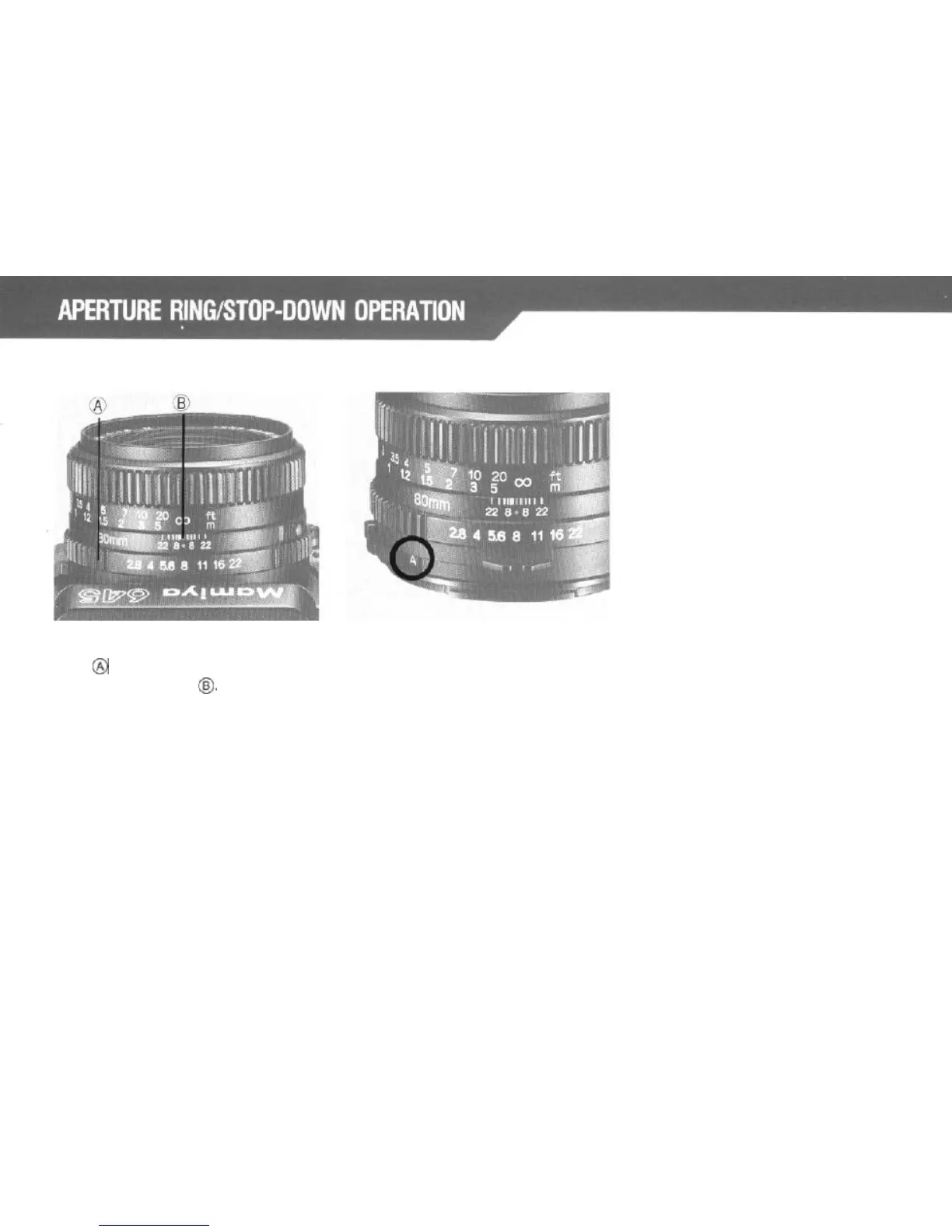
Set the
desired
f/stop
on the Aperture
Ring
@
by aligning the f/number with
the red reference dot
@.
(The Aperture
Ring has a click stop for each f/stop.
In-between clicks can
also
be used.)
AM (Auto/Manual) Lever
1. In normal photography, set AM
Lever so that character “A” is visible
in the lever window. If you do so,
the aperture will remain wide open,
stopping the lens down only during
shutter
operation.
2. Moving the AM Lever of the lens so
that “M” is visible will stop the lens
down to the preselected aperture,
thus making it possible to confirm
effect of the aperture through the
viewfinder.
20



 To Next Page