Attaching and Removing the
Neck
Strap
to the Camera
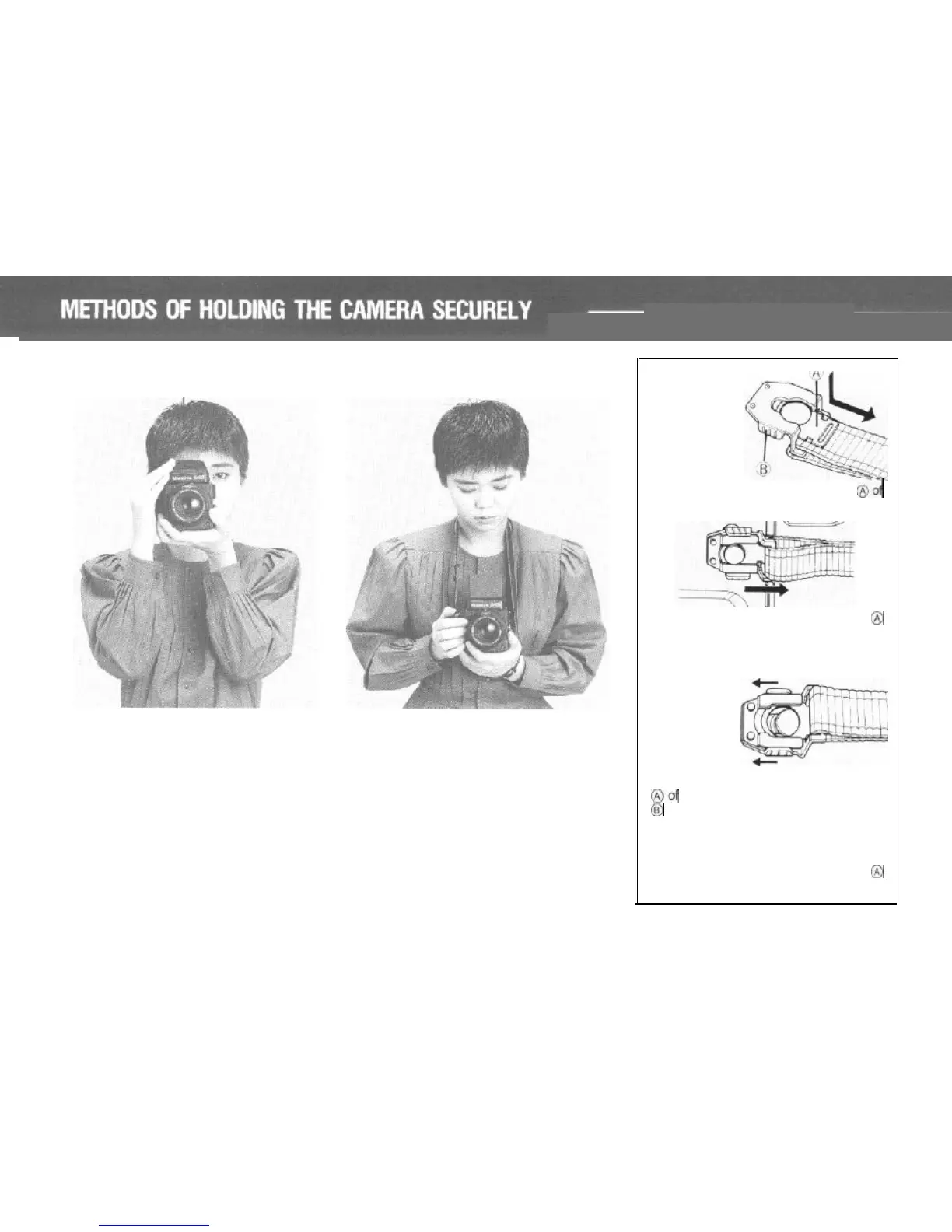
Eye-level Operation
No matter how carefully one focuses
the camera, if there is camera move-
ment during the instant that the shutter
is released, sharp pictures are unlikely.
To eliminate camera movement, care
must be taken regarding the method of
holding the camera and releasing the
shutter.
22
Waist-level Operation
When hand-holding the camera with
the Waist Level Finder attached, adjust
the length of the neck strap to take out
the slack and
support
the camera
firmly against your body.
Attaching
it
to
the
camera
1.
Draw out the neck strap fastener
8-G
the attaching clip while pushing it down.
2. Place the hole of the strap
fastener @
over the
lifting
lug of camera body as
illustrated, and pull until it clicks and
locks into place.
Removing it
from
the
camera
With your finger,
pull
the neck
strap
fastener
@of
attaching clip upward and push part
(@
in
the direction of
the
arrow. The strap
can now
removed.
When attaching the strap to the lifting lug
on the side of the
camera with the Wind-up
Crank, insert the neck strap fastener @
into the lower pad of the double
solt.



 To Next Page