Loading the Film
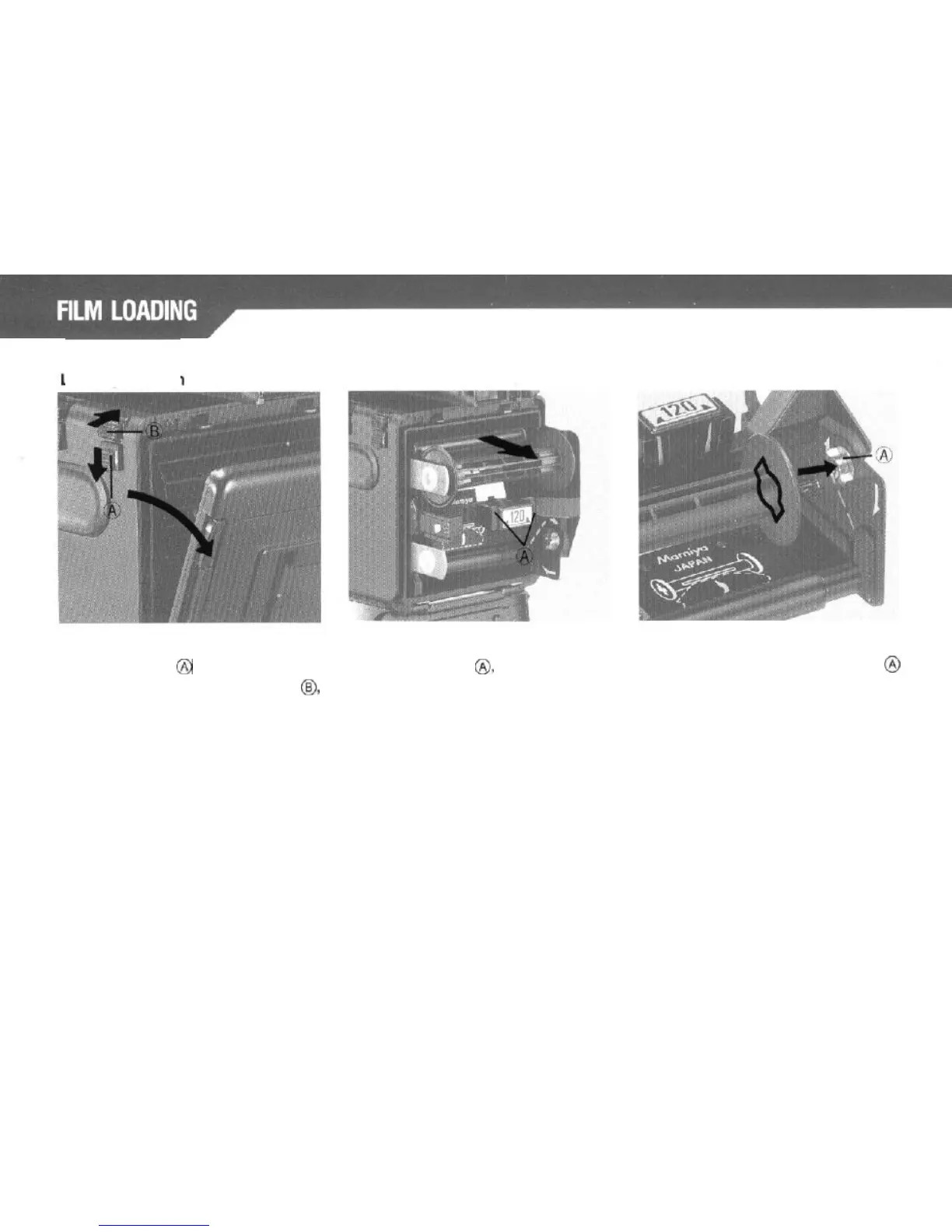
While pushing the Back Cover Lock
While squeezing in on both sides of
Release Button
@
downward, press
the Release Latch
8,
pull the Roll Film
the Back Cover Opening Button
@I>,
Insert
out of the camera body. At that
and the Back Cover will open.
time, move the empty spool in the
upper part down to the lower spool
compartment.
Align the right-hand
side
of this empty
spool with the lower Spool Stud
@
(convex). Slide the spool into position
making sure that the left-side of the
spool is properly held
by
the Spool Clip.
14



 To Next Page