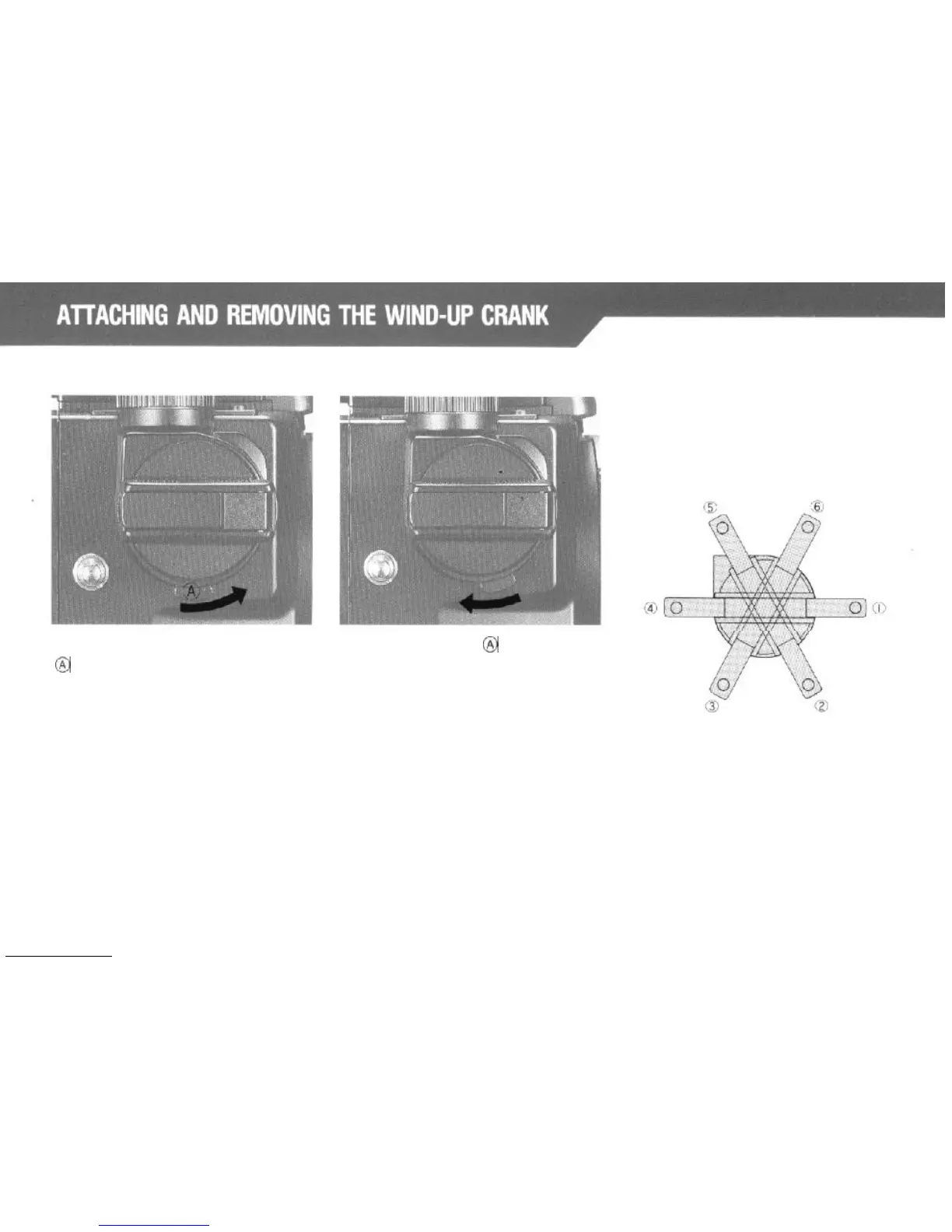
Removing the Crank:
Attaching the Crank:
Push the Wind-up Crank Lock Lever
Pull the Lock Lever
@j
in the
direction
@
in the direction of the arrow, pull out
of the arrow while pressing the crank
the crank to remove.
against the camera body.
It is possible to select the
start
position
of the Wind-up Crank in six different
positions. The following figure shows
the six different positions.
*For attaching and removing the
Power Drive N, refer to its instruction
manual.
11



 To Next Page