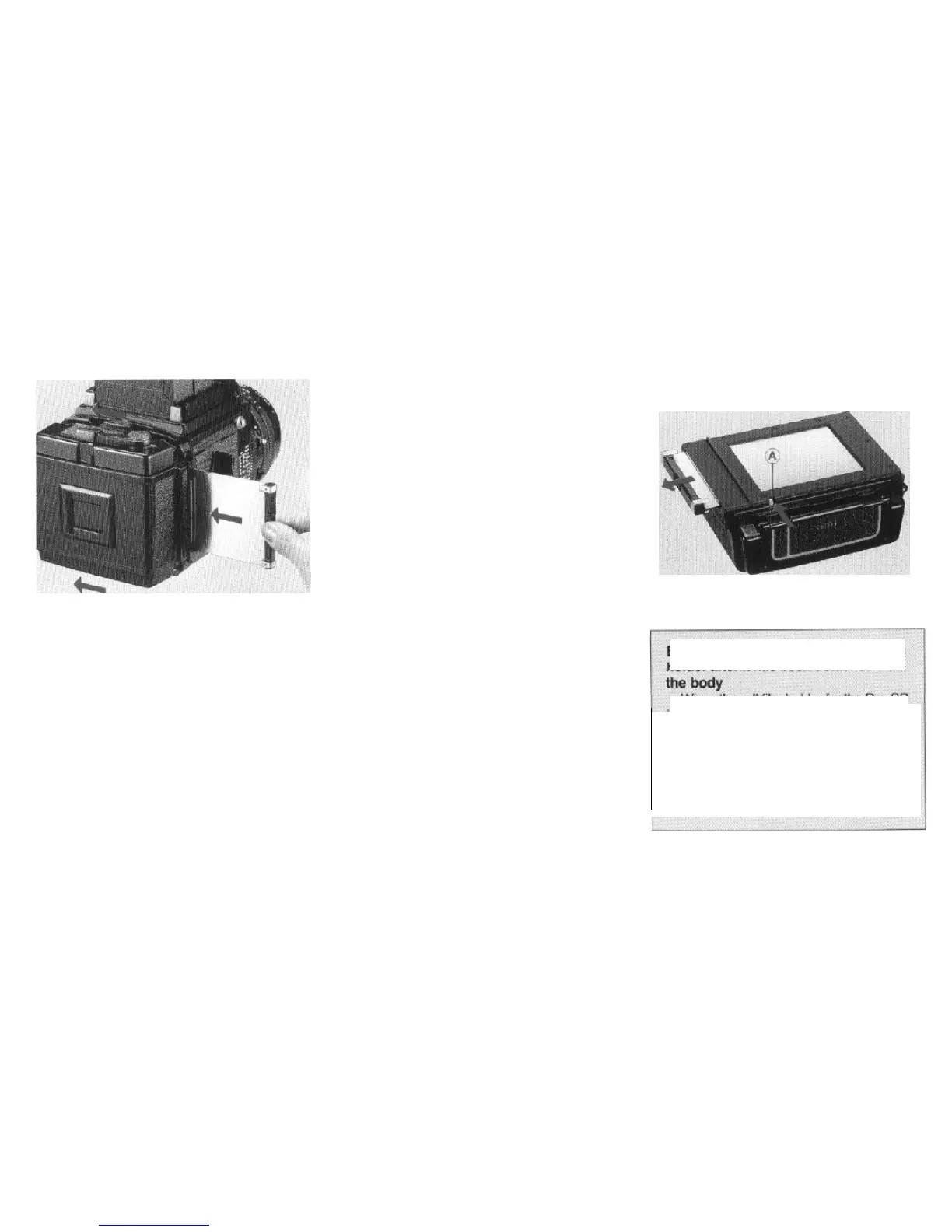
Removing the roll film holder
1. Insert a dark slide in the roll film holder.
2. Remove the roll film holder by sliding both
slide
locks
in the opposite direction to the arrow
(Lock) on the slide lock.
.
If the dark slide is not inserted, the slide lock
will be locked by the safety device, and the
roll film holder cannot be detached.
l When a dark slide is completely inserted,
the slide lock release lever is automatically
disengaged, and the slide locks can be
moved without pressing the release levers.
Extracting
the
dark slide of the roll
film
holder after it has
been
detached
from
When the
roll
film holder for the Pro-SD
is removed from the body, the safety
device prevents the dark slide from being
pulled out carelessly or accidentally.
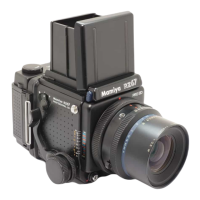
However, if you desire to pull it out, simply
use your fingernail tip to press the dark
slide lock release lever (A) on the bottom
of the outer cassette.
15



 To Next Page