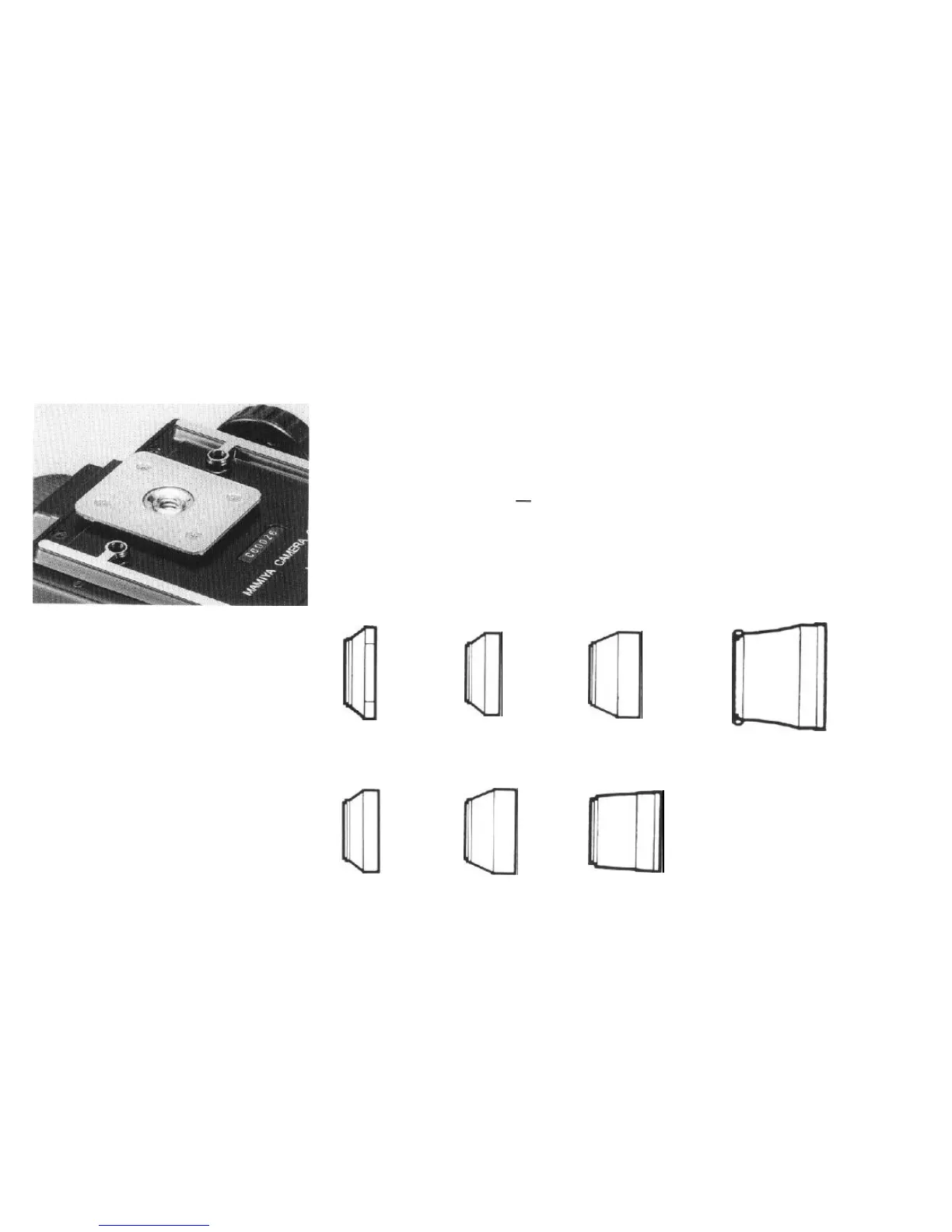
Lens hood
The lens hood attached to the standard
127mm lens can be used for the
90mm
lens.
l
Screw
the
attachment
ring into the front of
the lens mount.
l Pull the folded rubber hood straight out.
l The lens hood may be left on when the
camera is being carried
-
simply push
back and turn out the hood while it is
attached to the lens.
l A filter can be screwed in between the lens
and the hood, or in front of the lens hood.
Using a tripod
The use of a large, sturdy tripod is recom-
mended for optimum picture quality.
1. The standard tripod has a
1/4
inch tripod
screw. Simply attach the RB67 Pro-SD as you
would any other camera with standard threads.
2. When using a tripod with a
3/8
inch screw,
first remove the small screw in the base of the
tripod socket by turning if counterclockwise
with a coin or an appropriately sized screw
driver. Next, remove the 1
/4
inch adapter (A)
from the tripod socket by rotating it counter-
clockwise. The camera can then be mounted
on a
3/8
inch screw tripod.
ul
Used on
50mm.
and
Used on
90mm,
and
65mm
lenses
127mm
lenses
(80mmø
slip-on type)
(77mmø
screw-in type)
Q
%3
Used on
140mm,
150mm,
180mm,
210mm,
250mm,
For the 500mm lens
and 350mm lenses
(IOBmma.
(77mmø,
screw-in type)
Q
a
For the
75mm
lens
For the
100-200mm
f/3.5
lens
zoom
lense
(80mmø,
slip-on
type)
(60mmø,
slip-on
type)
For
the
360mm lens
(77mm0,
screw-in
type)
34



 To Next Page