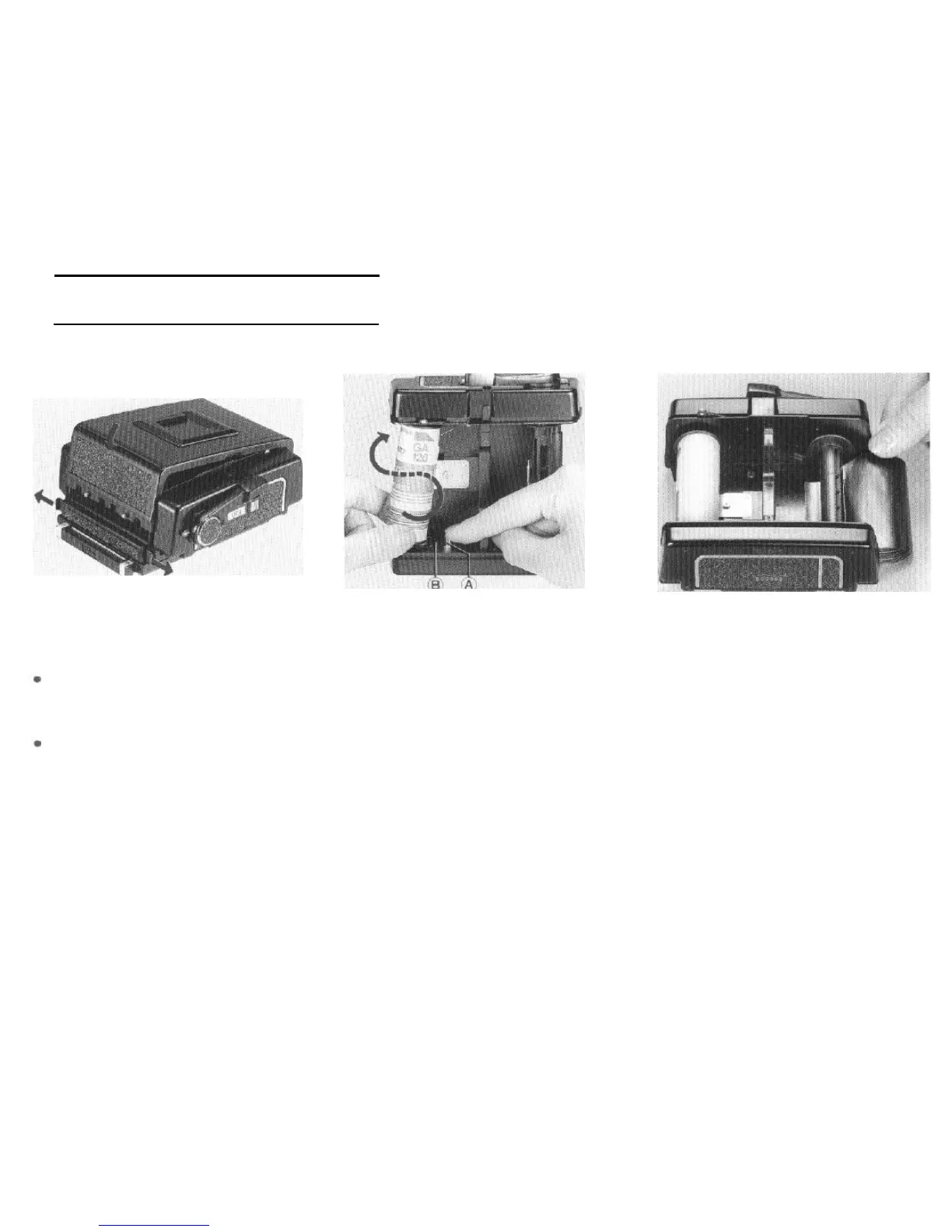
9. Loading the Film Holder
1. While pressing the back cover, pull out the
upper and lower back cover latches and the
back cover will open. Remove the film insert.
When loading film, avoid direct sunlight:
either load the film in the shade or turn your
body away from the sun and load it in the
shade of your own body.
Use 120 roll film with the 120 roll film holder
and 220 roll film with the 220 roll film holder.
2. While pressing the spool release pin (A) on
the left side of the film insert, insert a new roll
of film on the film spool stud.
Load the film so that the leader paper can
be pulled out along the arrow of the leader
paper guide mark (B). Wind the
film
with the
printed side of the leader paper on the holder’s
pressure plate side. If the printed side does
not lace the pressure plate side, reload the
film, reversing the film position.
3. Pull out the leader
paper
and insert the tip
into the groove of the take-up spool.
*
Position the film so that
the
leader paper
winds evenly between the spool flanges-if it
is uneven, film and photo malfunctions may
occur.
17



 To Next Page