R-4
R-3
Prior to Loading Roll Film
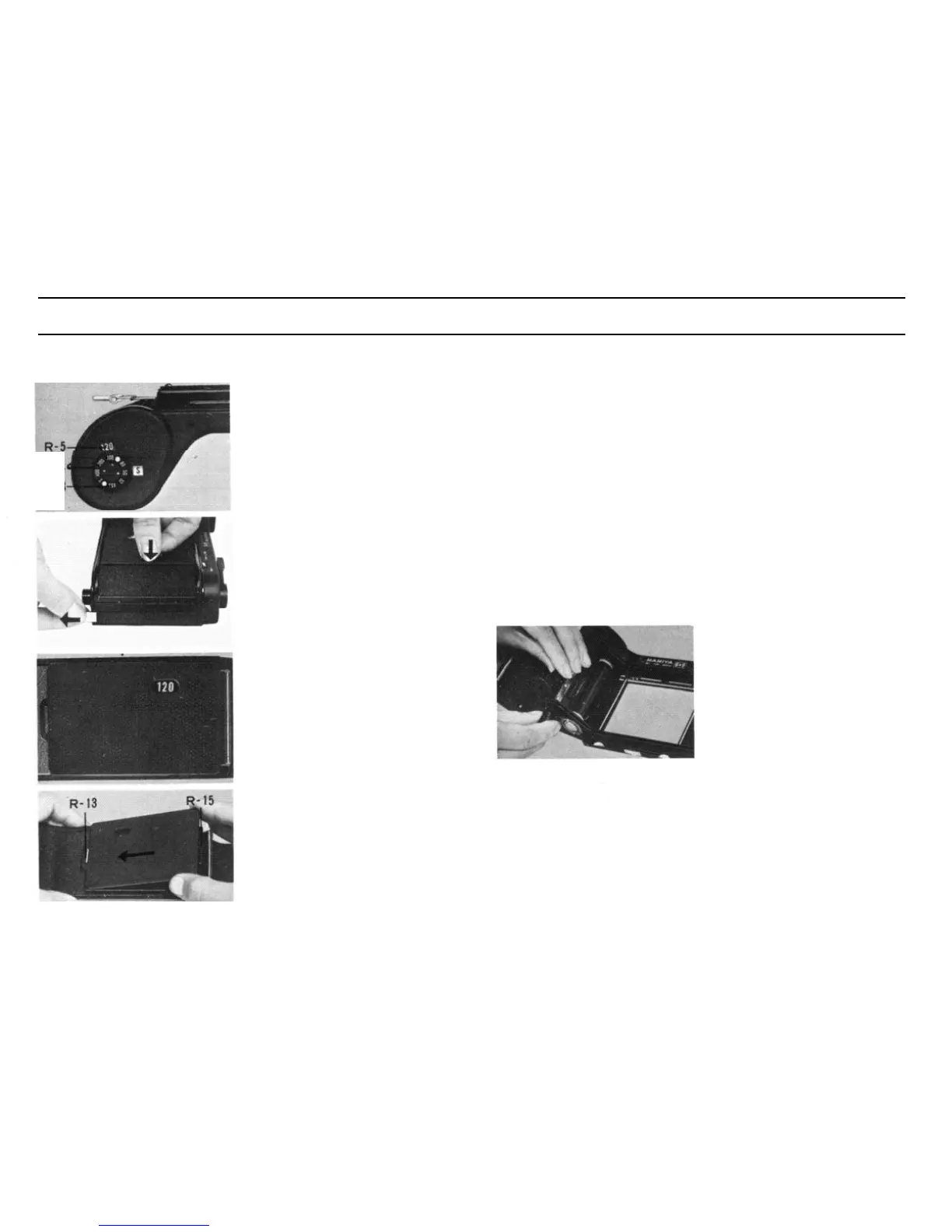
Set the automatic film wind stop
device for the film to be used (120
or 220).
Turn the counter change-over
knob (R-4) either to the right or
left until the figure appearing in
the film indicator window (R-5)
corresponds to that of the film to
be used (120 or 220).
Reverse the pressure plate if it does not match the film
Removing the Pressure Plate:
Remove the plate by pushing its right side to the left, pulling it out
from the plate catch (R-15).
Reattaching the plate :
While aligning the upper and lower edges of the plate with the
flange, insert the groove into the plate catch (R-13) on the left, then hook
the plate catch (R-15) on the right while pushing it slightly to the left
Always ascertain that the correct side of the pressure plate corresponds
to the film used.
Use the convenient film sensitivity reminder dial (R-3) as a memo of
film speed in the holder, turning the dial corresponding to the loaded
film speed to the red mark.
Loading Roll Film
Avoid direct sunlight while load-
ing or unloading film. Do it in the
shade.
Open the back cover
By pulling out the back cover
latch while pressing the back cover
to the holder, the back cover can
be opened.
Make sure that the correct side of
the pressure plate corresponds to
the film used.
One side of the pressure plate
(R-14) is for No. 120 roll
film
and
the other side IS for No. 220. The
figure “120” or “220” is indicated
on the window of the pressure
plate.
Pull out the spool change knob
(R-10) and place an empty spool
into the spool chamber (R-12),
Pull out the other spool change
knob (R-10) and place a roll film
into the film chamber (R-8)
.
By turning the spool change
knob either to the right or left after
pulling it out, the knob will remain
projected.
By
turning back the
knob, the knob will snap back to
its original retracted position.
The memo clip at the holder
back cover can accommodate a
film box lid or a blank paper pad
for memorandum.
21


 To Next Page