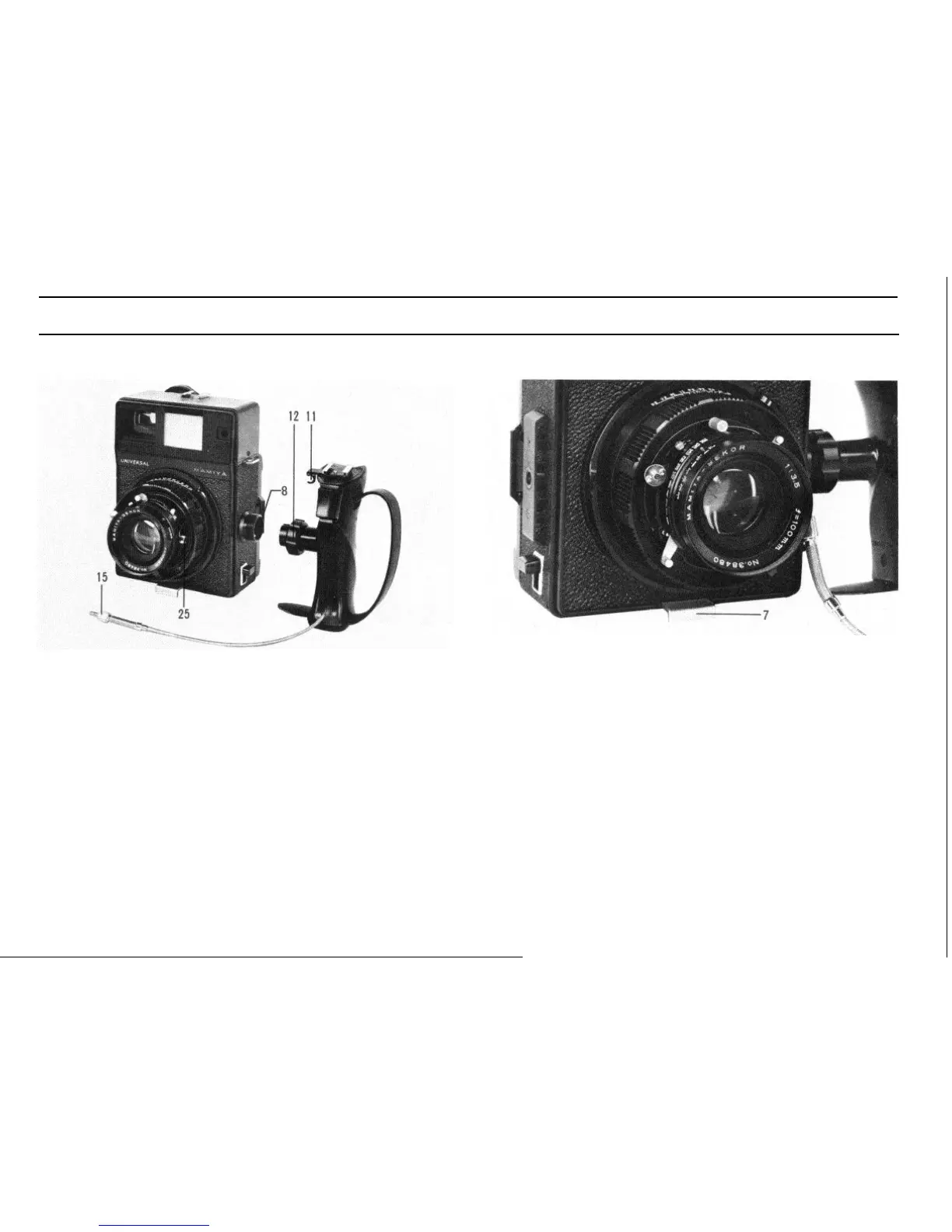
Attaching the Hand Grip
Stabilizing Plate
To attach the hand grip, insert the hand grip into the grip socket (8)
of the camera body, and firmly turn the hand grip lock ring (12).
Screw the end of the cable release (15) extending from the hand grip
into the release socket (25) of the lens-shutter assembly.
While dismounting a lens, hang the cable release on the cable
release holder (11).
8
Pull out the stabilizing plate (7) on the bottom of the camera body
when resting the camera on a desk, table, or other surface.


 To Next Page