dmc1
M&S Systems | 2861 Congressman Lane | Dallas, Texas 75220 | 800.877.6631 | www.mssystems.com 13
Privacy
When the PRIVACY button is pushed in at a station, the station cannot be listened to
or monitored.
• You can still initiate a Talk session and talk out.
• You can still receive music.
• You can still hear the door chime.
Security/Home Automation (Optional)
This optional function can control another system that is properly connected to the
dmc1. For example, it may control a door release mechanism, turn on the lights, set off
an alarm, etc. This function is available from the Master Station and all remote scan
Room Stations (dmc1RS). It is not available from a Patio Station.
To initiate feature from a room station:
1. Simultaneously press VOLUME UP and VOLUME DOWN and hold for at least 4
seconds. After 4 seconds, this feature is active for as long as you hold the buttons.
2. Release the buttons to deactivate the feature.
Master Station Operation
Radio Operation
1. Press POWER to turn on music.
2. Select either FM or AM as the music source. See Master Station Settings/Music
Settings/Music Source for instructions.
3. Use TUNE UP or TUNE DOWN to select a station, or press PRESET to select a
preset station.
CD Player Operation
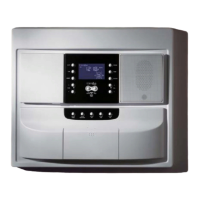
1. Load up to 6 CDs in the CD changer.
2. Press POWER to turn on music.
3. Select CD as the music source. See Master Station Settings/Music Settings/Music Source
for instructions.
When you choose CD as the music source, the display shows the following information:
• Which CD is playing, indicated by a circle around the CD number
• The track that is playing, indicated by the number on the display



 To Next Page