dmc1
M&S Systems | 2861 Congressman Lane | Dallas, Texas 75220 | 800.877.6631 | www.mssystems.com 16
Select Music Source
You can select the system music source from any Room/Patio Station. The music
sources that are available to you vary slightly depending on the Scan setting on the
Master Station. (See Master Station Settings/Music Settings/Scan Mode for details.)
Note: You cannot select specific tracks on the CD from a Room/Patio Station.
To scan for a music source:
1. Simultaneously press and release VOLUME UP and VOLUME DOWN.
Note: If you press and hold these buttons for 4 seconds or more, you initiate the
Security/Home Automation function. (See Intercom Operation/Security/Home
Automation for details.) This function is not available on the Patio Station.
2. Repeat until you reach the music source you prefer.
Door Station Functions
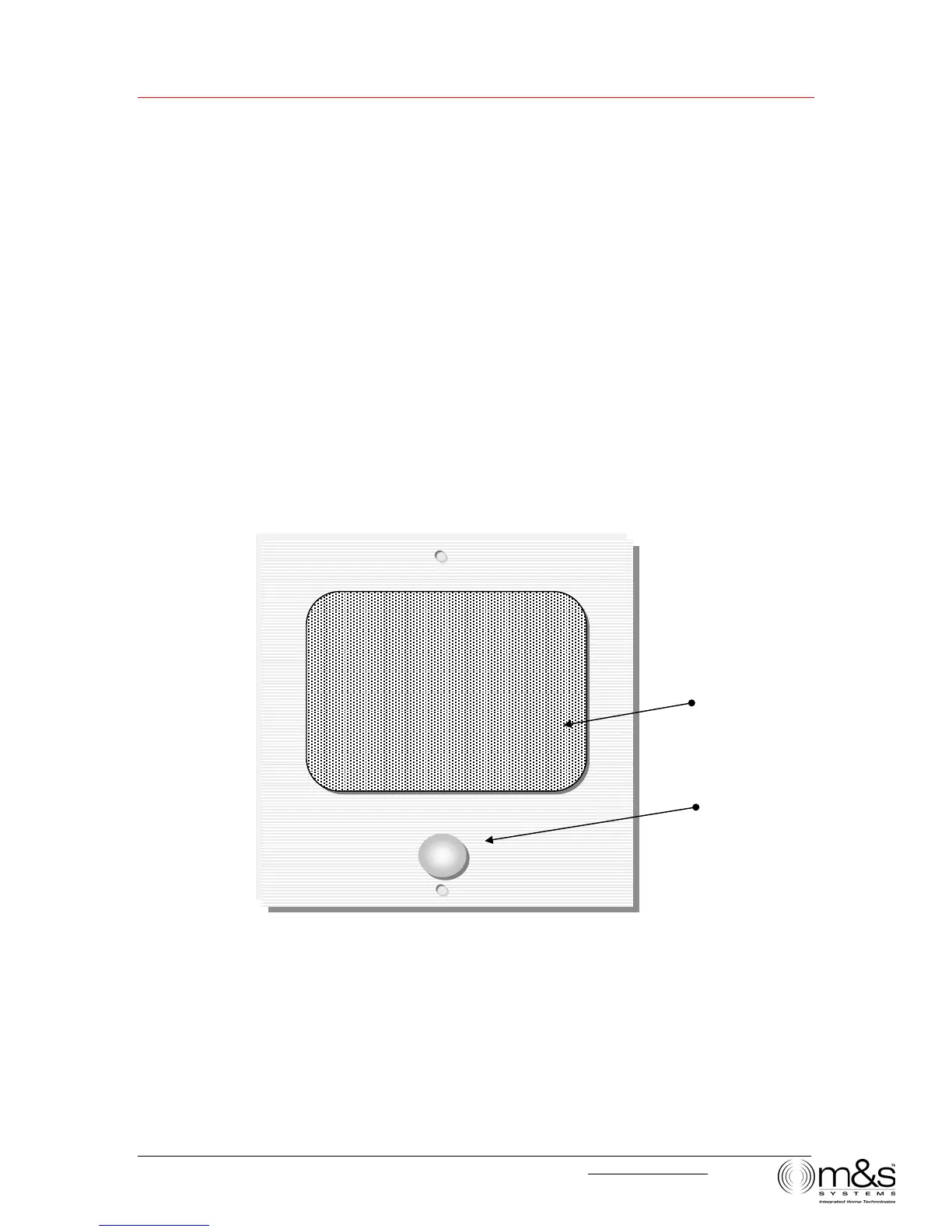
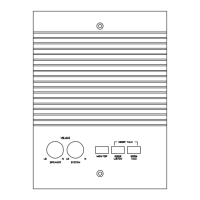
Figure 12—Door Station
When a user presses the door chime button on the Door Station the chime is heard at
all stations set to Intercom or Radio/INT, even if PRIVACY button is activated.
• All system audio (music and intercom) is muted when the chime rings.
• If the Door Station is engaged in a talk or listen session, the chime is not heard.
Door Chime
Speaker



 To Next Page