National Crane Published 9-26-2018 Control # 646-02 7-19
NTC55 OPERATOR MANUAL RATED CAPACITY LIMITER
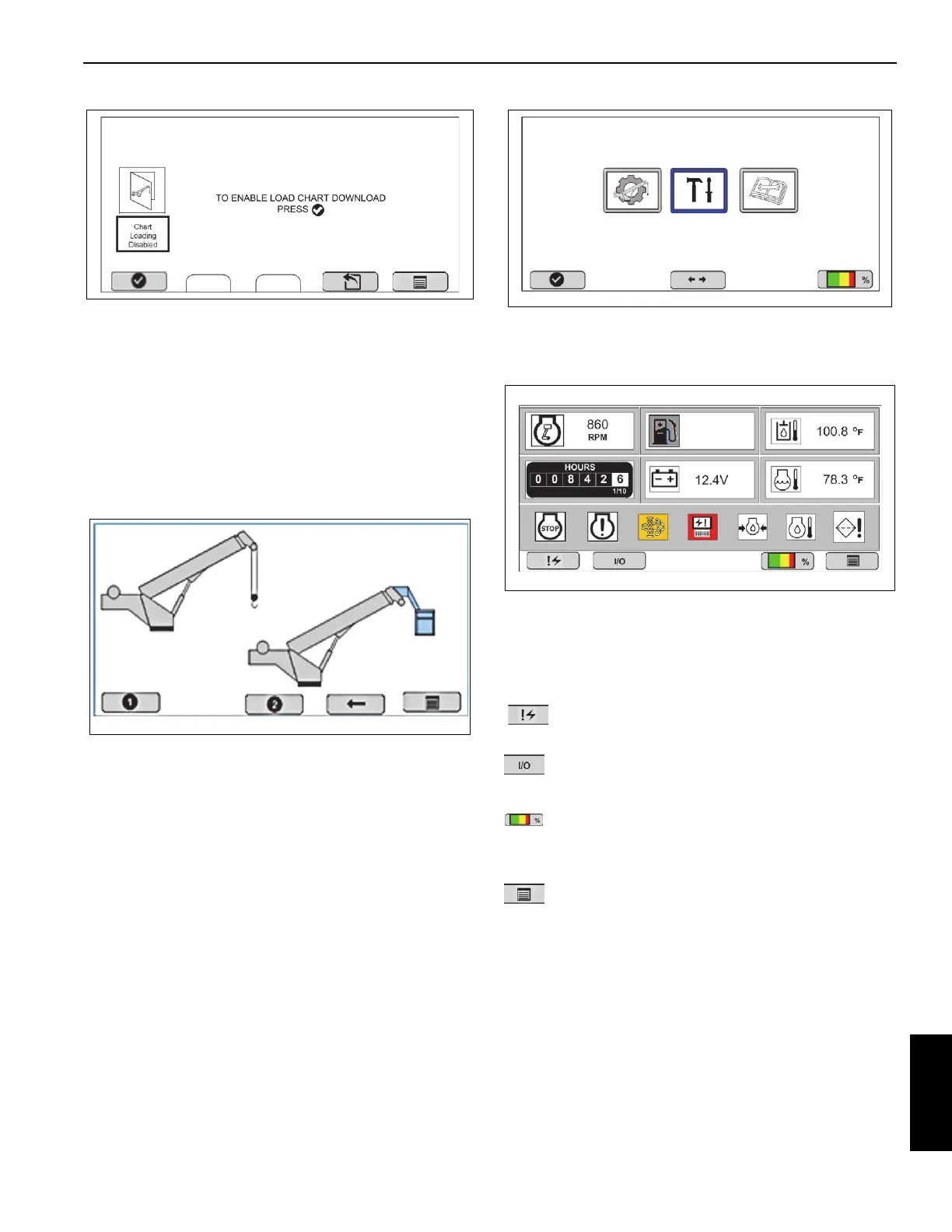
Upload Screen
At the Upload Screen, Select OK, check mark to start the
upload from the laptop.
Once enabled, the display will return to the sensor calibration
menu.
DIAGNOSTIC
To get to the Diagnostic Menu screen, turn on the crane
ignition switch and use the following screens.
Screen 1
Select function key 5; the ESC function key takes you to the
Main Menu.
MAIN Menu
Select function key, Diagnostics.
Diagnostic Menu Screen #1
The Diagnostic Menu screen contains crane and truck
operating information and warnings, an hour meter and fault
code displays.
Machine information/warnings display in upper left hand
corner of the Diagnostic Menu screen.
Button #1 will navigate to Diagnostic Screen 2 when
pressed.
Button #2 will navigate to real-time IO screen when
pressed.
-Button #4 will only appear when a valid crane
configuration has been entered and will navigate to RCL
Operating Screen.
Button #5 will navigate to Main Screen when pressed.
8807-35
RCL Tools Diagnostics












 To Next Page