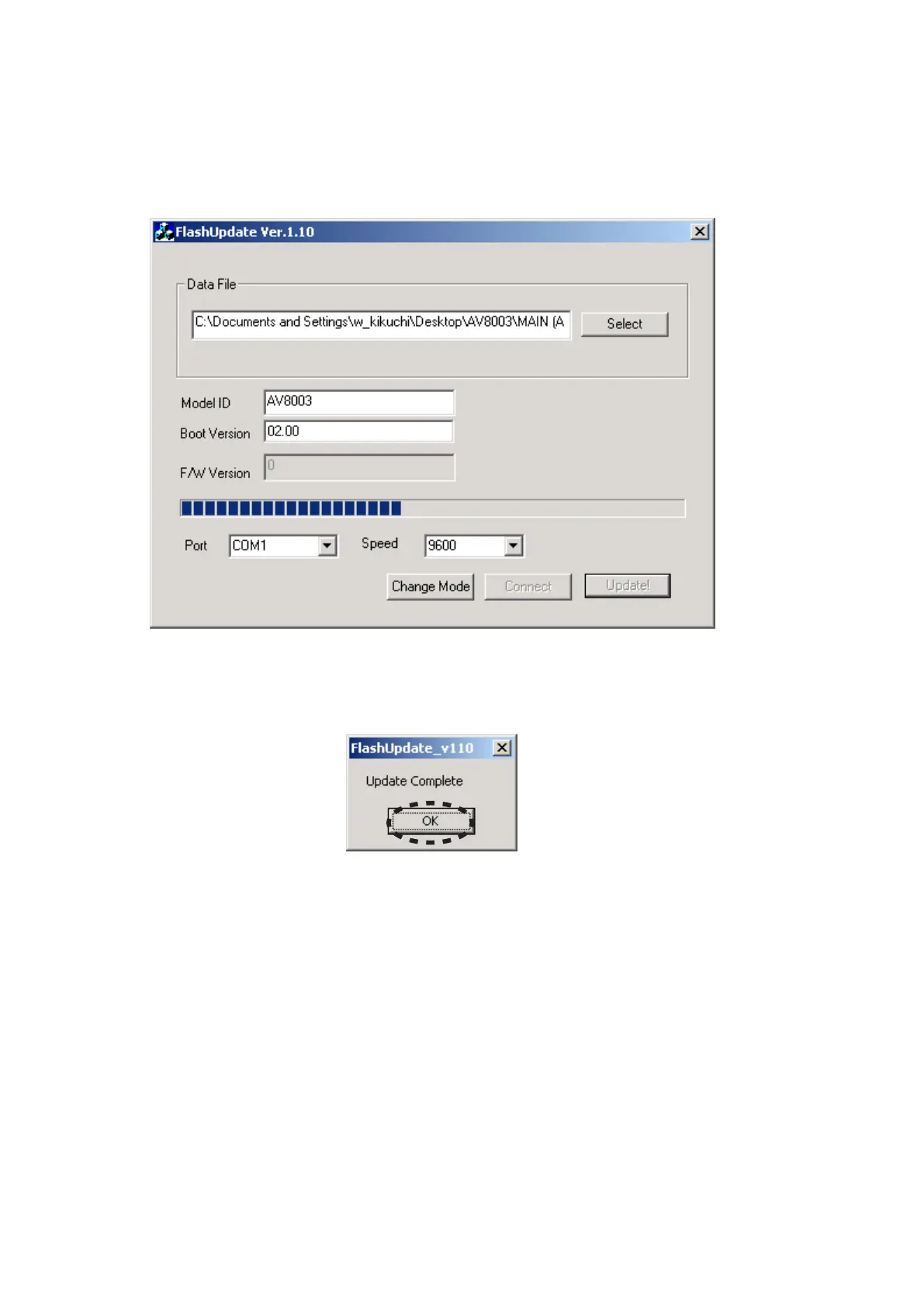
Software is written into the MAIN CPU. 12.
The writing of software takes about 3 minutes.
At that time, the unit keeps displaying "CONNECTING"
between a few seconds.
Then, the FLD of the unit alternately displays "UPDATE1
?%" or "UPDATE MODE".
If the software is updated/downloaded successfully, a 13.
dialog box saying "Update Complete" appears.
Click the OK.
MAINマイコンにソフトウェアの書き込みが開始されま12.
す。
書き込みにかかる時間は約3分です。
このとき、本機のFLディスプレイに"CONNECTING"を
2、3秒表示した後、"UPDATE1 ?%"と"UPDATE MODE"
を交互に表示します。
更新・書き込みが成功すると"Update Complete"のダイア13.
ログボックスが表示されます。
OKをクリックします。



 To Next Page