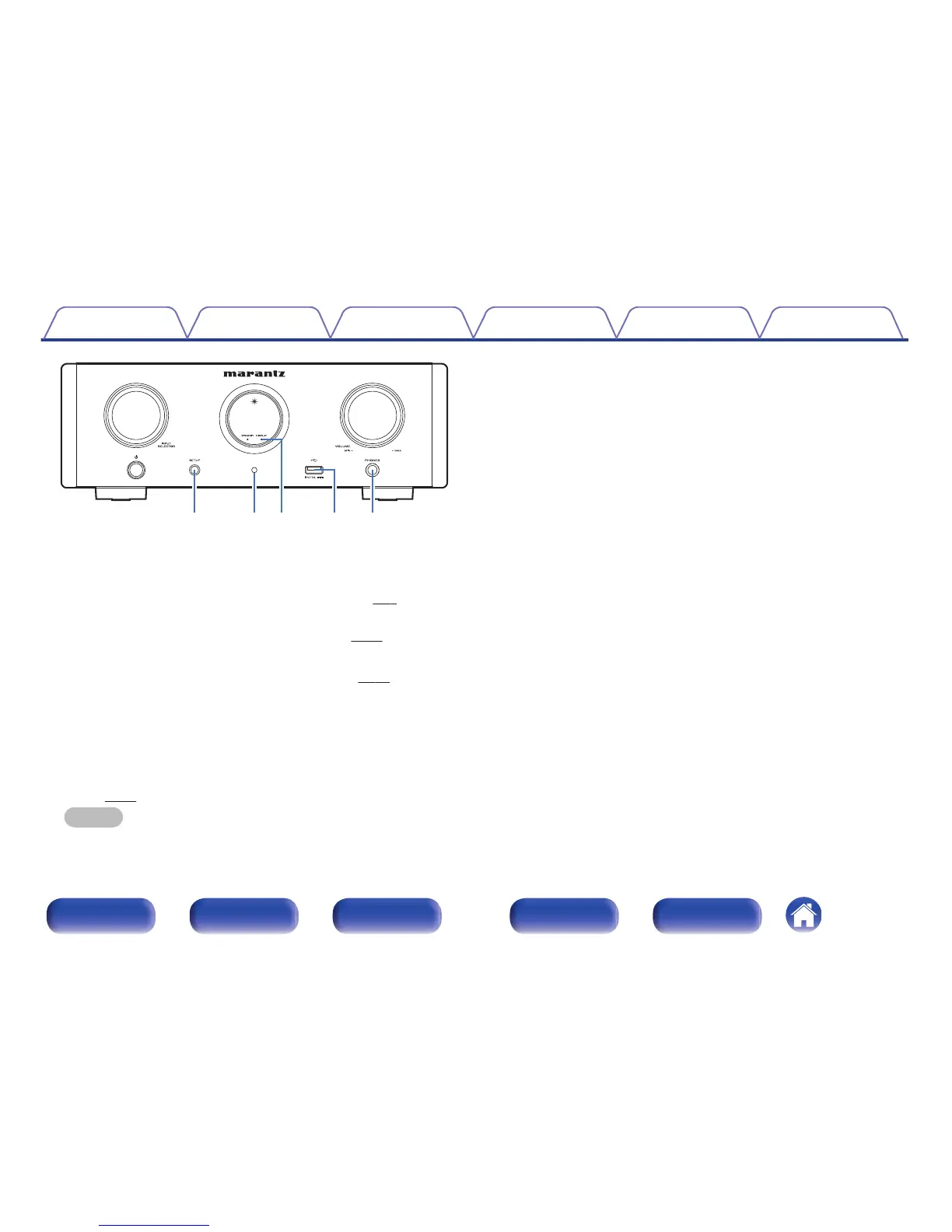
F
SETUP button
Used to set up this unit.
G
Remote control sensor
This receives signals from the remote control unit. (v
p. 6)
H
Display off indicator (DISPLAY)
This indicator lights up when the display is off. (v
p. 29)
I
USB port (T)
Used to connect iPod or USB memory devices. (v p. 22)
J
Headphones jack (PHONES)
Used to connect headphones.
0
When the headphones are plugged into this jack, audio will no longer
be output from the speaker terminals, SUBWOOFER OUT
connector.
0
“S.Direct” is set to “On” when headphones are connected.
(v
p. 52)
NOTE
0
To prevent hearing loss, do not raise the volume level excessively when using
headphones.
Contents Connections Playback Settings Tips Appendix
10
Front panel Display Rear panel Remote Index



 To Next Page