EasyManua.ls Logo

Marantz HD-AMP1 - Connecting a PC or Mac

Marantz HD-AMP1
77 pages
Print Icon
To Next Page IconTo Next Page
To Previous Page IconTo Previous Page
Loading...
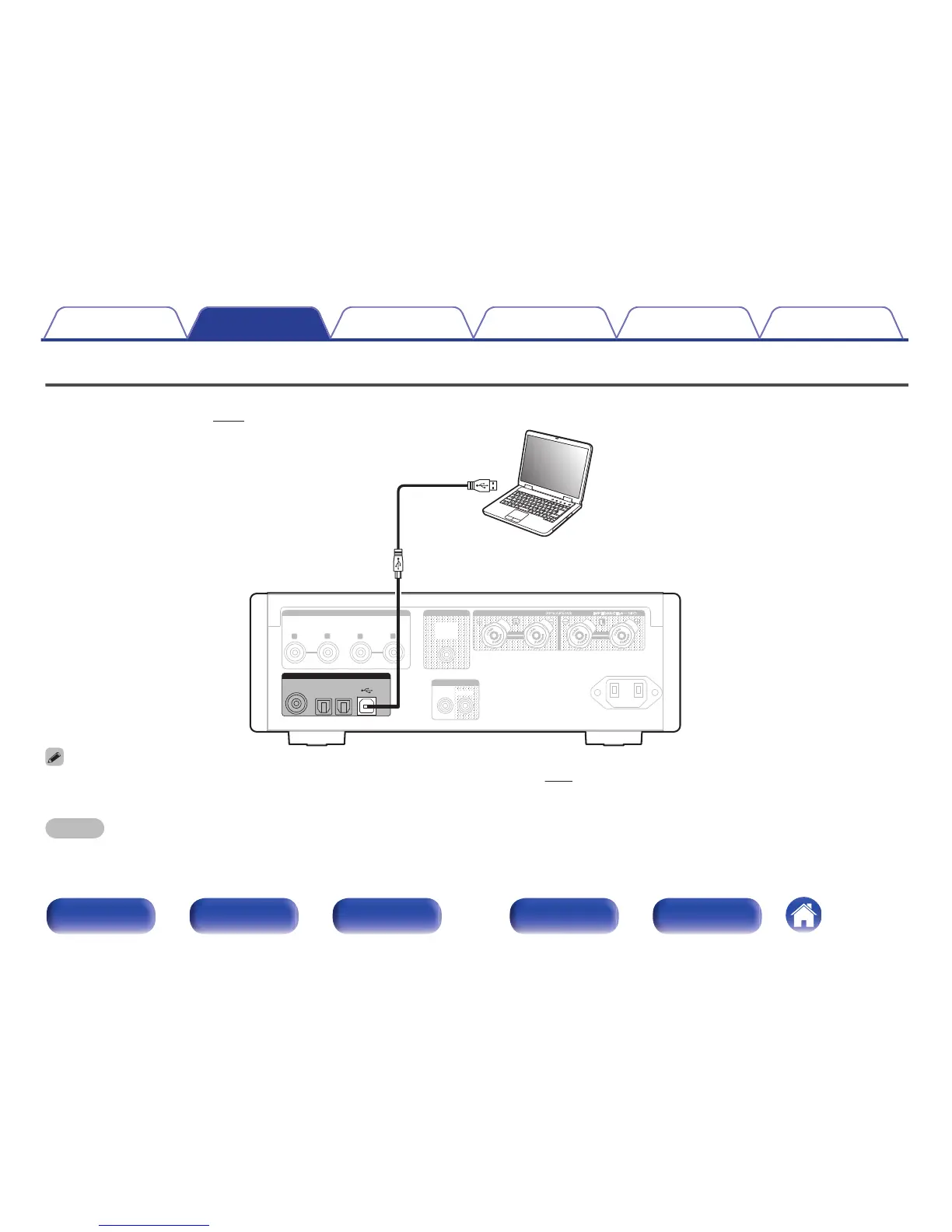
Connecting a PC or Mac
By connecting a computer to the USB port (USB-DAC) on the rear panel of this unit using a commercially available USB cable (supplied), this unit can be
used as a D/A converter. (v p. 31)
.
IN
IN
OUT
OUT
L
R
L
R
SUB
SUB
WOOFER
WOOFER
OUT
OUT
ANALOG2
ANALOG2
ANALOG1
ANALOG1
AC IN
AC IN
AUDIO OUT
AUDIO OUT
AUDIO IN
AUDIO IN
REMOTE CONTROL
REMOTE CONTROL
DIGITAL AUDIO IN
DIGITAL AUDIO IN
USB-DAC
USB-DAC
OPTICAL
OPTICAL
COAXIAL
COAXIAL
1
2
Ty p e A
USB 2.0 cable
(supplied)
Ty p e B
Computer on which the driver software and audio
player software are installed
0
Before USB connecting this unit to your computer, install the driver software in your computer. (v p. 31)
0
Download the driver software from the HD-AMP1 page of the Marantz website.
NOTE
0
Use a cable that is 10 ft (3 m) or less to connect to the computer.
Contents Connections Playback Settings Tips Appendix
21
Front panel Display Rear panel Remote Index


Other manuals for Marantz HD-AMP1

Related product manuals